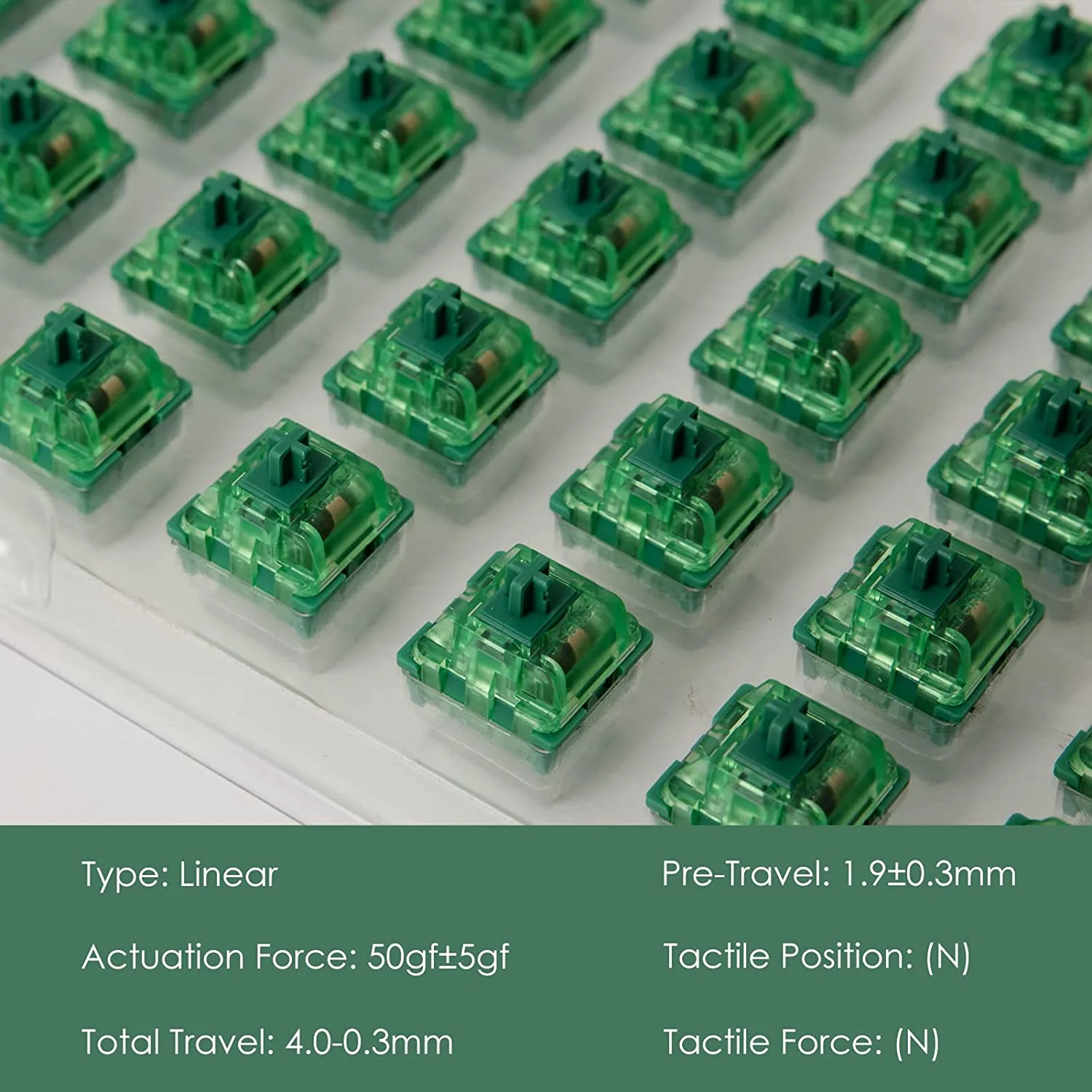
Linear Switches

Written by Elizabeth · Published September 3, 2024
Reviewed & Updated by Olivia · Updated on July 25, 2026

Disclosure: This guide contains affiliate links. If you buy through them we may earn a small commission at no extra cost to you. We only recommend switches we would put in our own boards.

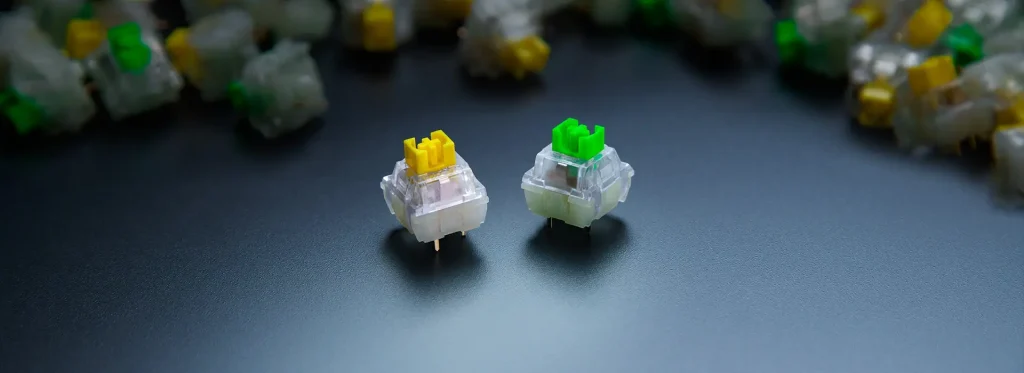
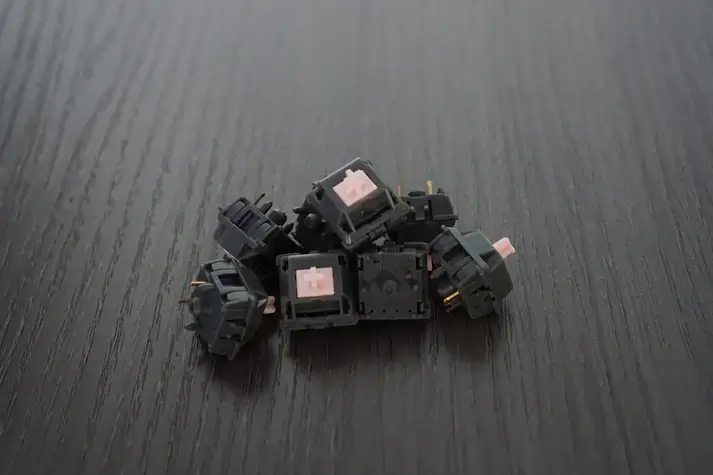
Linear switches press straight down with no bump and no click, which makes them smooth, consistent, and the default choice for gaming. But not all linears feel the same. Spring weight, factory lube, and housing material change the feel and sound a lot. Below are the best linear switches you can buy in 2026, sorted so you can match one to how you type or play.

⚡ Quick take

For most people, a factory-lubed Gateron linear like the Ink Black is the smoothest safe bet. Gamers who want a light, fast switch should look at the TTC Gold Pink. On a budget, the Akko or Kailh reds do the job. New to switches? Start with the tried and true Cherry MX Red.

This roundup ranks linear switches for typing and everyday use. If you are buying specifically for gaming, where actuation weight and how early the switch fires matter more than sound, start with our best linear switches for gaming guide instead.

How we picked

We judged each switch on smoothness, sound, spring weight, whether it comes factory-lubed, availability, and value. Every pick has a real use case and an honest downside, because no single switch is best for everyone. If you are still deciding between linear and tactile, start with our tactile vs linear switches guide, then come back here.

Best linear switches compared

SwitchActuation (approx)Feel and soundBest for
Cherry MX Red45 gLight, clacky, reliableBeginners and gaming
Gateron Baby Raccoon~62 gSmooth, deep, factory lubedThocky sound lovers
NovelKeys Cream~55 gCreamy POM, improves with break-inEnthusiasts who lube
Kailh Red~50 gBasic, budget-friendlyCheap builds
Razer Linear OpticalLightFast optical actuationRazer keyboard gamers
Akko Pink (CS)~45 gLight, smooth for the priceBudget Akko builds
Outemu Red~50 gVery cheap, decentRock-bottom budget
Durock Linear~62 gSmooth, good valueSmooth mid-weight typing
TTC Gold Pink~37 gVery light and fastSpeed-focused gaming
Tealios V2~67 gPremium, extremely smoothEnthusiasts chasing smoothness
Gateron Ink Black~60 gDeep, smooth, premiumSound and smoothness
Alpaca V2~62 gBoutique-smooth, great valueMid-weight all-rounder

The 12 best linear switches

1. Cherry MX Red, the reliable classic
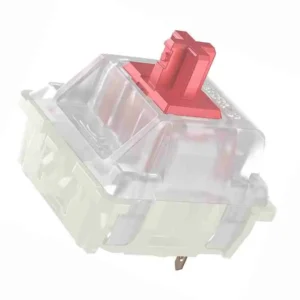
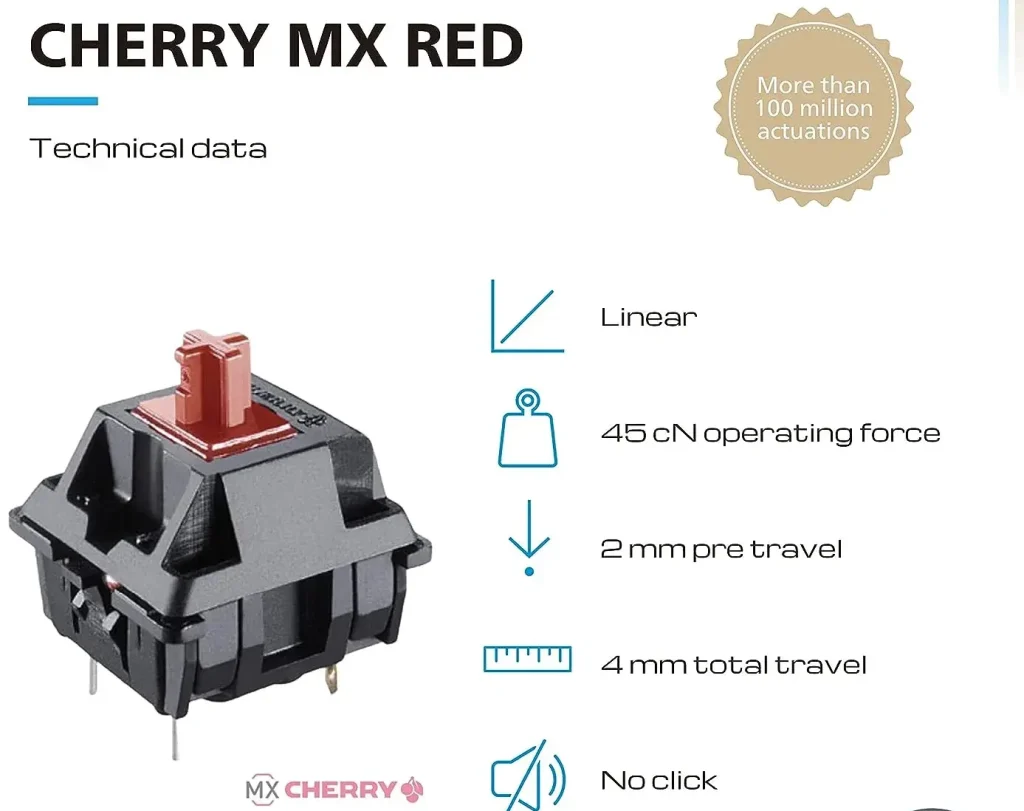
Cherry MX RED 1

Why it is here. The 45 g Cherry MX Red is the switch that made linears mainstream. It is light, dependable, and available in almost every board, which makes it the safe first linear. Best for: beginners and everyday gaming.

Watch out: it is not factory lubed and feels a little scratchier and clackier than modern Gateron linears. A quick lube fixes most of that.

2. Gateron Baby Raccoon, deep and thocky
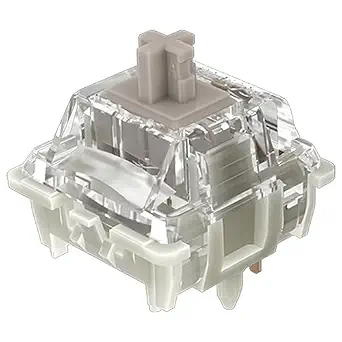
Gateron baby racoon

Why it is here. A factory-lubed linear around 62 g with a deep, full sound that people chase for a thocky build. Smooth out of the box with a satisfying, rounded bottom-out. Best for: people who care about sound.

Watch out: the heavier spring is not for everyone, and stock can come and go depending on the batch.

3. NovelKeys Cream, the creamy POM linear
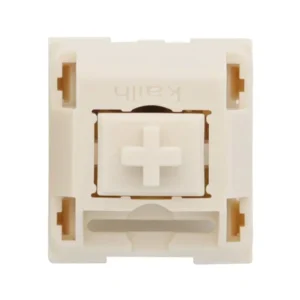
Novelkeys Cream MX SMD

Why it is here. Full POM housings give the Cream a unique, muted, creamy sound and feel that no other switch quite copies. It gets smoother the more you use it. Best for: enthusiasts who lube and enjoy a distinctive sound.

Watch out: it can feel scratchy out of the box and really wants a lube and a short break-in to shine. Not a plug-and-play pick.

4. Kailh Red, the budget standard
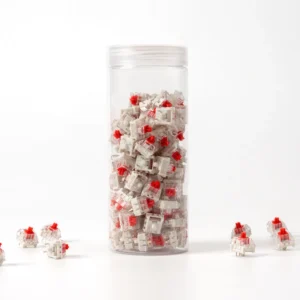
Kailh-Red-Switch-Set_720x

Why it is here. A dependable, cheap linear around 50 g that shows up in a lot of budget boards. It does the job without fuss. Best for: low-cost builds and spares.

Watch out: it is not as smooth as a modern Gateron and has no factory lube, so it feels basic next to premium options.

5. Razer Linear Optical, fast for Razer boards
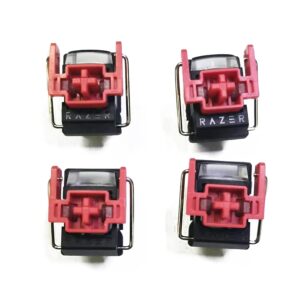
Razer red Linear Optical

Why it is here. Razer’s optical linear registers with light instead of metal contact, which shaves a little latency and appeals to competitive players on Razer boards. Best for: gamers already in the Razer ecosystem.

Watch out: it only works in Razer optical keyboards, so you cannot hot-swap it into a standard MX board. That limits it to Razer owners.

6. Akko CS Pink, budget smoothness
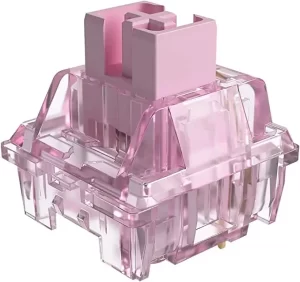
Jelly Pink Akko

Why it is here. A light linear around 45 g that is smoother than you expect for the money, and a natural pick if you already own an Akko board. Best for: budget builds that still want a pleasant feel. See more in our best Akko keyboards guide.

Watch out: the light spring and budget housing mean it does not match premium switches on consistency, and some units are slightly scratchy.

7. Outemu Red, the rock-bottom option
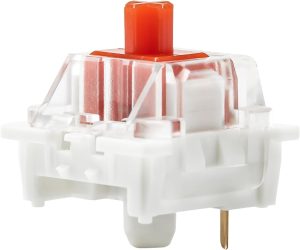
Yunzii Outemu Switches for Mechanical Keyboard DIY

Why it is here. If you need the cheapest possible linear for a first build or a repair, Outemu Red gets you typing. Best for: the tightest budgets.

Watch out: quality varies from unit to unit and it is scratchier than pricier switches. Treat it as a starting point, not an endgame.

8. Durock Linear, smooth value
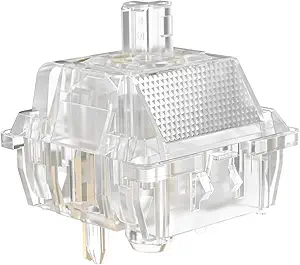
Durock Linear

Why it is here. Durock’s linears around 62 g are smooth, well built, and priced below boutique switches, which makes them a great value upgrade. Best for: smooth mid-weight typing without paying flagship prices.

Watch out: Durock sells several linear models under different names, so check the exact weight and stem before you buy.

9. TTC Gold Pink, light and fast
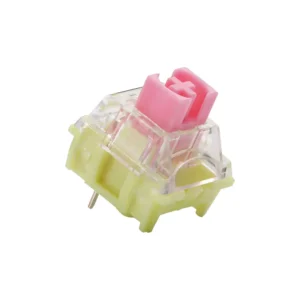
TTC V2

Why it is here. A very light linear around 37 g that actuates fast and feels effortless, which speed-focused gamers love. Best for: fast gaming and light-touch typists.

Watch out: that light spring causes accidental key presses for some people, especially heavy typists. Try before committing a full board.

10. Tealios V2, premium smoothness
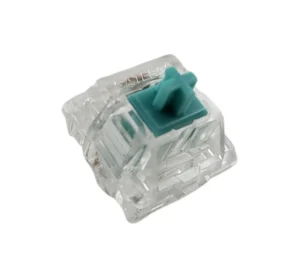
tealios v2 switches

Why it is here. Tealios V2, the linear member of the Zeal family, is one of the smoothest stock linears you can buy, with a clean, refined feel around 67 g. Best for: enthusiasts chasing top-tier smoothness.

Watch out: it is expensive and often out of stock. You pay a real premium over switches that get most of the way there for less.

11. Gateron Ink Black, deep and refined
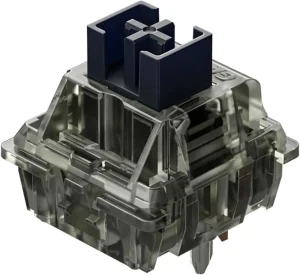
Gateron Ink Black Linear Switch

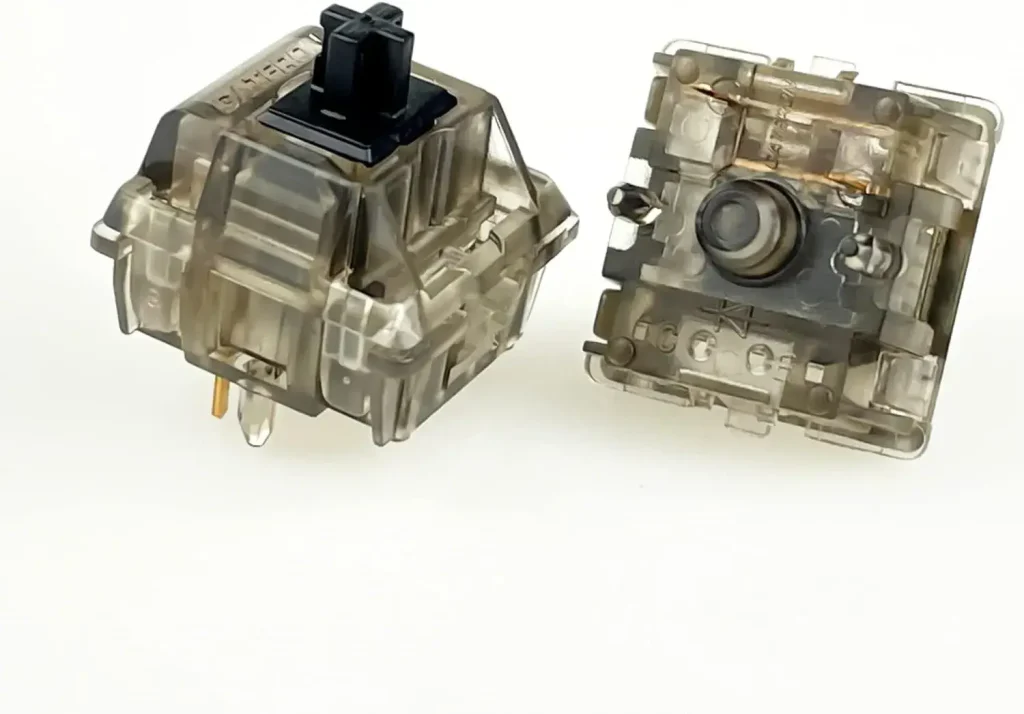
Why it is here. The Ink Black pairs a special ink housing with a smooth, slightly heavier linear feel around 60 g and a deep, premium sound. It is a community favorite for a reason. Best for: people who want smoothness and a deep sound in one switch.

Watch out: it costs more than standard Gateron linears, and the heavier spring is not ideal if you like a light touch.

12. Alpaca V2, boutique feel for less
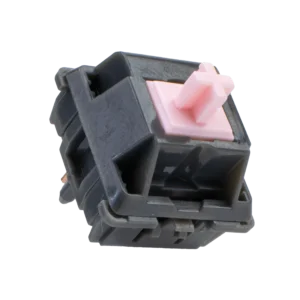
Alpaca V2

Why it is here. Alpacas built a reputation as a smooth, mid-weight linear around 62 g that punches well above its price. A great all-rounder for typing and gaming. Best for: a balanced daily-driver linear.

Watch out: availability comes and goes, and stem wobble is slightly higher than the most premium options.

What to look for in a linear switch

  • Spring weight: lighter switches (around 45 g) suit fast gaming and light typists; heavier ones (60 g and up) feel more deliberate and reduce accidental presses.
  • Factory lube: a factory-lubed switch feels smoother out of the box. Unlubed switches can be improved with our switch lubing guide.
  • Housing and stem material: POM and ink housings change the sound, usually toward a deeper, muted tone.
  • Sound: heavier, well-lubed linears in a foamed board give the deep thock many people want.
  • Compatibility: standard MX-style linears drop into any hot-swap board. Proprietary optical switches, like Razer’s, only work in their own keyboards.

Frequently asked questions

Are linear switches good for typing?

Yes, though they feel different from tactile switches. Linears are smooth with no bump, so you get no feedback until you bottom out. Many people type happily on them, especially heavier, well-lubed linears. If you want to feel each key register, a tactile switch may suit you better.

What is the best linear switch overall?

For most people, a smooth factory-lubed Gateron linear like the Ink Black is the best balance of smoothness, sound, and availability. Enthusiasts chasing the smoothest possible feel often pick the Tealios V2, and gamers who want a light, fast switch prefer the TTC Gold Pink.

What is the smoothest linear switch?

The Tealios V2 is widely considered one of the smoothest stock linears, with the Gateron Ink Black and Alpaca V2 close behind for less money. Any linear gets smoother with a proper lube job, so a mid-priced switch plus lube often rivals a premium one.

Are linear switches good for gaming?

Yes. Their smooth, consistent travel makes rapid presses reliable, which is why most gaming keyboards ship with linears. Lighter linears like the TTC Gold Pink feel especially fast. For the lowest latency, use a wired board or look at magnetic switches.

Do linear switches work in any keyboard?

Standard MX-style linear switches drop into any hot-swap or solderable board. The exception is proprietary optical switches, such as Razer’s linear optical, which only work in that brand’s optical keyboards and cannot be swapped into a normal MX board.

Verdict: which linear switch should you buy?

If you want one easy answer, get a smooth factory-lubed Gateron linear like the Ink Black. It sounds great, feels smooth out of the box, and suits both typing and gaming. Gamers who want a light, fast switch should pick the TTC Gold Pink, budget builders are well served by the Akko or Kailh reds, and enthusiasts chasing the smoothest possible feel should try the Tealios V2.

Whatever you choose, remember that a lube job and a well-built board change the feel and sound as much as the switch itself. Pick the weight that matches your hands, and you will be happy with any switch on this list.


We update this roundup as new switches launch and community favorites shift, so the picks stay current.
Written by Elizabeth · Published August 29, 2024
Reviewed & Updated by Olivia · Updated on July 26, 2026

Disclosure: This guide contains affiliate links. If you buy through them we may earn a small commission at no extra cost to you. We only recommend switches we would put in our own boards.

Akko has become one of the best value brands in switches, and its linear lineup is where it shines. Linear switches press straight down with no bump, which makes them smooth and a favorite for gaming and fast typing. But Akko sells a lot of them, split across the budget CS series and the pre-lubed V3 Pro series, and they do not all feel the same. Below are the best Akko linear switches in 2026, ranked and sorted so you can pick the right one for your build.

⚡ Quick take

For most people the V3 Cream Yellow Pro is the best all-round Akko linear: smooth, pre-lubed, and easy to love out of the box. Gamers who want speed should get the V3 Silver Pro, and anyone on a budget is well served by the CS Jelly Black. New to switch types? Read our tactile vs linear guide first.

How we picked

We judged each Akko linear on smoothness, sound, spring weight, whether it comes factory pre-lubed, and value. The V3 Pro switches ship pre-lubed and feel more refined, while the CS series is cheaper and still solid for the money. Every pick below has a clear best use and an honest downside, because no single switch suits everyone.

Akko linear switches compared

SwitchSeriesWeight (approx)Best for
V3 Cream Yellow ProV3 Pro~50 gBest overall
V3 Piano ProV3 Pro~63 gBest sound
CS Jelly BlackCS~50 gBest budget
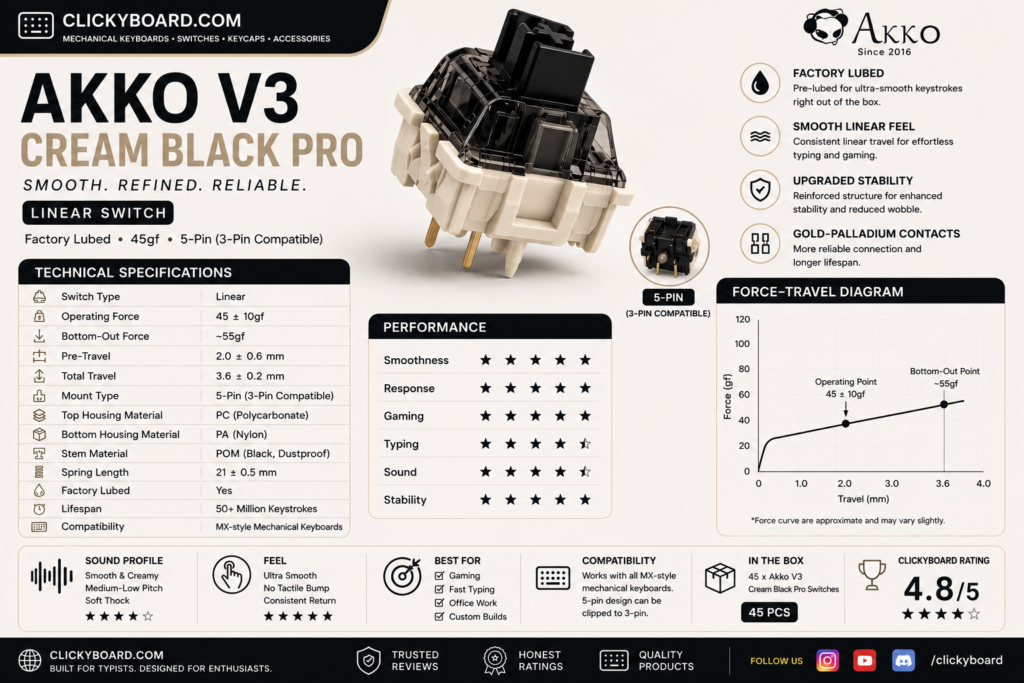
V3 Cream Black ProV3 Pro~60 gBest heavier linear
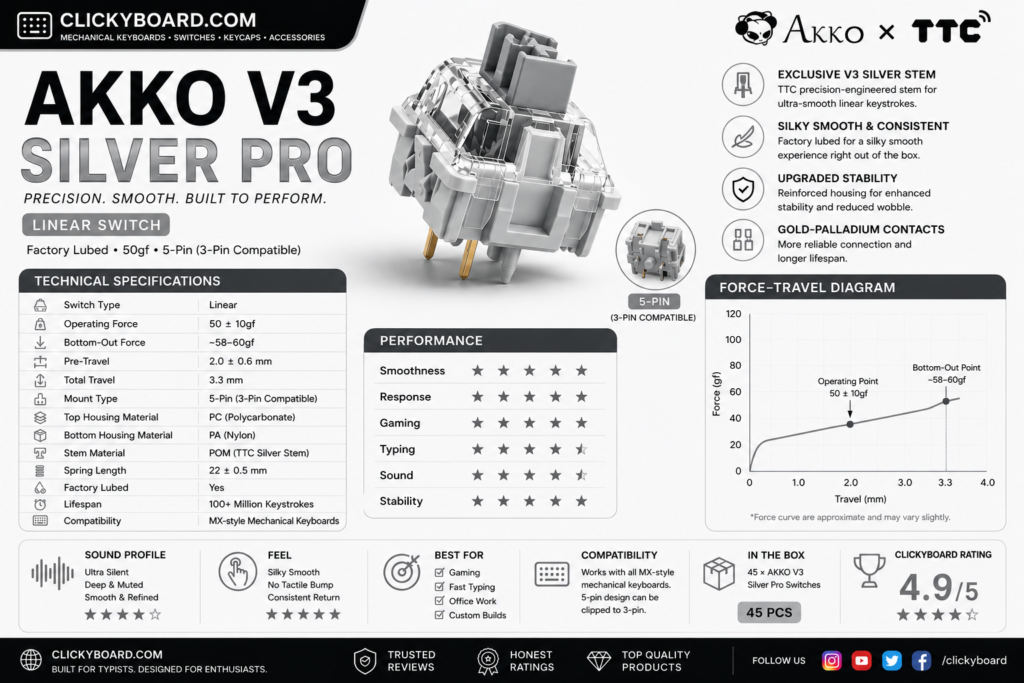
V3 Silver ProV3 Pro~43 gBest for gaming and speed
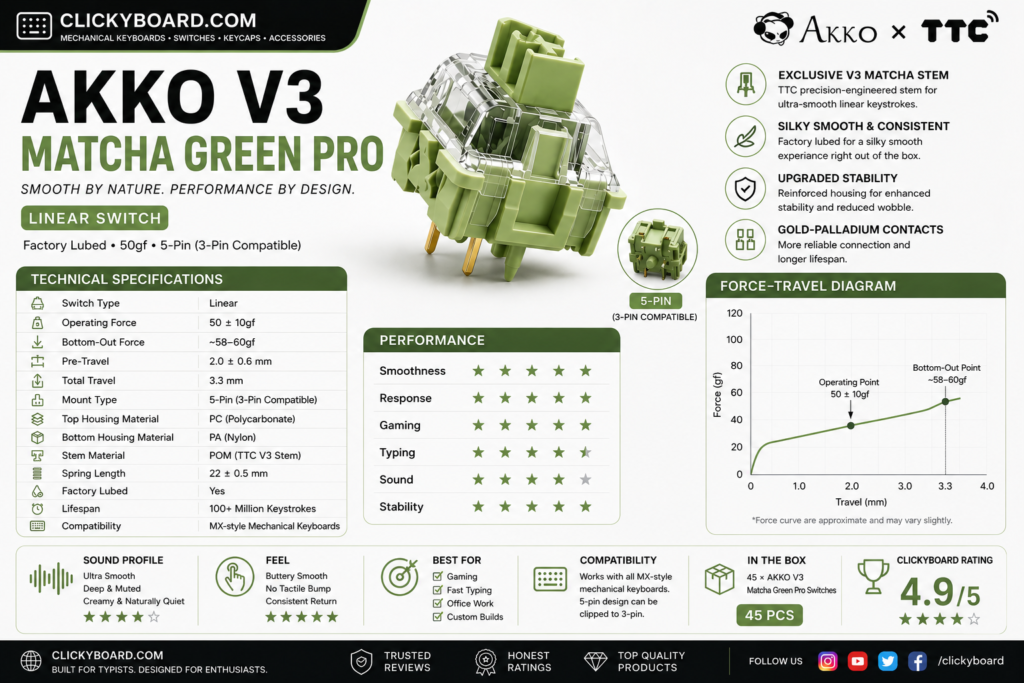
V3 Matcha Green ProV3 Pro~50 gBest balanced feel
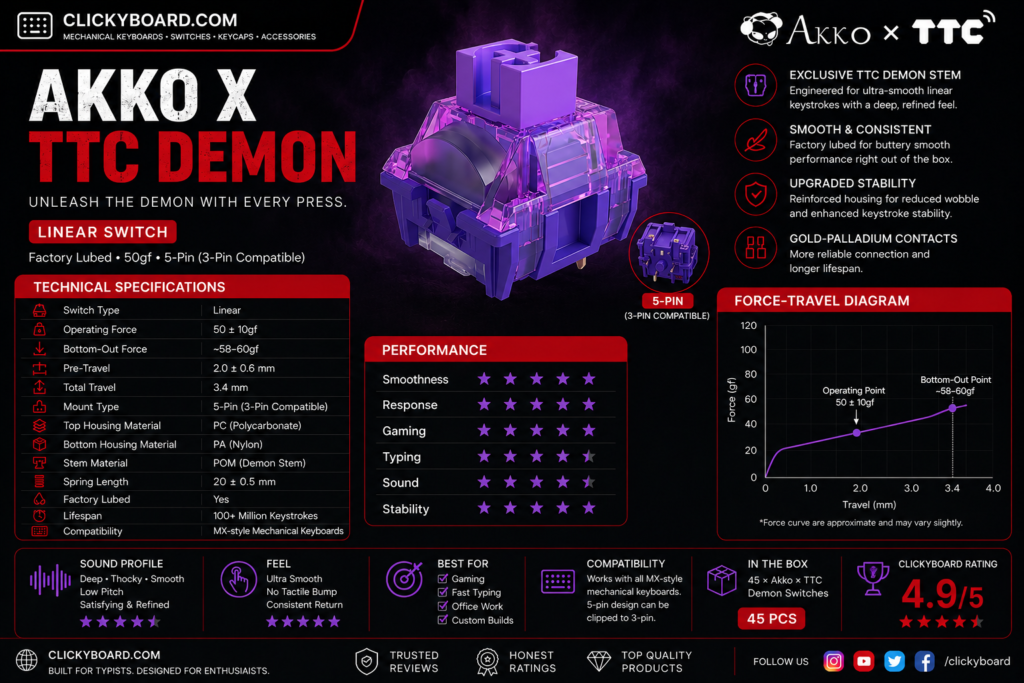
Akko x TTC DemonCollab~42 gBest light and smooth
CS Lavender PurpleCS~45 gQuiet-ish budget linear
RosewoodThemed~43 gLight budget classic
POM PinkThemed~45 gCreamy, muted feel
CS CrystalCS~43 gBudget RGB shine-through
CS Wine RedCS~50 gBudget all-rounder

The best Akko linear switches

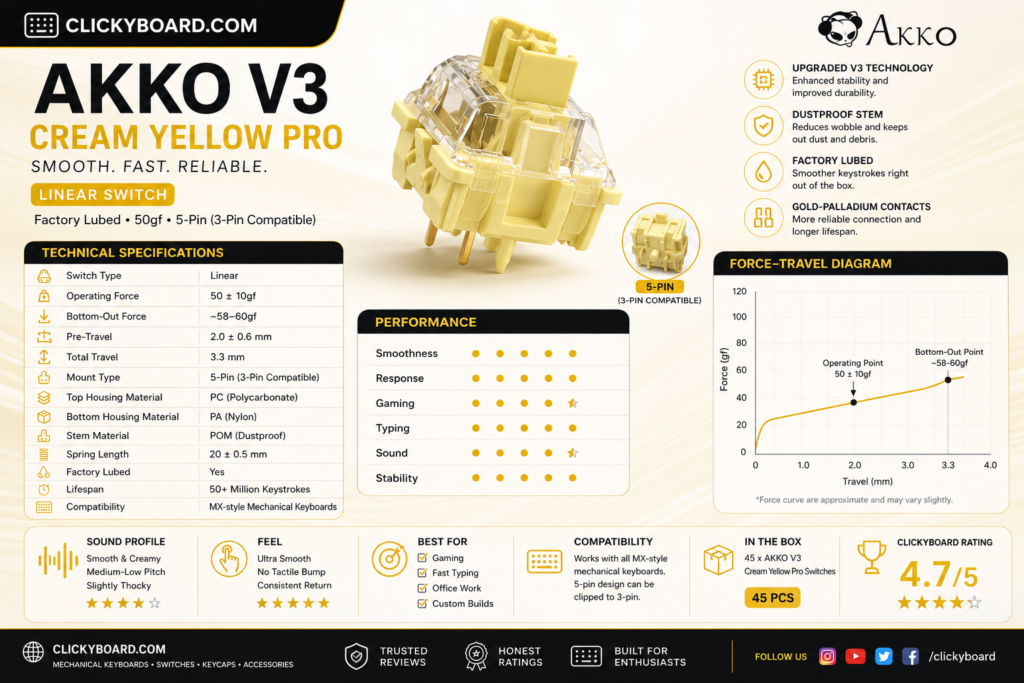
1. Akko V3 Cream Yellow Pro, the best all-rounder

Akko v3 cream yellow pro

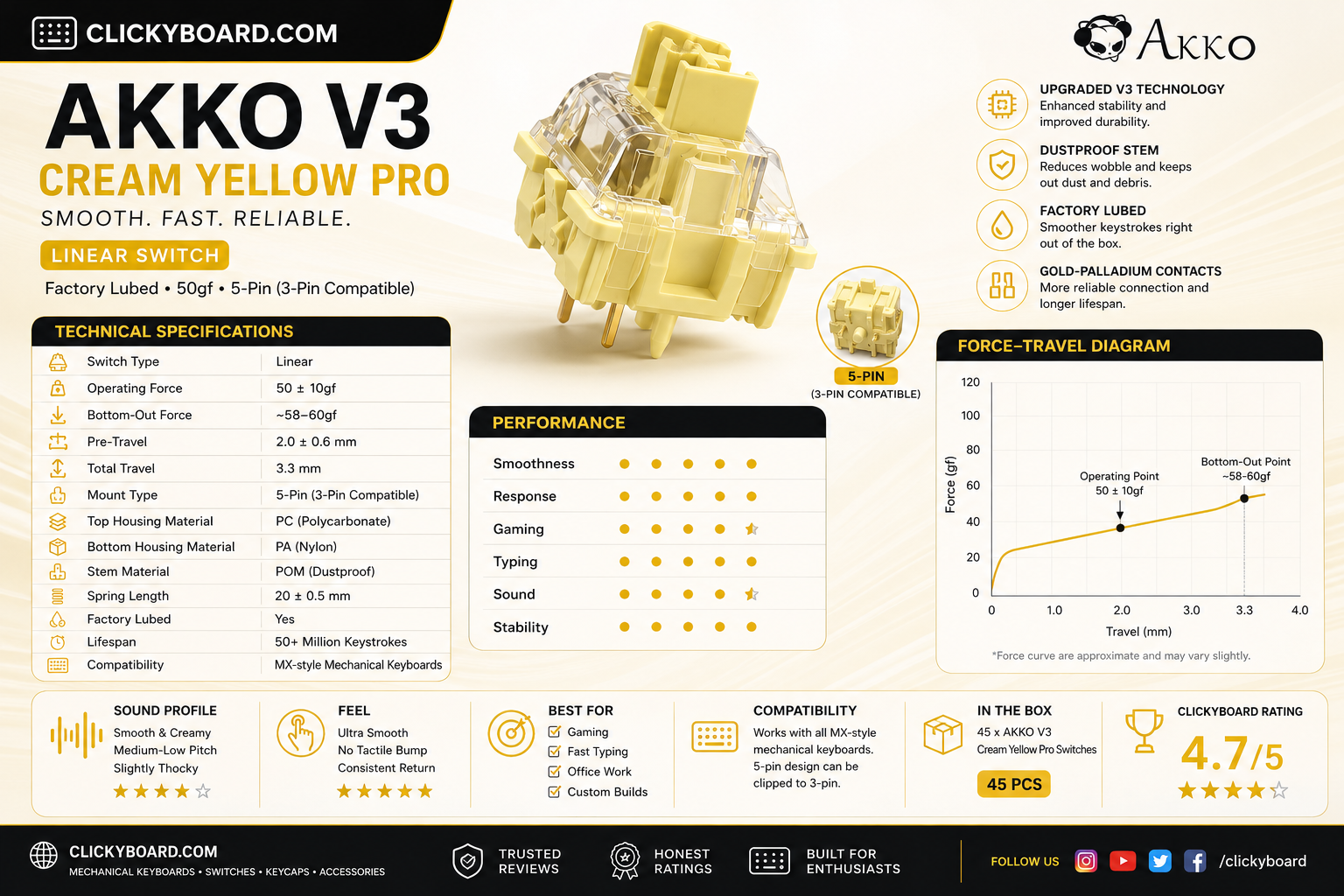
Why it is here. A medium-weight linear around 50 g that comes factory pre-lubed and feels smooth and deep straight out of the box. It is the switch most people should buy first, with a rounded, satisfying sound. Best for: an easy, do-it-all linear for typing and gaming.

Watch out: the mid weight feels a touch heavy if you prefer a fast, feather-light switch for competitive play.

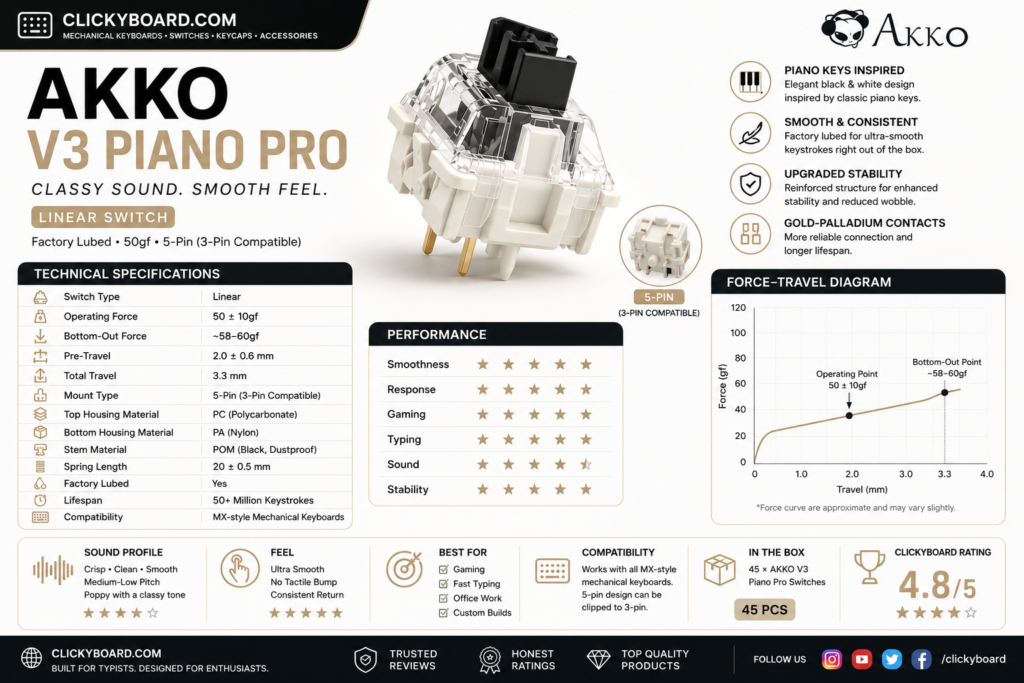
2. Akko V3 Piano Pro, the best sound

Akko v3 piano pro

Why it is here. Tuned for a deep, musical sound, the Piano Pro is pre-lubed and smooth with a fuller thock than most Akko linears. It is the pick if you care most about how a board sounds. Best for: sound-focused builds.

Watch out: it is heavier and pricier than the CS series, so it is overkill if you just want a cheap, light linear.

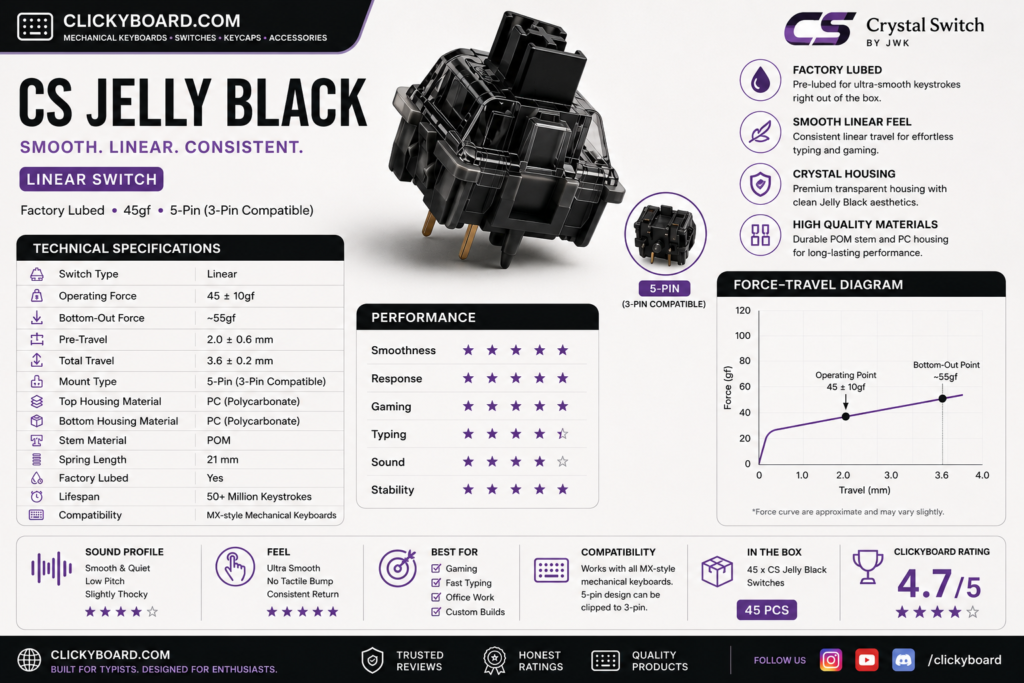
3. Akko CS Jelly Black, the best budget pick

CS jelly black

Why it is here. A budget linear around 50 g that is smoother than its price suggests and a favorite for first builds. Great value if you are filling a whole board. Best for: cheap builds that still want a pleasant feel.

Watch out: it is not pre-lubed, so it is a step less refined than the V3 Pro switches. A quick lube closes most of the gap.

4. Akko V3 Cream Black Pro, the best heavier linear

Akko v3 cream black pro

Why it is here. A pre-lubed linear around 60 g with a firmer, more deliberate press and a deep sound. Typists who bottom out hard tend to love it. Best for: heavy-handed typists who want control.

Watch out: the heavier spring tires out light typists and is not ideal for fast gaming.

5. Akko V3 Silver Pro, the best for gaming

Akko v3 silver pro

Why it is here. A light, short-travel speed linear around 43 g that actuates fast, which competitive gamers value. Pre-lubed and smooth for a speed switch. Best for: fast gaming and quick reactions.

Watch out: the short travel and light spring cause accidental presses for some, especially while typing.

6. Akko V3 Matcha Green Pro, the balanced choice

Akko v3 matcha green pro

Why it is here. A smooth mid-weight linear around 50 g with a balanced feel and a pleasant, slightly muted sound. A great alternative if you want the Cream Yellow feel with a different tone. Best for: a balanced daily-driver linear.

Watch out: it is close enough to the Cream Yellow Pro that you rarely need both.

7. Akko x TTC Demon, the light and smooth pick

Akko ttc pro

Why it is here. A collaboration with TTC that produces a very smooth, light linear around 42 g. If you like a fast, effortless keystroke, this is one of the smoothest light Akko options. Best for: light-touch typists and gamers.

Watch out: the light weight is not for heavy typists, and stock can be harder to find.

8. Akko CS Lavender Purple, the quiet-ish budget linear

Why it is here. One of the softest-sounding switches in the CS line, with a light press and a muted, low-pitched bottom-out that suits shared rooms without going fully silent. It is also among the cheapest ways into a decent Akko linear. Best for: quiet offices on a budget.

Watch out: it is not a silent switch, just a quieter one. If you need genuine silence, a dampened switch is the answer, and our best silent switches guide covers those, including Akko’s own silent tactile Penguin.

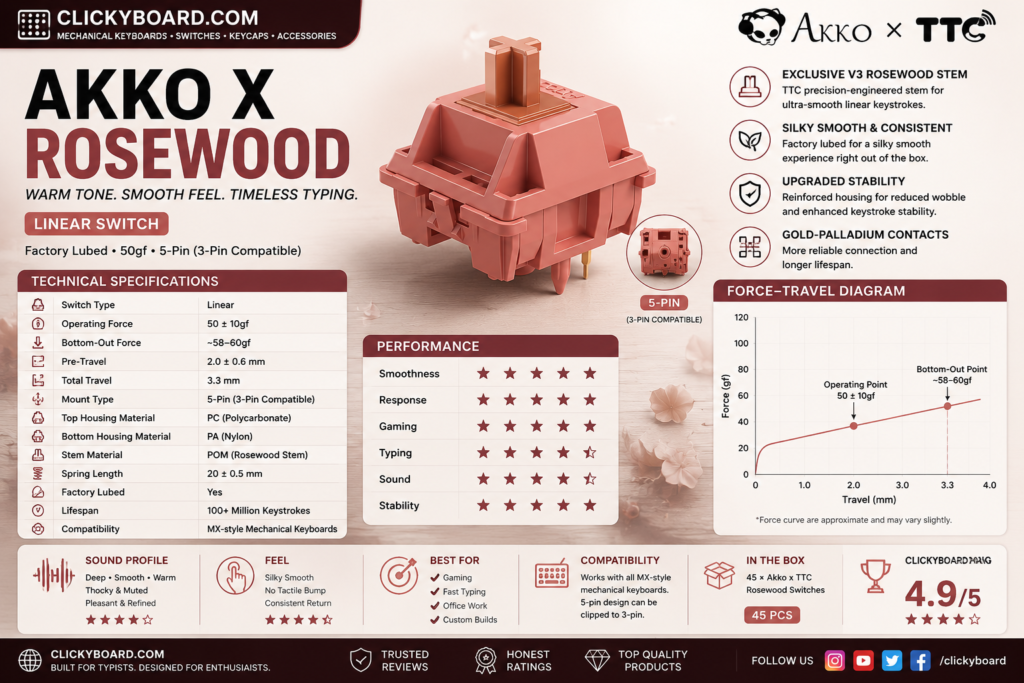
9. Akko Rosewood, a light budget classic

Akko Rosewood

Why it is here. A light linear around 43 g from Akko’s themed lineup, smooth and easy to type on at a low price. A solid, no-drama budget option. Best for: a cheap, light everyday linear.

Watch out: it is an older line, so availability can be hit or miss.

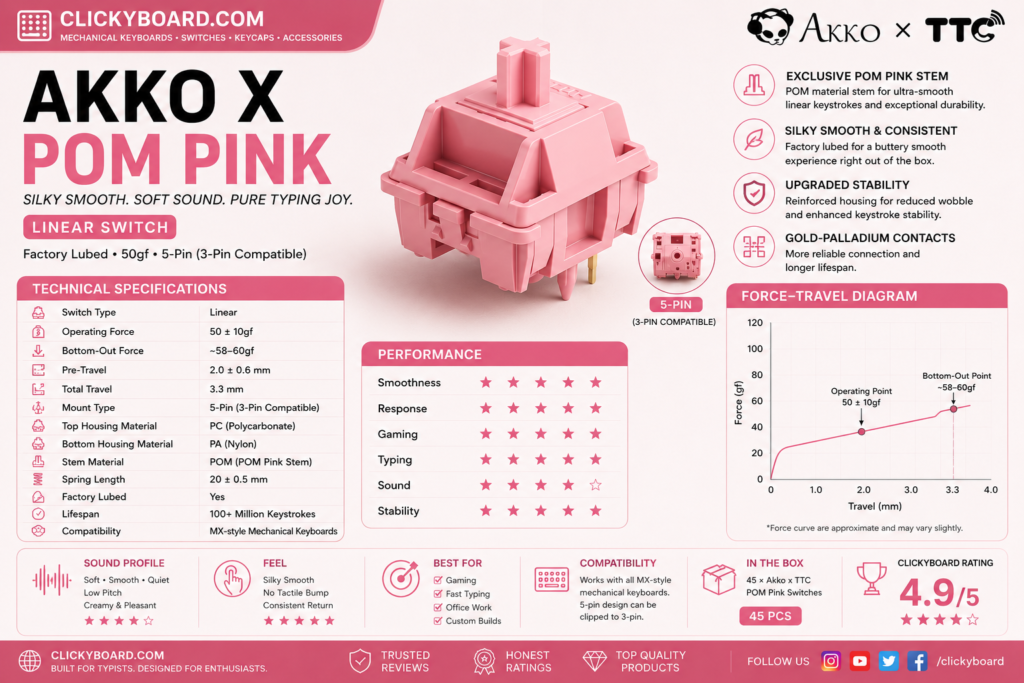
10. Akko POM Pink, creamy and muted

Akko POM Pink

Why it is here. POM parts give this linear a soft, creamy feel and a muted, rounded sound that some people prefer over a sharper switch. Best for: a softer, quieter linear character.

Watch out: the muted sound and soft feel are subjective, so try to hear it before buying a full set.

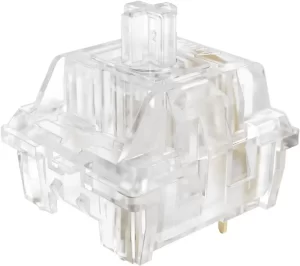
11. Akko CS Crystal, budget RGB shine-through

Crystal Transparent Linear Akko

Why it is here. A clear-housing budget linear that lets RGB shine through brightly, so it is a natural pick for a colorful, backlit build. Light and easy to press. Best for: RGB-focused budget builds.

Watch out: the feel is basic next to the V3 Pro switches, and it is not pre-lubed.

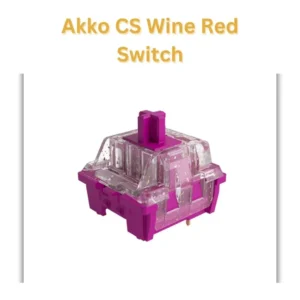
12. Akko CS Wine Red, the budget all-rounder

Akko CS Red Wine factory pre lubed linear switches

Why it is here. A dependable budget linear around 50 g that handles both typing and gaming without fuss. A safe, cheap choice if you just want a solid linear. Best for: a low-cost, general-purpose linear.

Watch out: it is unremarkable next to the premium picks and has no factory lube.

CS series vs V3 Pro: which should you buy?

Akko splits its linears into two families. The CS series is the budget line: good switches with no factory lube, best for cheap builds or if you plan to lube them yourself. The V3 Pro series costs more but ships pre-lubed and feels noticeably smoother and deeper out of the box. If you want the best experience with no extra work, buy V3 Pro. If you are filling a big board on a budget, the CS series is the smart value, and our switch lubing guide will get them most of the way to V3 Pro smoothness.

Frequently asked questions

What is the best Akko linear switch?

For most people the V3 Cream Yellow Pro is the best Akko linear overall. It is pre-lubed, smooth, and has a deep, pleasant sound out of the box. Gamers who want a lighter, faster switch should look at the V3 Silver Pro, and budget builders are well served by the CS Jelly Black.

Are Akko linear switches good?

Yes. Akko linears offer some of the best value in switches, especially the pre-lubed V3 Pro line, which feels smooth and refined for the price. The cheaper CS series is also solid, though it benefits from a lube job. They are a common recommendation for people getting into the hobby.

What is the difference between Akko CS and V3 Pro switches?

The CS series is budget-priced and not factory lubed, while the V3 Pro series costs more, ships pre-lubed, and feels smoother and deeper straight away. Buy V3 Pro for the best out-of-box feel, or CS if you want to save money and do not mind lubing them yourself.

Which Akko linear switch is best for gaming?

The V3 Silver Pro is the best Akko linear for gaming. It is a light, short-travel speed switch that actuates quickly, which helps in fast games. If you find it too light and prone to accidental presses, the V3 Cream Yellow Pro is a slightly heavier all-rounder that still games well.

Do Akko switches fit any keyboard?

Yes. Akko switches use the standard MX stem and pins, so they drop into any hot-swap or solderable board that takes MX-style switches. Check whether your board is 3-pin or 5-pin, though most modern hot-swap boards accept both.

Verdict: which Akko linear should you buy?

If you want one easy answer, buy the V3 Cream Yellow Pro. It is smooth, pre-lubed, and suits almost any build. Gamers should get the V3 Silver Pro for speed, budget builders should grab the CS Jelly Black, and anyone chasing a deep sound should try the V3 Piano Pro.

Whatever you pick, Akko linears are among the best value switches you can buy, and a lube job plus a well-built board will make any of them sing. If you are still weighing linear against tactile, our tactile vs linear guide and our best linear switches roundup will help, and you can pair these switches with a board from our best Akko keyboards guide.


We update this roundup as Akko releases new switches and community favorites shift, so the picks stay current.
Written by Elizabeth · Published August 21, 2024
Reviewed & Updated by Olivia · Updated on July 26, 2026

Disclosure: This guide contains affiliate links. If you buy through them we may earn a small commission at no extra cost to you. We only recommend switches we would put in our own boards.

Lubing switches by hand is the single best way to make them smoother, but it is slow, fiddly, and not for everyone. Factory-lubed linear switches skip that step: they come lubricated from the factory, so they feel smooth and sound good the moment you drop them in. Below are the best factory-lubed linear switches in 2026, so you can get a premium feel with zero extra work.

⚡ Quick take

The Gateron Oil King is the best factory-lubed linear for most people: smooth, deep, and available everywhere. On a budget, the Gateron Milky Yellow Pro is unbeatable value, and the Akko V3 Cream Yellow Pro is the easiest all-rounder. Want the full picture on linears first? See our best linear switches roundup.

How we picked

Every switch here ships factory-lubed and is a true linear, smooth all the way down with no bump. We judged them on how good the factory lube actually is (some are lubed better than others), smoothness, sound, spring weight, and value. Each pick lists an honest downside, because even good factory lube is not perfect.

Factory-lubed linear switches compared

SwitchWeight (approx)Feel and soundBest for
Gateron Oil King~55 gVery smooth, deepBest overall
Akko V3 Cream Yellow Pro~50 gSmooth, roundedBest all-rounder
Gateron Milky Yellow Pro~50 gSmooth for the priceBest budget
Akko V3 Piano Pro~63 gDeep, musicalBest sound
Cherry MX2A Red~45 gLight, refinedBest from Cherry
Gateron Baby Raccoon~62 gThocky, fullThocky sound
Akko V3 Cream Black Pro~60 gFirm, controlledHeavier typists
Gateron Ink Black V2~60 gPremium, deepEnthusiast pick

The best factory-lubed linear switches

1. Gateron Oil King, the best overall

gateron-oil-king

Why it is here. The Oil King is the switch that made factory lube respectable. It comes lubed well from the factory, feels genuinely smooth, and has a deep, satisfying sound around 55 g. It is the easy default. Best for: anyone who wants a premium feel with no work.

Watch out: the deep, medium-heavy feel is not for people who prefer a very light, fast switch.

2. Akko V3 Cream Yellow Pro, the best all-rounder

Akko Cream Yellow V3 switch

Why it is here. A pre-lubed medium linear around 50 g that feels smooth and sounds rounded straight out of the box, at a lower price than most premium switches. A superb first factory-lubed switch. Best for: an easy, affordable all-rounder for typing and gaming.

Watch out: it is a touch heavier than speed switches, so competitive gamers may want something lighter.

3. Gateron Milky Yellow Pro, the best budget pick

Gatero-Milky-Yellow-Pro
GATERON KS-3X1 RGB Milky Yellow Pro Switch

Why it is here. The value champion. It is lightly factory-lubed, smooth for the money, and one of the cheapest ways to fill a whole board with a decent linear. Best for: filling a full board on a tight budget.

Watch out: the factory lube is lighter than premium switches, so a few units can feel slightly less consistent. A quick extra lube makes them excellent.

4. Akko V3 Piano Pro, the best sound

Akko V3 Piano Pro 1

Why it is here. Pre-lubed and tuned for a deep, musical sound, the Piano Pro is the pick if a full, thocky tone matters most to you. Smooth out of the box with a heavier press. Best for: sound-focused builds.

Watch out: the heavier spring and higher price make it overkill if you just want a cheap, light linear.

5. Cherry MX2A Red, the best from Cherry

Cherr- MX2- Red

Why it is here. The MX2A is Cherry’s overhaul of its classic Red, with a smoother stem and factory lube that finally fixes the scratchiness the old MX Red was known for. Light at around 45 g and very reliable. Best for: fans of the classic Cherry feel who want it smoother.

Watch out: it is smoother than before but still not as deep-sounding as the Gateron or Akko picks.

6. Gateron Baby Raccoon, the thocky pick

Gateron-baby-racoon

Why it is here. A factory-lubed linear around 62 g with a deep, full sound that people chase for a thocky build. Smooth out of the box with a rounded bottom-out. Best for: a deep, thocky sound with no lubing.

Watch out: the heavier spring is not for everyone, and stock can come and go by batch.

7. Akko V3 Cream Black Pro, for heavier typists

Akko V3 Creamy Black Pro Switch

Why it is here. A pre-lubed linear around 60 g with a firmer, more deliberate press and a deep sound. If you bottom out hard and want control, this is the factory-lubed pick. Best for: heavy-handed typists.

Watch out: the heavier spring tires out light typists and is not ideal for fast gaming.

8. Gateron Ink Black V2, the enthusiast pick

gateron ink v2 silent black

Why it is here. The Ink Black pairs a special ink housing with a smooth, slightly heavier linear feel around 60 g and a deep, premium sound. It is a community favorite that needs no extra lube. Best for: enthusiasts who want smoothness and a deep sound in one switch.

Watch out: it costs more than standard Gateron linears, and the heavier spring is not ideal if you like a light touch.

Does factory lube mean you never need to lube again?

Mostly, yes. A well factory-lubed switch like the Oil King feels great with no extra work, which is the whole point. But factory lube is applied by machine, so it is lighter and less precise than a careful hand lube. If you want the absolute smoothest result, you can still hand-lube a factory-lubed switch, and budget picks like the Milky Yellow benefit the most. Our switch lubing guide walks through it if you decide to go further.

Three of the picks above are Akko V3 Pro switches, because Akko lubes well at a low price. If you have already settled on the brand, our best Akko linear switches guide ranks the full range including the CS budget line.

Frequently asked questions

What does factory-lubed mean?

Factory-lubed means the switch comes with lubricant already applied to the stem and rails when you buy it, so it feels smoother out of the box. It saves you the slow job of lubing each switch by hand, though a careful hand lube can still improve them further.

What is the best factory-lubed linear switch?

For most people the Gateron Oil King is the best factory-lubed linear, with excellent factory lube, a smooth feel, and a deep sound. On a budget the Gateron Milky Yellow Pro is the value pick, and the Akko V3 Cream Yellow Pro is the easiest affordable all-rounder.

Do I still need to lube factory-lubed switches?

No, not for a great experience. A well factory-lubed switch feels smooth as-is. Enthusiasts sometimes add a hand lube for the last bit of smoothness, and cheaper factory-lubed switches benefit the most, but it is optional, not required.

Are factory-lubed switches good for gaming?

Yes. Factory-lubed linears are smooth and consistent, which suits gaming well. For speed, pick a lighter factory-lubed switch, and for the lowest latency use a wired board. Most of the picks here work well for both typing and gaming.

Verdict: which factory-lubed linear should you buy?

If you want one easy answer, buy the Gateron Oil King. Its factory lube is genuinely good, it feels smooth, and it sounds deep with no extra work. Budget builders should grab the Gateron Milky Yellow Pro, the Akko V3 Cream Yellow Pro is the friendliest affordable all-rounder, and sound chasers should try the Akko V3 Piano Pro.

Factory lube gets you most of the way to a premium feel with none of the effort. If you later want to go further, our best linear switches roundup and lubing guide cover the next steps, and you can pair these switches with a board from our best Akko keyboards guide.


We update this roundup as new factory-lubed switches launch, so the picks stay current.
Written by Elizabeth · Published June 25, 2023
Reviewed & Updated by Olivia · Updated on July 28, 2026

Disclosure: This review contains affiliate links. If you buy through them we may earn a small commission at no extra cost to you.

⚡ Verdict

Matcha Latte switches are a smooth, pre-lubed linear with a soft, slightly muted sound and a cozy green-and-cream look. They are an easy recommendation for anyone who wants a comfortable everyday linear that feels good straight out of the bag, with no tuning required. If you want a light, fast gaming switch or a loud, poppy sound signature, look elsewhere.

📷 Add image, Matcha Latte switches

What are Matcha Latte switches?

Matcha Latte is a linear mechanical keyboard switch built around a matcha-inspired look: a soft green housing paired with a creamy off-white base. They come lubed from the factory, so they feel smooth right away without the hand-lubing that many stock linears need. They use the standard MX mount, so they drop into any MX-compatible hot-swap or solder keyboard.

The appeal is simple: a good-looking, ready-to-type linear that sits in the comfortable middle of the weight range, aimed at typing and casual use rather than competitive gaming.

How they feel

The keypress is clean and consistent top to bottom, with no bump and very little scratch thanks to the factory lube. The weight lands in medium territory, firm enough to avoid accidental presses but light enough for long typing sessions. It is a relaxed, easygoing linear rather than a fast, feather-light one.

Stem wobble is minimal, which keeps keycaps feeling planted. Out of the bag they are already smooth; a light application of your own lube on the springs can quiet the small amount of spring ping some units have, but it is optional.

How they sound

The sound is soft and a little muted, on the deeper end rather than clacky. In a well-built board with some foam, they produce a gentle, rounded thock instead of a sharp click. If you share a room or an office, that calmer profile is a real plus. If you specifically want a loud, marbly, high-pitched sound, these will feel too reserved.

Who they are for

  • Everyday typists who want a comfortable, smooth linear with no tuning.
  • Beginners who want a switch that feels good out of the bag and looks great in a pastel or nature-themed build.
  • Quiet-ish setups where a soft, muted sound is welcome.

Who should skip them

  • Competitive gamers who want the lightest, fastest actuation. A speed linear like a Kailh Speed Silver or Gateron is a better fit.
  • Sound chasers who want a loud, poppy signature. These lean soft and muted.
  • Heavy-switch fans who like a firm, high-resistance press.

Alternatives worth a look

  • Gateron Milky Yellow: a legendary budget linear, smooth and slightly deeper, at a lower price. See our best linear switches guide.
  • Kailh Cream: a creamy POM linear that breaks in beautifully, for those who want a project switch.
  • Gateron Oil King: a premium, deep, ultra-smooth linear if budget is not the priority.

Pros and cons

Pros: smooth factory lube, comfortable medium weight, soft and pleasant sound, attractive green-and-cream design, standard MX fit, ready to use with no tuning.

Cons: not fast or light enough for competitive gaming, sound is too muted for people who want loud clack, some units have minor spring ping, and premium budget linears can match the smoothness for less.

Buy link placeholder, swap the # above for the Matcha Latte affiliate URL.

Frequently asked questions

Are Matcha Latte switches good for gaming?

They work fine for casual gaming, but they are not a dedicated speed switch. Their medium weight and standard actuation point make them better suited to typing and everyday use than to competitive play.

Do Matcha Latte switches need lubing?

No. They come lubed from the factory and feel smooth out of the bag. You can add a little spring lube if you want to reduce minor ping, but it is optional.

Will they fit my keyboard?

Yes, if your board is MX-compatible. They use the standard MX mount and work in hot-swap and solder keyboards alike.

Are they loud?

No. They are on the soft, muted side, which makes them a good pick for shared spaces. If you want a loud, poppy sound, a different linear will suit you better.

The bottom line

Matcha Latte switches deliver exactly what they promise: a smooth, comfortable, good-looking linear that is ready to type on the moment you install it. They are not built for competitive speed and they will not satisfy sound chasers, but for a relaxed everyday build they are an easy, pleasant choice.


We update our switch reviews as new batches and colorways are released.

Written by Elizabeth · Published June 20, 2023
Reviewed & Updated by Olivia · Updated on July 28, 2026

Disclosure: This guide contains affiliate links. If you buy through them we may earn a small commission at no extra cost to you.

⚡ Quick Answer

For gaming you want a linear switch that is light, smooth, and fast. Our top all-round pick is the Gateron Yellow, buttery smooth and very cheap. For the fastest possible input, a speed switch like the Kailh Speed Silver actuates higher and sooner. Want a classic? The Cherry MX Red is still a safe, reliable choice. This guide is switches only; for the best linear switches across gaming and typing, see our full linear switches roundup.

What Makes a Linear Switch Good for Gaming

Linear switches press straight down with no bump or click, which is why gamers favour them: nothing interrupts a fast key press or a rapid double-tap. When you compare gaming linears, four things matter.

  • Actuation weight. Lighter switches (around 40–50g) are faster to press repeatedly and cause less finger fatigue. Heavier ones (60g+) feel more controlled and resist accidental presses.
  • Actuation point. Speed switches register higher up the keystroke, so inputs fire sooner. Great for twitch reflexes, though they can mean more typos when typing.
  • Smoothness. A smooth switch feels consistent press after press. Factory-lubed or premium linears feel noticeably better than scratchy budget ones.
  • Sound. Linears are already quieter than clicky switches, but some are near-silent, which helps for late-night sessions or a shared room.

The Picks at a Glance

SwitchActuationBest for
Gateron Yellow~50gBest all-round value
Kailh Speed Silver~40g, high pointFastest input
Cherry MX Red45gReliable classic
Razer Yellow~45g, high pointRazer keyboard owners
Gateron Black Ink V260gHeavier, controlled feel
Alpaca V262gPremium smoothness

Gateron Yellow, best all-round value

Gateron Yellow linear switches

If you want one switch that does almost everything well for very little money, this is it. Gateron Yellows are famously smooth for a budget linear, light enough for fast gaming at around 50g, and quiet. They are the switch most people should try first, and they punch well above their price.

Watch out for: not a dedicated speed switch, so the actuation point is standard. If you want the absolute fastest input, look at the Kailh Speed Silver below.

Kailh Speed Silver, fastest input

Kailh Speed Silver linear switch

Speed Silvers are built for one thing: registering inputs as early as possible. At about 40g with a high actuation point, they fire sooner in the keystroke than a standard linear, which competitive players in fast games love. They also take less force, so rapid presses feel effortless.

Watch out for: that same early actuation makes typos more likely when you are typing rather than gaming. If your board is also your work keyboard, the trade-off may not be worth it. More options in our Kailh brand guide.

Cherry MX Red, the reliable classic

Cherry MX Red linear switch

The Cherry MX Red is the switch that made linears popular for gaming. A light 45g actuation and a proven, durable design make it a safe pick that ships in countless prebuilt gaming keyboards. It is the definition of dependable.

Watch out for: stock Cherry Reds can feel slightly less smooth out of the box than modern Gaterons, and they are often priced higher for the name. Great, but no longer the outright value leader.

Razer Yellow, for Razer keyboard owners

Razer Yellow linear switches

Razer Yellows sit close to the Cherry MX Red in feel but with a slightly higher actuation point for faster inputs. If you already own a Razer board, they are a sensible, gaming-tuned linear that fits the ecosystem.

Watch out for: they mostly come pre-installed in Razer keyboards rather than sold loose, so they are less relevant if you are building your own board from parts.

Gateron Black Ink V2, heavier and controlled

Gateron Black Ink V2 linear switch

At 60g, the Black Ink V2 is heavier than the rest, and that is the point. The extra weight gives a controlled, deliberate feel that resists accidental presses, and the ink housing is famously smooth. A favourite for players who dislike super-light switches.

Watch out for: the heavier spring is slower for rapid-fire double-tapping and can tire your fingers in long sessions. Not the pick if you want the lightest, fastest feel.

Alpaca V2, premium smoothness

Alpaca V2 linear switches

Alpacas are an enthusiast favourite for their consistency and glassy-smooth stroke. At 62g they lean toward a firmer, satisfying press that suits players who also type a lot and want one switch that feels great for both.

Watch out for: they are pricier and sold mostly through enthusiast vendors rather than big retailers, so availability comes and goes.

How to Choose

  • Want the easy, cheap answer? Gateron Yellow. Smooth, light, quiet, and inexpensive.
  • Chasing the fastest reactions? Kailh Speed Silver, as long as the board is not also your main typing keyboard.
  • Prefer a firmer, controlled press? Gateron Black Ink V2 or Alpaca V2.
  • Just want something proven? Cherry MX Red.

Not sure a linear is right for you at all? Our tactile vs linear comparison breaks down the difference, and the broader best linear switches roundup covers typing picks too.

Frequently Asked Questions

Are linear switches better than tactile for gaming?

For most gamers, yes. The smooth, bump-free stroke of a linear makes fast and repeated presses feel cleaner. Tactile switches still work for gaming, but the bump is something many competitive players prefer to avoid.

What actuation weight is best for gaming?

Lighter switches around 40–50g are the popular choice because they are fast and low-fatigue. If you press keys hard or want to avoid accidental inputs, a heavier 60g+ switch feels more controlled. It comes down to preference.

What is a speed switch?

A speed switch, like the Kailh Speed Silver, actuates higher up the keystroke so inputs register sooner. That makes it faster for gaming, but it can cause more typos when typing because keys trigger with a lighter, earlier press.

Do I need to lube my gaming switches?

Not necessarily. Many modern linears, including Gateron Yellows, are smooth enough stock. Lubing improves smoothness and sound further, but it is optional. Factory-lubed switches skip the step entirely.


We update our switch guides as new models launch and prices change.

Written by Elizabeth · Published June 12, 2023
Reviewed & Updated by Olivia · Updated on July 28, 2026

Disclosure: This review contains affiliate links. If you buy through them we may earn a small commission at no extra cost to you.

⚡ Verdict

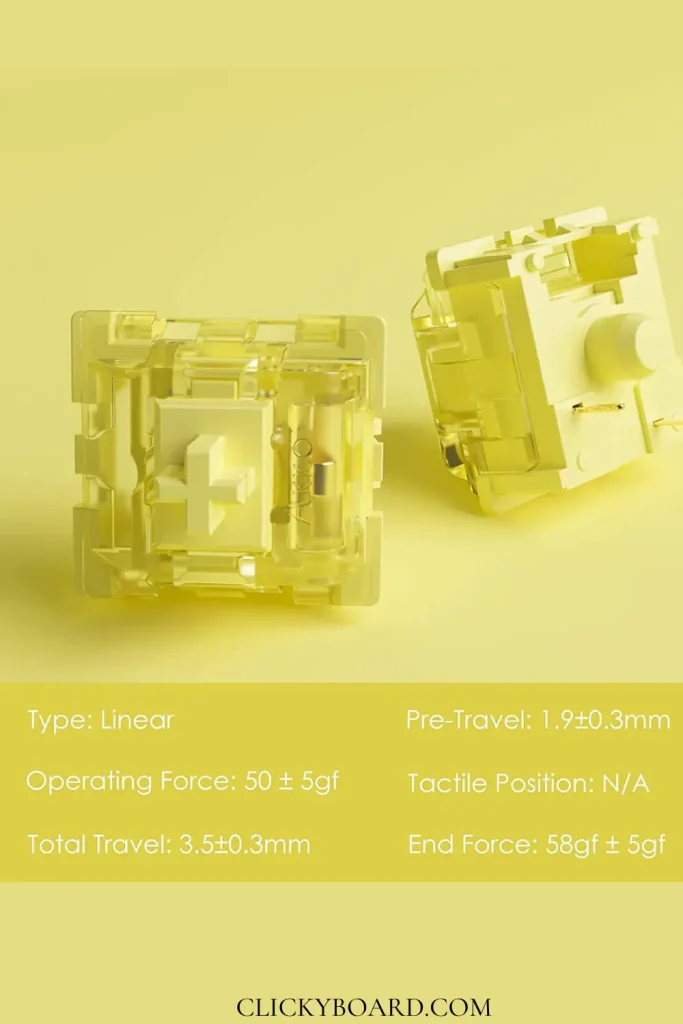
The Akko V3 Cream Yellow is a pre-lubed 50 gf linear that costs around $9 for 45 switches, and it punches well above that price. It is smooth out of the bag with a deep, muted bottom-out, which makes it our default pick for a first linear switch or a budget build. The short 3.5 mm travel and 3-pin housing are the main things to check before buying.

Specifications

TypeLinear
Operating force50 ± 5 gf
Bottom-out force58 ± 5 gf
Pre-travel1.9 ± 0.3 mm
Total travel3.5 ± 0.3 mm
Factory lubeYes
MountMX-style, 3-pin, hot-swap compatible
PriceAbout $8.99 per 45 (roughly $0.20 each)

The 50 gf actuation sits between featherweight speed switches and heavier typing switches, and the slightly shortened 3.5 mm travel makes rapid presses feel a touch snappier than a standard 4.0 mm linear.

Akko V3 Cream Yellow linear switches

How They Feel

The first press tells you these are factory-lubed. There is none of the scratchiness that usually gives away a budget linear, and the travel is consistent from switch to switch. At 50 gf they land in comfortable middle ground: light enough for long typing sessions and fast presses, firm enough that you will not trigger keys by resting your fingers.

The shortened 3.5 mm travel is the one thing to be aware of. It makes the switch feel slightly quicker to bottom out, which many people like, but if you are used to full 4.0 mm travel it can feel a little shallow at first.

How They Sound

Deeper and more muted than most cheap linears. The factory lube kills the ping and the housing gives a rounded, low thock rather than a sharp clack. They are not loud switches, which makes them a sensible pick for an office or a shared room. If you want a bright, poppy sound signature, these will feel too reserved.

Build and Consistency

Quality control is the pleasant surprise here. Across a set of 45 there were no dead switches and no obvious outliers in feel, which is not something you can take for granted at this price. Stem wobble is average for the category: present if you look for it, not enough to bother most people in normal use.

Pros and Cons

Pros: pre-lubed and genuinely smooth out of the bag, deep muted sound, strong quality control, and a price of roughly $0.20 per switch that undercuts almost every rival.

Cons: the 3.5 mm travel feels shallow if you prefer full-travel switches, the 3-pin housing is slightly less stable than 5-pin in loose sockets, stock availability comes and goes, and the muted sound will not satisfy people chasing a loud, clacky board.

Who Should Buy Them

Buy them if you want your first linear switch, you are filling a whole board on a budget, or you want something smooth with zero tuning required. For the money, very little competes.

Skip them if you want full 4.0 mm travel, a bright and loud sound profile, or the absolute smoothest premium feel, where something like a Gateron Oil King is a step up. Compare more options in our best linear switches roundup and the Akko linear switches guide.

How to Install Them

  1. Unplug the keyboard and confirm it is hot-swappable. V3 Cream Yellows are 3-pin, so they fit both 3-pin and 5-pin hot-swap sockets.
  2. Pull the keycaps with a keycap puller, then remove the old switches with a switch puller, squeezing the clips at the top and bottom edges.
  3. Check each switch’s metal pins are straight, align it with the socket, and press down firmly until it sits flush.
  4. Plug the board in and test every swapped key before refitting the keycaps. Straighten any bent pins with tweezers if a key does not register.

Frequently Asked Questions

Do Akko V3 Cream Yellow switches need lubing?

No. They come factory-lubed and are smooth out of the bag. You can still add a thin coat of Krytox 205g0 for an even deeper sound, but it is optional rather than necessary.

Are V3 Cream Yellows good for gaming?

Yes. The linear action, 1.9 mm actuation point, and 50 gf force suit fast repeated presses, and there is no tactile bump to interrupt double-taps. The shorter travel helps too.

Are they 3-pin or 5-pin?

3-pin. They fit any MX hot-swap socket. In 5-pin sockets they simply leave the two plastic guide holes unused, which is fine, though 5-pin switches sit marginally more securely.

How do they compare to Gateron Yellows?

Both are excellent budget linears. The Akko comes factory-lubed and sounds deeper with shorter travel; Gateron Yellows have standard travel and a slightly brighter sound. Either is a safe first linear.

The Bottom Line

The Akko V3 Cream Yellow is one of the easiest budget recommendations in the hobby. It is smooth, quiet, consistent, and needs no tuning, which is exactly what most people want from a first linear. The short travel and 3-pin housing are worth knowing about, but at roughly twenty cents a switch they are easy trade-offs to accept.


We update our switch reviews as new batches and revisions are released.

“Gateron Yellow” is not one switch, and the naming is genuinely confusing because Gateron uses internal model codes that retailers print inconsistently. The good news is that the family is simpler than it looks once you know the trick: the Pro versions are mechanically the same switch, and almost every difference you can hear comes from the housing plastic.

Quick answer: Buy a Pro. Both are factory lubed at 50gf. Choose Milky Yellow Pro (KS-3) for a deeper, quieter sound, or Yellow Pro (KS-9) for tighter stems and much better RGB. Same stem, same spring, same force curve. You are choosing a sound, not a switch.

⚠️ Correction: an earlier version of this guide listed “KS-3 Yellow” as a separate clear-housing original. That was wrong. KS-3 is the model code for the Milky Yellow Pro itself, and KS-9 is the Yellow Pro. The table below has been corrected against Gateron’s own documentation.

The model codes, decoded

NameCodeTop housingBottom housingLubed
Yellow ProKS-9Transparent PCWhite nylonYes
Milky Yellow ProKS-3Translucent milky nylonMilky nylonYes
CAP V2 Milky YellowCAP V2NylonNylonYes
Older non-Pro YellowsvariesvariesvariesNo

Both Pro variants use an identical POM stem, an identical steel spring, a 50gf operating force, and what Gateron describes as almost the same force curve. Mechanically they are the same switch in two different shells.

Why the housing is the whole story

The stem and spring decide how a switch feels. The housing decides how it sounds, and the reason is material hardness.

Polycarbonate (KS-9 top)
Harder and more rigid, so it rings rather than absorbs. Produces a higher-pitched, fuller sound with more presence in the upper frequencies. It is also optically clear, which is why the Yellow Pro is the better choice for RGB.

Nylon (KS-3, both halves)
Softer and denser, so it damps high frequencies instead of reflecting them. Gateron describe the effect as “silencing”. The result is the deeper, quieter, more muted sound people call thocky.

This is the single most useful thing to understand about switch sound generally. When a review says a switch is “clacky” or “thocky”, it is usually describing housing material rather than anything about the stem. The same principle explains why a UHMWPE switch like the C3 Tangerine sounds so muted.

The trade-off nobody mentions

The Milky Yellow Pro is usually the default recommendation because people like the deeper sound. But Gateron are candid that it has relatively loose stem tolerance, while the Yellow Pro benefits from an upgraded mould with reduced stem wobble.

Wobble matters more than it sounds. Play at the switch stem is multiplied at the top of the keycap, and on tall profiles like SA or MT3 a loose stem is genuinely noticeable. On a low profile like Cherry or DSA, most people never register it.

💡 The practical rule: tall keycaps or RGB, take the Yellow Pro (KS-9). Low profile keycaps and you want the deepest sound, take the Milky Yellow Pro (KS-3). If neither applies, the milky is the more popular choice for a reason.

Weight, and what the numbers mean

Both Pros actuate at 50gf. The Milky Yellow Pro bottoms out around 62g, and the CAP V2 Milky Yellow is slightly heavier at roughly 65g.

Worth noting when comparing against other switches: 50gf here is the actuation figure, so it is directly comparable to a Cherry MX Red’s 45g. Many enthusiast switches are marketed by bottom-out force instead, which makes them look far heavier than they are in use. A “67g” switch and a “50g” Gateron Yellow are closer than the labels suggest.

Do they need lubing?

No. Both Pro variants are pre-lubed at the factory, and Gateron applies the same lubing process to the KS-3 as the KS-9. Hand-lubing yields a marginal improvement at best, and given a full board is 60 to 100 switches, the effort is hard to justify.

Older non-Pro Yellows are a different matter. Those ship dry and improve substantially with lube. If you bought loose switches cheaply and they feel scratchy, you almost certainly have non-Pro stock. Our lubing guide covers the method.

How they compare to the alternatives

SwitchActuationLubedAgainst a Gateron Yellow Pro
Gateron Yellow Pro50gfYesThe value benchmark
Cherry MX Red45gNoLighter, scratchier, more expensive
Akko V3 Cream Yellow Pro~50gYesVery close rival, slightly heavier factory lube
C3 Tangerine V255gfYesSofter and more muted, considerably pricier

The direct comparison people run most often gets its own page: Gateron Yellow vs Cherry MX Red. For the full field, see our best linear switches roundup and the factory-lubed guide.

Who they suit

A great fit if
You want the most switch per pound, you are filling a whole board, or you want something smooth with no work. Also the safest first switch: cheap enough that a mistake costs little.

Look elsewhere if
You want a very light switch for competitive gaming, you need silence, or you want tactile feedback. These are mid-weight linears and nothing else.

Frequently asked questions

What is the difference between KS-3 and KS-9?

They are model codes. KS-3 is the Milky Yellow Pro, KS-9 is the Yellow Pro. Both use a POM stem, a 50gf operating force and factory lube. The difference is housing: KS-9 has a transparent PC top over white nylon, KS-3 is milky nylon throughout, which makes it quieter and deeper.

Milky Yellow or regular Yellow Pro?

Milky for a deeper, quieter sound. Regular Yellow Pro for tighter stem tolerance and much better RGB transmission through the clear PC top. They feel nearly identical, so this is a sound and lighting decision rather than a feel upgrade.

Are Gateron Yellows good for beginners?

They are close to the ideal first switch. Cheap enough that a mistake costs little, factory lubed so you are not fighting scratchiness, and mid-weight so they suit both typing and gaming while you work out what you prefer.

How heavy are they?

50gf actuation, bottoming out around 62g on the Milky Pro. Slightly heavier than a Cherry MX Red at 45g and much lighter than enthusiast linears like the Tangerine. Comfortably mid-range.

Are Gateron Yellows quiet?

Quieter than clicky or tactile switches, but not silent. The milky nylon housing reads as less intrusive than a PC one even at similar volume, because it damps the higher frequencies. For genuine quiet you want a dampened switch, covered in our silent switches guide.


Housing materials, force figures and lubing details per Gateron’s own KS-9 versus KS-3 comparison.

The Akko CS Matcha Green is one of the cheapest name-brand switches you can buy, and one of the most consistently mislabelled. Plenty of listings and reviews call it a tactile switch. It is not. It is a mid-weight linear, and if you buy it expecting a bump you will be disappointed by a switch that is otherwise very good for the money.

Quick answer: A linear switch at 50gf, mid-weight, smooth for its price, with a muted low-pitched sound. No bump, no click. One of the cheapest sensible ways into a hot-swap build. Buy it if you want smooth on a budget; skip it if you want typing feedback.

⚠️ Correction: an earlier version of this review described the Matcha Green as tactile with a clicky sound. That was wrong. Akko lists it as linear, and we have corrected the specifications and the verdict below. If you bought a set expecting a bump on our advice, we are sorry.

Akko CS Matcha Green linear switches with full technical specifications

Specifications

TypeLinear
Operating force50gf ± 5gf
Pre-travel1.9mm ± 0.3mm
Total travel4.0mm
Pins3-pin, MX compatible
SeriesAkko CS (Custom Series)
Factory lubedNo (a hand-lubed version is sold separately)

Specifications are from Akko’s own product listing. Note the 50gf figure: that is heavier than a Cherry MX Red at 45g and close to a Gateron Yellow, so this is a mid-weight linear rather than a light one.

What it feels like

Smooth, with the mild scratchiness you would expect from an unlubed budget switch. It is not in the same league as a factory-lubed switch out of the box, but it is noticeably better than the cheapest Outemu options, and it responds very well to lubing if you are willing to put in the time.

The 50gf weighting is the part people underestimate. It is enough to resist accidental presses during typing, and heavy enough that some gamers coming from a Cherry MX Red will find rapid double-taps marginally more effort. For general desk use it sits in a comfortable middle.

How it sounds

Muted and fairly low-pitched, which is a large part of the appeal. There is no click bar and no bump, so what you hear is the bottom-out and the return. In a plastic case it can sound slightly hollow, and it improves a lot with case foam or a set of O-rings.

Who should buy it

Buy it if
You want a smooth linear for very little money, you are filling a first hot-swap board, or you like a muted sound and do not mind lubing later.

Skip it if
You want tactile feedback, you want something smooth with no work at all, or you want a light switch for competitive gaming.

The naming problem

Akko reuses colour names across generations and switch types, and Matcha Green is the worst offender. Two things are worth knowing before you order.

  • CS Matcha Green is the budget original. Linear, 50gf, unlubed.
  • V3 Matcha Green Pro is the newer version. Also linear, also around 50gf, but with better housings and factory lube. If the price difference is small, it is the better buy.

Neither is tactile, despite what a lot of listings claim. If you want a tactile Akko, look at the CS Ocean Blue or the V3 Cream Blue Pro instead. Our Akko switches explained guide decodes the whole naming system.

How it compares

SwitchForceLubed?Verdict against Matcha Green
CS Matcha Green50gfNoThe budget baseline
Gateron Yellow~50gNoSmoother stock, similar price. Usually the better buy.
Akko V3 Cream Yellow Pro~50gYesClearly better feel for a small premium
Cherry MX Red45gNoLighter, scratchier, more expensive

Being straight about it: the Matcha Green is fine rather than special. A Gateron Yellow costs about the same and feels smoother out of the box, and Akko’s own V3 Pro line is a real step up. Where Matcha Green wins is when it is on offer, or when you want that specific muted sound. See the full field in our best linear switches roundup and the brand-specific best Akko linear switches guide.

Installing them

  1. Check your board is hot-swappable. If the switches are soldered, they cannot be changed without desoldering.
  2. Check the pin count. These are 3-pin, which fits every MX-compatible PCB including 5-pin boards. Our 3-pin vs 5-pin guide explains why that direction always works.
  3. Pull the old switches straight up with a switch puller. Angling bends the pins.
  4. Check the new pins are straight before seating each one. Bent pins are the most common cause of a dead key after a swap.

Frequently asked questions

Is the Akko Matcha Green tactile or linear?

Linear. Akko’s own specification lists it as linear at 50gf ± 5gf with no tactile bump. Many retail listings describe it incorrectly, which is where the confusion comes from.

Do they need lubing?

They are usable unlubed and clearly better lubed, since the CS line ships dry. If you would rather not spend the evening doing it, buy a factory-lubed switch instead. Our lubing guide covers the method.

Are they good for gaming?

They work well. Being linear there is nothing to push past on a repeated press, though at 50gf they are slightly heavier than switches marketed for gaming. See our best linear switches for gaming guide for lighter options.

Will they fit my keyboard?

If it takes standard MX switches and is hot-swappable, yes. They are 3-pin, which seats in both 3-pin and 5-pin sockets.

This is the comparison most people run into first when buying linear switches: the budget switch everyone recommends against the industry standard that costs more. The answer is less obvious than brand loyalty suggests, and it has changed over the last few years.

Quick answer: Gateron Yellow wins on value and, for most people, on feel. It is smoother out of the box and costs noticeably less. Cherry MX Red wins on availability, consistency across batches, and warranty backing. If you are buying loose switches, get the Gateron.

Side by side

Gateron YellowCherry MX Red
TypeLinearLinear
Actuation force~50g45g
Actuation point2.0mm2.0mm
Total travel4.0mm4.0mm
Smoothness (stock)Noticeably smootherSlightly scratchy
SoundDeeper, fullerHigher, thinner
PriceMuch cheaperPremium for the name

Where Gateron Yellow wins

Smoothness. This is the one that matters. Stock Gateron Yellows glide in a way stock Cherry Reds do not. Cherry’s scratchiness is well documented and is the main reason people lube them; Yellows need far less help.

Sound. Yellows are deeper and fuller, closer to the “thock” people chase. Reds sound thinner and higher-pitched by comparison, particularly in a plastic case.

Price. Not close. You can often buy roughly twice as many Yellows for the same money, which matters when a full board needs 60 to 100 switches.

Where Cherry MX Red wins

Consistency. Cherry’s manufacturing tolerances are tight and predictable. Gateron quality has improved enormously but still varies more between batches.

Availability. Reds are fitted to a huge number of prebuilt keyboards and stocked everywhere. If you need switches today from a high-street retailer, that is a real advantage.

Weight. At 45g versus roughly 50g, Reds are lighter. Some gamers genuinely prefer that, and it is the one spec where the choice is preference rather than quality.

💡 Worth knowing: Cherry addressed the scratchiness complaint with the MX2A redesign, which is meaningfully smoother than the older Reds most comparisons are based on. If you are comparing current stock rather than switches bought years ago, the gap is narrower than its reputation.

Which should you buy?

Choose Gateron Yellow
You are buying loose switches, filling a whole board, or you want the best feel per pound without lubing anything.

Choose Cherry MX Red
You want the lighter 45g press, you are buying a prebuilt that ships with them, or batch-to-batch consistency matters to you.

Neither is the smoothest linear you can buy. If you want to see what else is out there at both ends of the budget, our best linear switches roundup ranks the full field, and the factory-lubed guide covers switches that arrive smoother than either of these.

Frequently asked questions

Are Gateron Yellows good for gaming?

Very. They are the most commonly recommended budget gaming linear, and the slightly heavier 50g spring helps avoid accidental presses without slowing you down. See our best linear switches for gaming guide for the alternatives.

Do Gateron Yellows need lubing?

No, and that is much of their appeal. They are smooth enough stock that most people leave them alone. Lubing still improves them, but it is optional rather than a fix.

Will Gateron switches fit a Cherry keyboard?

Yes. Both use the standard MX stem and mount, so they are interchangeable in any MX-compatible board. Check the pin count, since 5-pin switches need a PCB with the extra holes. Our 3-pin vs 5-pin guide explains it.

Is Gateron Yellow the same as Gateron Milky Yellow?

Not quite. Milky Yellow uses an opaque housing that gives a deeper, fuller sound, and the Pro version arrives factory lubed. The stem and weighting are similar, so the choice is mostly about sound and whether you want it pre-lubed.

The Tangerine is one of the few switches that earned its reputation on materials science rather than marketing. Almost every other linear on the market uses nylon or polycarbonate housings. The Tangerine uses UHMWPE, a plastic borrowed from industrial bearings, and that single decision is why people still buy it years after release.

Quick answer: A heavier linear with a genuinely different feel, thanks to a self-lubricating UHMWPE housing. It arrives factory lubed and needs nothing. Buy the 62g if you are coming from a light switch, the 67g if you type firmly. Its weakness is not smoothness, it is weight: this is not a fast-gaming switch.

⚠️ Correction: an earlier version of this review stated the Tangerine V2 was not factory lubed, and credited V2 with tightening tolerances to fix stem wobble. Both were wrong. V2s ship factory lubed, and the actual V2 change was a move in manufacturing from Gateron to JWK along with a translucent housing. The verdict below has been rewritten accordingly.

Specifications

TypeLinear
HousingUHMWPE, top and bottom
StemPOM (light green 62g, dark green 67g)
Operating force55gf ± 10
Bottom-out force62gf or 67gf ± 10, depending on variant
Pre-travel1.8mm ± 0.4
Total travel4.0mm ± 0.4
Pins5-pin (PCB mount)
Spring14mm gold-plated
Rated lifespan60 million keystrokes
Factory lubedYes, light application
ManufacturerJWK (V2)

The 62g and 67g names are misleading

This trips people up constantly, so it is worth being precise. The 62 and 67 in the name refer to bottom-out force, not actuation force. Actuation sits around 55gf on both variants.

Most switches are marketed by their actuation weight. A Cherry MX Red is “45g” because it actuates at 45g, and it bottoms out closer to 60g. So when you compare a “67g” Tangerine against a “45g” Red, you are not comparing like with like. The honest comparison is 55gf against 45gf at actuation, which is a real difference but a far smaller one than the names suggest.

Practically: Tangerines feel heavier than a Red, but not the 50% heavier that the numbers imply. If you have avoided them purely because 67g sounded punishing, that reasoning was based on a mislabel.

Why UHMWPE actually matters

Ultra-high-molecular-weight polyethylene is the same family of plastic used for artificial hip joints, conveyor guides, and the base of racing skis. It is chosen in those applications for one property: an extremely low coefficient of friction. The polymer chains are so long that the surface behaves as though it is permanently, very slightly lubricated.

In a switch, that changes the baseline. A nylon or polycarbonate housing relies almost entirely on applied lube to feel smooth, which is why stock Cherry switches feel scratchy and transform after an hour with a brush. A UHMWPE housing starts smooth because the material itself is slippery.

What you gain
Smoothness that does not depend on lube staying put, and a softer, more absorbed sound because the material damps high frequencies rather than ringing.

What you trade
UHMWPE is soft, so it marks more easily than polycarbonate, and it is harder to mould precisely. It also mutes the crisp top-end some people specifically want.

What V2 actually changed

The important change was who makes them. V1 Tangerines came from Gateron. V2 production moved to JWK, a manufacturer with a strong reputation for tight tolerances on linear switches. The housing also went from opaque orange to translucent orange, which matters if you run RGB.

The stems stayed green, split by weight: light green for 62g, dark green for 67g. That colour split is the quickest way to identify which variant you are holding.

Feel, wobble and sound

Push feel. Genuinely linear with no perceptible scratch through the stroke. There is no bump, no catch, and no gritty section partway down, which is the failure mode of cheaper linears.

Wobble. Minimal north-to-south and virtually none east-to-west, per ThereminGoat’s measured review, which is the most rigorous switch testing resource available. Low east-west wobble matters most on taller keycap profiles, where play at the top of the cap is amplified.

Sound. Muted and low, closer to silent than clacky. The UHMWPE absorbs the high frequencies that make polycarbonate housings bright. If you are chasing a deep, soft sound signature, this is a strong choice. If you want the sharp clack of a Gateron Ink, it is the wrong one.

Should you lube them?

Probably not, and this is where the earlier version of this review was misleading. Tangerine V2s arrive with a light factory lube that is well applied. Combined with a self-lubricating housing, they are one of the few switches genuinely finished out of the box.

Hand-lubing still yields a marginal gain, mostly in spring ping. But the effort-to-improvement ratio is poor compared with lubing a stock Cherry or Outemu switch, where the difference is dramatic. Spend that evening on your stabilizers instead, where it will be far more audible.

62g or 67g?

62g (light green stem)
The sensible default. Coming from a Cherry MX Red or Gateron Yellow, this is the smaller jump. Better for long typing sessions and mixed work and play.

67g (dark green stem)
For heavy typists who bottom out hard and dislike accidental presses. The extra resistance makes the board feel more deliberate, at the cost of fatigue if you type all day.

How it compares

SwitchHousingBottom-outCharacter
Tangerine V2UHMWPE62 / 67gMuted, soft, smooth from the material itself
Gateron Ink Black V2Proprietary blend~60gDeeper and louder, more of a thock than a hush
Gateron Milky Yellow ProNylon (milky)~55gFuller sound, far cheaper, less refined
Cherry MX RedNylon / PC~60gLighter at actuation, scratchier, everywhere

The comparison people expect is against the Ink Black, and the two are genuinely different rather than better and worse. Inks are louder and deeper; Tangerines are quieter and softer. Pick by the sound you want. See the wider field in our best linear switches roundup.

Verdict

The Tangerine V2 remains a genuinely distinctive switch, and the reason is the housing material rather than nostalgia. Nothing mainstream replicates the UHMWPE feel and sound, and JWK manufacturing plus a light factory lube means it needs no work to be good.

The real reason to pass on it is weight. At 55gf actuation and 62 to 67gf bottom-out it is a deliberate, typing-first switch. Competitive gamers wanting fast repeated presses should look lighter, and our best linear switches for gaming guide covers those.

If you want a soft, muted, effortless linear and you type more than you frag, it is still one of the best things you can put in a board.

Frequently asked questions

Are Tangerine V2s factory lubed?

Yes. They ship with a light factory application, and the quality of it is well regarded. Combined with the self-lubricating UHMWPE housing, they are usable straight from the bag with no modding.

What is the difference between Tangerine V1 and V2?

Manufacturing moved from Gateron to JWK, and the housing changed from opaque orange to translucent orange, which suits RGB builds better. The UHMWPE material and the overall character carried over.

Are Tangerines too heavy?

Heavier than mainstream linears, but less than the name suggests. The 62 and 67 figures are bottom-out force; actuation is around 55gf on both. If you currently use a 45g switch, expect a noticeable but manageable step up.

Will they fit my keyboard?

They are 5-pin, so they need a PCB with the two extra holes. On a 3-pin board you can clip the plastic legs off with flush cutters and they will seat normally. Our 3-pin vs 5-pin guide covers how to check and how to clip safely.

Do they work for gaming?

They are usable and perfectly smooth, but the weight works against rapid double-taps. A lighter linear is the better competitive choice. For casual play alongside heavy typing, they are fine.


Measured wobble and push-feel observations referenced from ThereminGoat’s Tangerine V2 review, the most thorough independent switch testing resource available.