


We regularly review and update our guides to ensure keyboard recommendations, specs, and software information stay current with the latest releases and updates.
Affiliate disclosure: this article contains Amazon affiliate links. Purchases made through these links support Clickyboard at no extra cost to you.
The Akko CS Matcha Green is one of the cheapest name-brand switches you can buy, and one of the most consistently mislabelled. Plenty of listings and reviews call it a tactile switch. It is not. It is a mid-weight linear, and if you buy it expecting a bump you will be disappointed by a switch that is otherwise very good for the money.
⚡ Quick answer: A linear switch at 50gf, mid-weight, smooth for its price, with a muted low-pitched sound. No bump, no click. One of the cheapest sensible ways into a hot-swap build. Buy it if you want smooth on a budget; skip it if you want typing feedback.
⚠️ Correction: an earlier version of this review described the Matcha Green as tactile with a clicky sound. That was wrong. Akko lists it as linear, and we have corrected the specifications and the verdict below. If you bought a set expecting a bump on our advice, we are sorry.
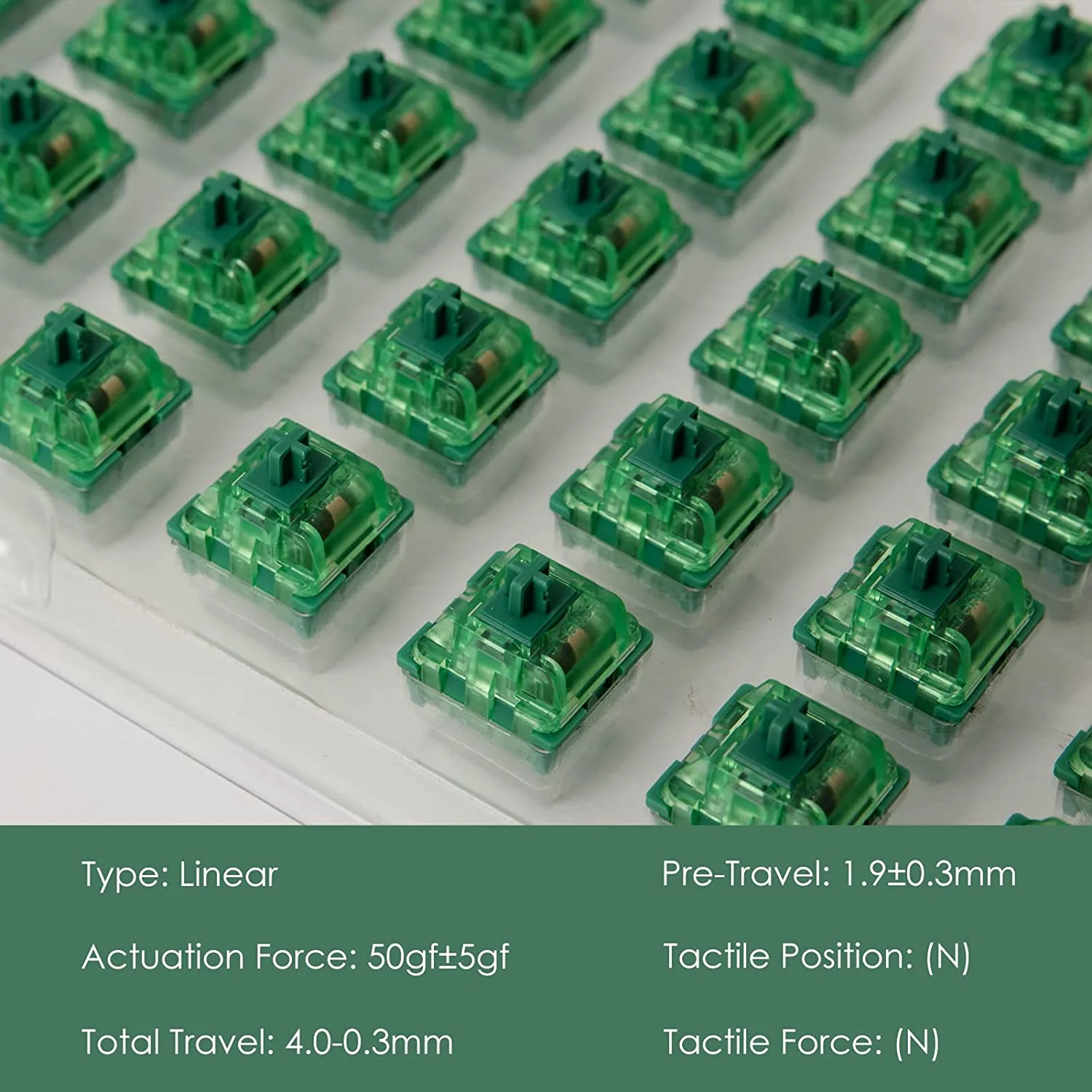
Specifications
| Type | Linear |
| Operating force | 50gf ± 5gf |
| Pre-travel | 1.9mm ± 0.3mm |
| Total travel | 4.0mm |
| Pins | 3-pin, MX compatible |
| Series | Akko CS (Custom Series) |
| Factory lubed | No (a hand-lubed version is sold separately) |
Specifications are from Akko’s own product listing. Note the 50gf figure: that is heavier than a Cherry MX Red at 45g and close to a Gateron Yellow, so this is a mid-weight linear rather than a light one.
What it feels like
Smooth, with the mild scratchiness you would expect from an unlubed budget switch. It is not in the same league as a factory-lubed switch out of the box, but it is noticeably better than the cheapest Outemu options, and it responds very well to lubing if you are willing to put in the time.
The 50gf weighting is the part people underestimate. It is enough to resist accidental presses during typing, and heavy enough that some gamers coming from a Cherry MX Red will find rapid double-taps marginally more effort. For general desk use it sits in a comfortable middle.
How it sounds
Muted and fairly low-pitched, which is a large part of the appeal. There is no click bar and no bump, so what you hear is the bottom-out and the return. In a plastic case it can sound slightly hollow, and it improves a lot with case foam or a set of O-rings.
Who should buy it
Buy it if
You want a smooth linear for very little money, you are filling a first hot-swap board, or you like a muted sound and do not mind lubing later.
Skip it if
You want tactile feedback, you want something smooth with no work at all, or you want a light switch for competitive gaming.
The naming problem
Akko reuses colour names across generations and switch types, and Matcha Green is the worst offender. Two things are worth knowing before you order.
- CS Matcha Green is the budget original. Linear, 50gf, unlubed.
- V3 Matcha Green Pro is the newer version. Also linear, also around 50gf, but with better housings and factory lube. If the price difference is small, it is the better buy.
Neither is tactile, despite what a lot of listings claim. If you want a tactile Akko, look at the CS Ocean Blue or the V3 Cream Blue Pro instead. Our Akko switches explained guide decodes the whole naming system.
How it compares
| Switch | Force | Lubed? | Verdict against Matcha Green |
|---|---|---|---|
| CS Matcha Green | 50gf | No | The budget baseline |
| Gateron Yellow | ~50g | No | Smoother stock, similar price. Usually the better buy. |
| Akko V3 Cream Yellow Pro | ~50g | Yes | Clearly better feel for a small premium |
| Cherry MX Red | 45g | No | Lighter, scratchier, more expensive |
Being straight about it: the Matcha Green is fine rather than special. A Gateron Yellow costs about the same and feels smoother out of the box, and Akko’s own V3 Pro line is a real step up. Where Matcha Green wins is when it is on offer, or when you want that specific muted sound. See the full field in our best linear switches roundup and the brand-specific best Akko linear switches guide.
Installing them
- Check your board is hot-swappable. If the switches are soldered, they cannot be changed without desoldering.
- Check the pin count. These are 3-pin, which fits every MX-compatible PCB including 5-pin boards. Our 3-pin vs 5-pin guide explains why that direction always works.
- Pull the old switches straight up with a switch puller. Angling bends the pins.
- Check the new pins are straight before seating each one. Bent pins are the most common cause of a dead key after a swap.
Frequently asked questions
Is the Akko Matcha Green tactile or linear?
Linear. Akko’s own specification lists it as linear at 50gf ± 5gf with no tactile bump. Many retail listings describe it incorrectly, which is where the confusion comes from.
Do they need lubing?
They are usable unlubed and clearly better lubed, since the CS line ships dry. If you would rather not spend the evening doing it, buy a factory-lubed switch instead. Our lubing guide covers the method.
Are they good for gaming?
They work well. Being linear there is nothing to push past on a repeated press, though at 50gf they are slightly heavier than switches marketed for gaming. See our best linear switches for gaming guide for lighter options.
Will they fit my keyboard?
If it takes standard MX switches and is hot-swappable, yes. They are 3-pin, which seats in both 3-pin and 5-pin sockets.