Tactile Switches

Written by Elizabeth · Published August 20, 2024
Reviewed & Updated by Olivia · Updated on July 27, 2026

Disclosure: This guide contains affiliate links. If you buy through them we may earn a small commission at no extra cost to you. We only recommend switches we would put in our own boards.

Brown switches are the classic middle-ground: a tactile switch with a small bump you feel when the key registers, quieter than a clicky and more interesting than a linear. Cherry MX Brown made the color famous, but plenty of people find its bump too soft. So this guide covers the best true browns and the stronger tactile switches that scratch the same itch better. If you type a lot and want feedback without the noise, one of these is for you.

⚡ Quick take

The Cherry MX Brown is the safe classic, but if you want a bump you can actually feel, the Gazzew Boba U4T is the brown done right. Best value goes to the pre-lubed Akko V3 Cream Blue Pro. Wondering if browns suit gaming? See our take on brown switches for gaming.

How we picked

We looked at true brown switches and the tactile switches people buy when browns feel too weak. We judged them on how strong and clean the bump is, smoothness, sound, spring weight, and value, and every pick lists an honest downside. If you are not sure a tactile is right for you at all, our tactile vs linear guide is the place to start.

Brown and tactile switches compared

SwitchWeight (approx)Bump strengthBest for
Cherry MX Brown~55 gLightThe classic gateway
Gateron Brown Pro~55 gLightA smoother classic brown
Akko V3 Cream Blue Pro~55 gMediumBest value
Gazzew Boba U4T~62 gStrongBrown done right
Gateron Baby Kangaroo V2~67 gStrong, snappySnappy feedback
Holy Panda X~60 gStrong, sharpPremium tactile
Outemu Brown~55 gLightCheapest brown
Durock T1~67 gMedium-sharpSharp tactile value

The best brown and tactile switches

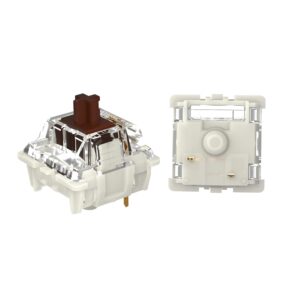
1. Cherry MX Brown, the original brown

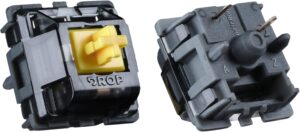
CHERRY MX BROWN 368x368 1

Why it is here. The switch that made browns famous. A light tactile around 55 g with a soft, rounded bump, it is reliable, quiet enough for most rooms, and available everywhere. A safe first tactile. Best for: a classic, no-surprises tactile.

Watch out: the bump is famously subtle, and stock Cherry Browns can feel a little scratchy since they are not factory lubed. Many people upgrade for a stronger tactile feel.

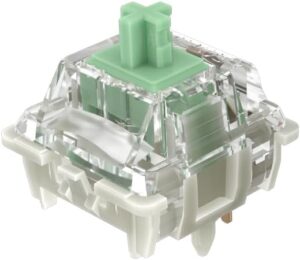
2. Gateron Brown Pro, a smoother classic brown

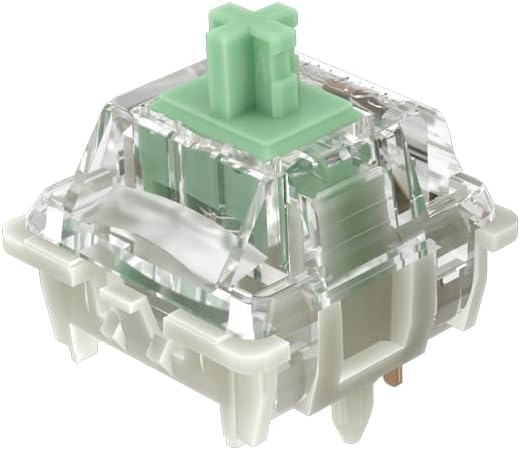
gateron brown

Why it is here. Gateron’s take on the brown is smoother than Cherry’s out of the box and usually cheaper, with the same light, approachable bump. If you like the idea of a Cherry Brown but want it smoother, start here. Best for: a smoother, better-value classic brown.

Watch out: it is still a light-bump switch, so if you want strong feedback you will prefer the picks below.

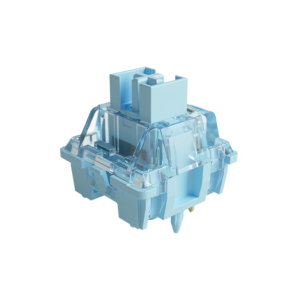
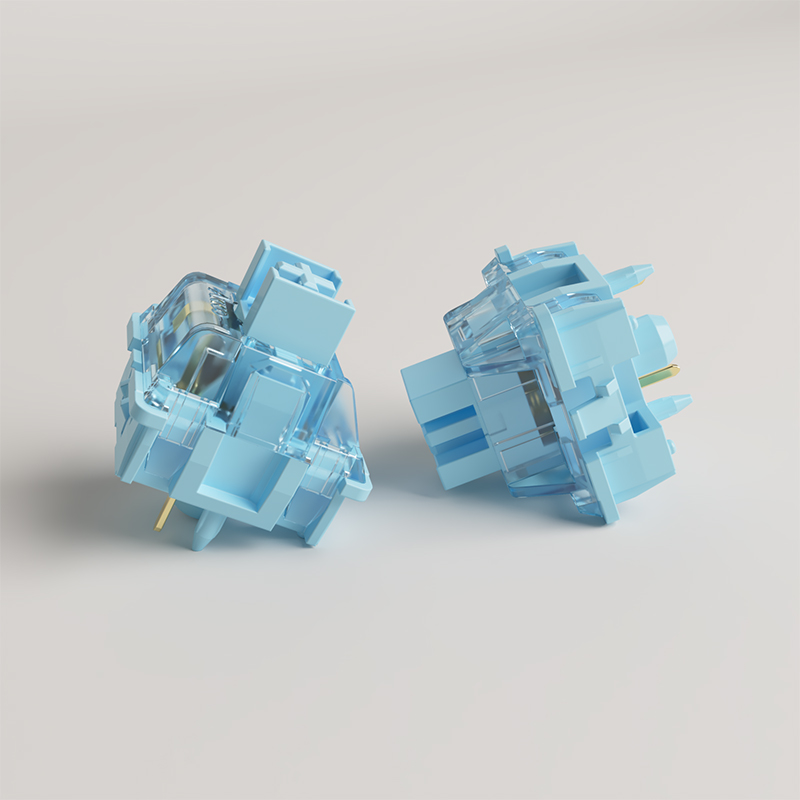
3. Akko V3 Cream Blue Pro, the best value

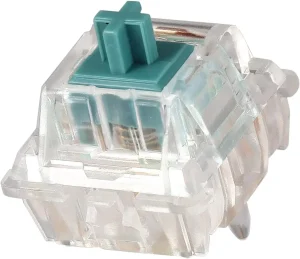
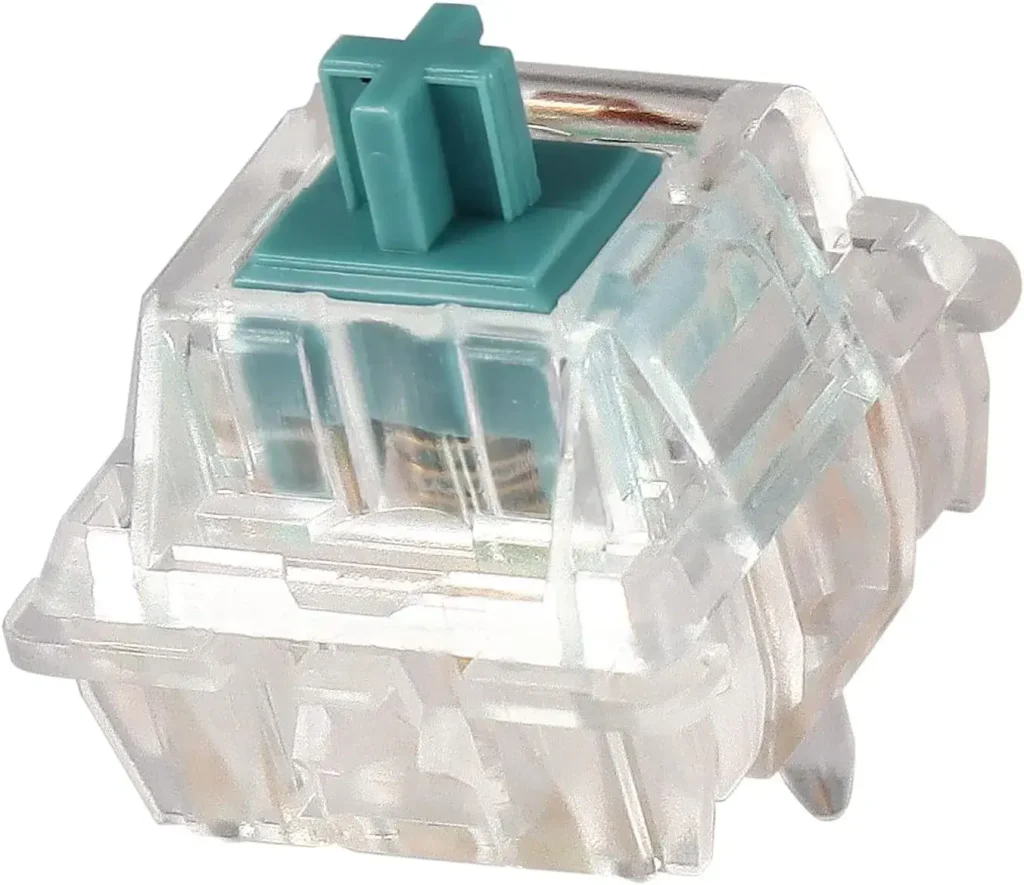
Akko V3 Creamy Blue Pro Switch

Why it is here. A pre-lubed tactile around 55 g with a cleaner, more noticeable bump than a true brown, at a budget price. It is one of the easiest ways to get a satisfying tactile feel without spending much. Best for: the best tactile feel per dollar.

Watch out: the bump is stronger than a classic brown, so it is not the pick if you specifically want a soft, subtle bump.

4. Gazzew Boba U4T, the brown done right

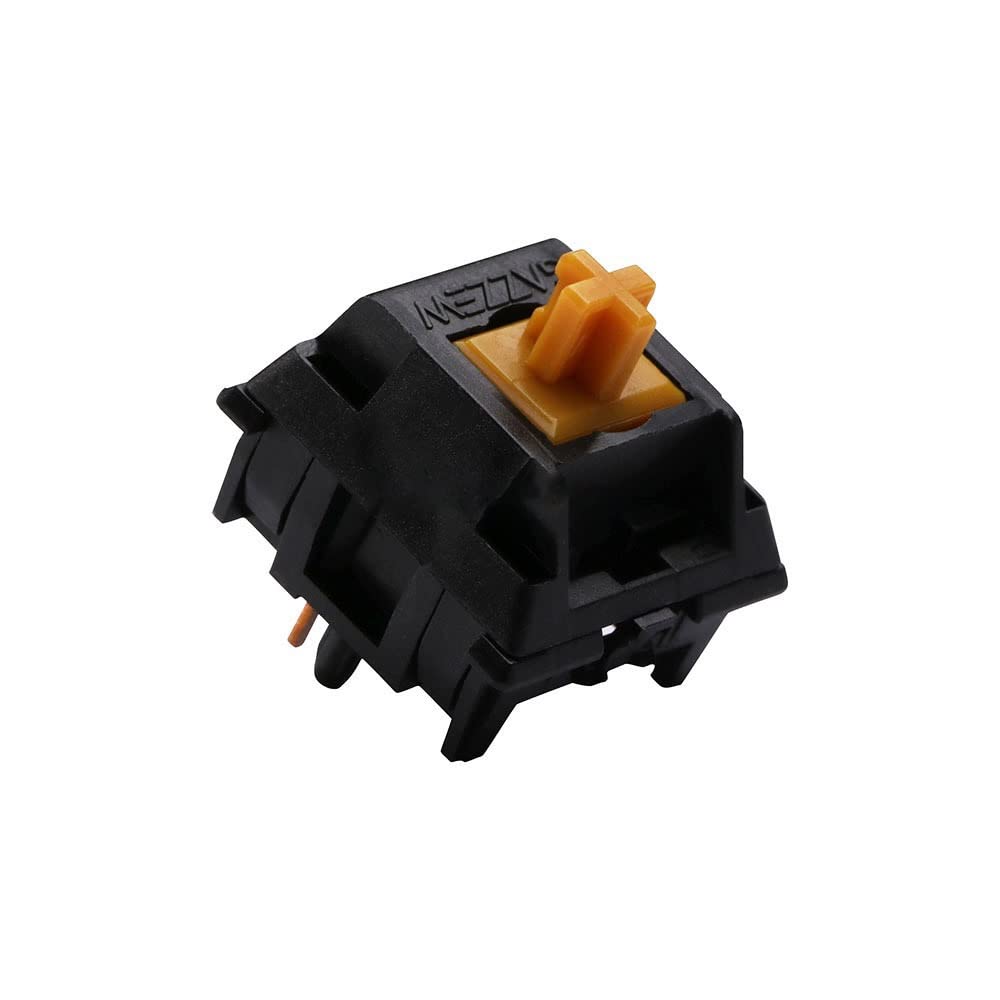
Gazzew Boba U4T

Why it is here. If Cherry Browns left you wanting more, the Boba U4T is the answer. It has a strong, rounded bump you genuinely feel, a deep sound, and excellent smoothness around 62 g. Many people call it the tactile browns should have been. Best for: anyone who found browns too weak.

Watch out: the strong bump and heavier spring are a real jump from a brown, and it is louder, so it is not a subtle switch.

5. Gateron Baby Kangaroo V2, snappy feedback

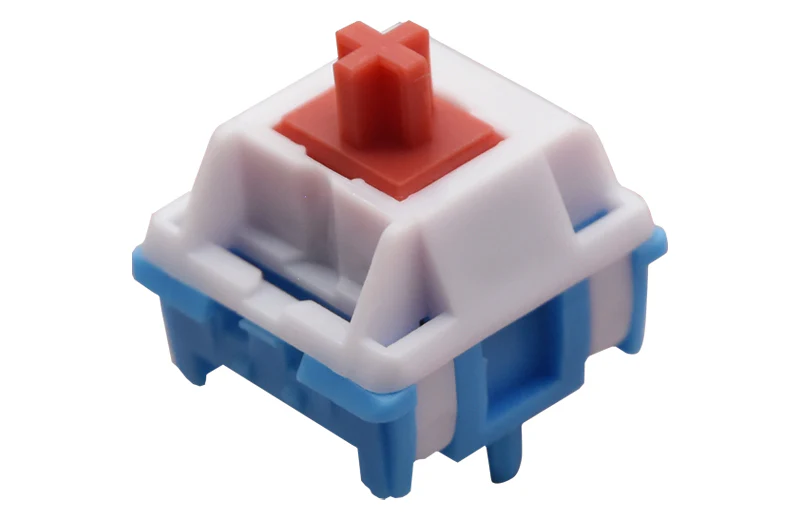
gateron baby kangaroo v2

Why it is here. A snappy tactile with a sharp, well-defined bump and a springy return, smooth around 67 g. It feels lively and precise, which typists who want obvious feedback love. Best for: a snappy, pronounced bump.

Watch out: the strong, snappy bump is the opposite of a soft brown, so it is not for people who want subtle feedback.

6. Holy Panda X, the premium tactile

holy panda x

Why it is here. The Holy Panda name became famous for a sharp, satisfying tactile bump, and the X version delivers it around 60 g with better smoothness than the originals. A true enthusiast tactile. Best for: a premium, sharp tactile feel.

Watch out: it costs more than most picks here, and the strong bump is a long way from a gentle brown.

7. Outemu Brown, the cheapest brown

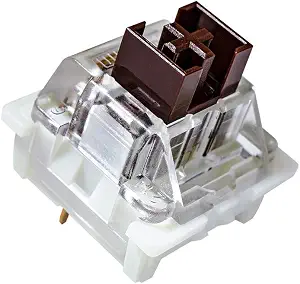
Outemu Brown

Why it is here. If you just need a cheap brown for a first build or a repair, Outemu Brown gets you a light tactile bump for very little money. Best for: the tightest budgets.

Watch out: it is scratchier and less consistent than the pricier picks. Treat it as a starting point, not an endgame.

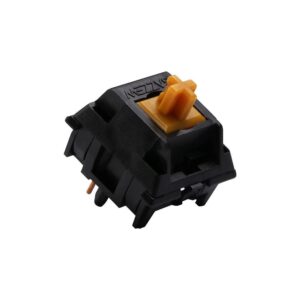
8. Durock T1, sharp tactile value

DUROCK T1 Tactile Keyboard Switches

Why it is here. The Durock T1 offers a sharp, medium tactile bump with good smoothness at a price below the premium picks. A great step up from a brown without paying flagship money. Best for: a sharp tactile on a mid-range budget.

Watch out: the sharper bump and heavier feel are quite different from a soft brown, and it is not factory lubed as well as some rivals.

What to look for in a brown or tactile switch

  • Bump strength: a true brown has a soft, subtle bump; switches like the Boba U4T and Holy Panda X have a strong, obvious bump. Decide how much feedback you want.
  • Spring weight: lighter switches (around 55 g) are easier for fast typing; heavier ones (65 g and up) feel more deliberate.
  • Factory lube: pre-lubed tactiles feel smoother out of the box. A stock Cherry Brown can be improved with our lubing guide.
  • Sound: stronger tactiles are usually a little louder. If you need quiet, look at silent tactiles instead.

Frequently asked questions

What is the best brown switch?

The Cherry MX Brown is the classic, but if you want a bump you can clearly feel, the Gazzew Boba U4T is widely seen as the brown done right. On a budget, the pre-lubed Akko V3 Cream Blue Pro gives you a satisfying tactile feel for very little.

Are brown switches good for typing?

Yes. The tactile bump lets you feel each key register, so you can type accurately with a lighter touch, which is why browns and other tactiles are popular with writers and coders. If you want stronger feedback than a classic brown, a switch like the Boba U4T or Baby Kangaroo delivers it.

Are brown switches good for gaming?

They are fine for most gaming, and the bump does not really slow you down. Competitive players often prefer a smooth linear for the fastest feel, but plenty of people game happily on browns. We cover this in detail in our brown switches for gaming guide.

Why do people say Cherry MX Browns are weak?

The Cherry MX Brown has a very light, rounded bump that some people can barely feel, so it can feel close to a linear. That is why many buyers move to a stronger tactile like the Boba U4T or Holy Panda X, which give a much more obvious bump.

Verdict: which brown switch should you buy?

If you want the classic, safe answer, buy the Cherry MX Brown or the smoother Gateron Brown Pro. If you found browns too soft and want a bump you actually feel, the Gazzew Boba U4T is the one to get, and the Akko V3 Cream Blue Pro is the best value tactile for the money.

Match the bump strength to what you like, and remember that a lube job and a well-built board improve any of these. For more options, see our tactile vs linear guide and our best linear switches roundup, and pair your switches with a board from the best Akko keyboards guide.


We update this roundup as new tactile switches launch and community favorites shift, so the picks stay current.

Written by Elizabeth · Published August 5, 2024
Reviewed & Updated by Olivia · Updated on July 27, 2026

⚡ Quick answer

Yes, brown switches are good for gaming for most people, and especially good if you also type a lot. The light tactile bump does not meaningfully slow you down. For pure competitive gaming, though, many players prefer a smooth linear switch because it feels slightly faster and more consistent. Browns are a versatile, safe choice, just not the last word in raw speed.

Brown switches get a lot of “are they good for gaming?” questions because they sit in the middle: not the smooth linear that competitive gamers usually reach for, and not the loud clicky most people avoid. The short version is that they work well for the vast majority of players. Here is the honest, detailed answer, including when you might want something else.

What a brown switch actually is

A brown switch is a light tactile switch: it has a small bump you feel partway down, right around where the keypress registers, and it is quieter than a clicky switch. That bump is the whole story here, because the question of “good for gaming” really comes down to whether feeling that bump helps or hurts you in a game.

Does the tactile bump hurt gaming?

For nearly everyone, no. The key still registers at the same point whether or not you feel a bump, so the bump does not add input lag or change when your press counts. What it does add is a bit of feedback, which some players like and some do not notice.

The one place it matters is at the very top of competitive play. In fast games that reward rapid, repeated presses, some players feel a smooth linear is marginally quicker because there is no bump to push through on each stroke. The difference is small and mostly relevant to serious competitors. For casual and mid-level gaming, it is not something you will feel.

Brown vs linear switches for gaming

This is the real comparison. Linear switches are the default for competitive gaming because they are smooth top to bottom, with nothing interrupting a fast press. If your only goal is the fastest, most consistent feel for shooters, a light linear is the usual pick.

Brown switches trade a little of that smoothness for feedback, and they have one big advantage: they are excellent all-rounders. If you split your time between gaming and typing, a brown lets one keyboard do both jobs well, where a pure gaming linear can feel vague for long typing sessions. So the choice is less “which is better” and more “what do you do most.”

Brown vs blue (clicky) switches for gaming

Browns are the better gaming choice here for most people. They have the same tactile feel as a blue but without the loud click, and blues can feel heavier and have a longer reset that some players dislike for rapid presses. If you were choosing between brown and blue for gaming, brown wins. We go deeper on the clicky side in our guide to whether blue switches are good for gaming.

Who should game on brown switches

Browns are a great fit if you are:

  • Someone who types and games on the same keyboard and wants one switch for both
  • A casual or mid-level gamer rather than a top-tier competitor
  • A player who likes feedback and finds fully smooth switches a bit vague
  • Into slower-paced games like strategy, RPGs, or MOBAs, where raw actuation speed matters less

When to pick something else

Consider a different switch if you are a competitive FPS player chasing the fastest possible feel, where a light linear is the safer bet, or you play games with rapid double-taps, where linears or magnetic (Hall-Effect) switches with adjustable actuation and rapid trigger give a real edge. None of this makes browns bad for those players. It just means a more specialized switch squeezes out a little more performance.

Common misconceptions

“Brown switches are bad for gaming.” This is a myth. They are perfectly capable, and plenty of people game on them daily without issue.

“The bump causes double presses.” It does not. A key actuates at a single point, and the tactile bump does not make it fire twice.

“You need the lightest switch to win.” Reaction time is overwhelmingly about the player, not a few grams of spring weight. A switch you enjoy and stay consistent with beats one you picked only for a spec.

Frequently asked questions

Are brown switches good for FPS games?

For casual and mid-level FPS play, yes, they work fine. Competitive players who want the smoothest, fastest feel usually prefer a light linear, but the bump on a brown does not add input lag or stop the key registering on time.

Are brown or red switches better for gaming?

Red (a light linear) has a slight edge for pure, fast gaming because it is smooth with no bump. Brown is the better all-rounder if you also type a lot. If gaming is your only priority, lean red; if you do both, brown is the more flexible choice.

Do brown switches slow you down in games?

Not meaningfully. The key registers at the same point regardless of the bump, so there is no added delay. Any advantage a linear has for rapid presses is small and mostly matters at a high competitive level.

Are brown switches good for both gaming and typing?

Yes, and that is their main strength. The tactile bump helps typing accuracy while staying light enough for gaming, which makes browns one of the best single-switch choices for people who do both.

The bottom line

Brown switches are a good, versatile gaming switch, and the best pick if you split your time between gaming and typing. If your only goal is the fastest competitive edge in fast-paced games, a light linear or a magnetic switch will edge them out. For everyone else, browns handle gaming just fine while staying great for everyday typing.

If you want specific recommendations rather than the general answer, see our roundup of the best brown switches.


We keep our switch guides updated as new switches launch and community consensus shifts.

Written by Elizabeth · Published June 16, 2023
Reviewed & Updated by Olivia · Updated on July 28, 2026

Disclosure: This guide contains affiliate links. If you buy through them we may earn a small commission at no extra cost to you.

⚡ Quick Answer

A tactile switch gives a bump you can feel on every keystroke, which is why typists love them. Our top all-round pick is the Glorious Panda for its sharp, satisfying bump at a fair price. Want silence? The Boba U4 is the best quiet tactile. On a budget? Outemu Brown. Want the safe, familiar classic that ships in most prebuilts? The Cherry MX Brown. Not sure tactile is for you at all? Compare them in our tactile vs linear guide.

What Makes a Good Tactile Switch

Tactile switches sit between smooth linears and loud clicky switches: you feel a bump as the key actuates, but there is no click. When comparing them, four things matter.

  • Bump size and sharpness. Some switches have a big, snappy bump (Glorious Panda); others are so light you barely notice it (Cherry MX Brown). This is the biggest difference in feel.
  • Weight. Heavier switches resist accidental presses but tire your fingers faster over long sessions.
  • Sound. Tactiles range from near-silent (Boba U4) to a deep, poppy thock (Boba U4T).
  • Smoothness. A good tactile is smooth on either side of the bump. Cheaper switches can feel scratchy until lubed.

The Picks at a Glance

SwitchCharacterBest for
Glorious PandaSharp, pronounced bumpBest overall
Durock T1Big bump, quieterBalanced typing
Boba U4Silent, dampenedQuiet offices
Boba U4TThocky, loud bumpSound lovers
Halo ClearHeavy, early bumpHeavy-handed typists
Cherry MX BrownLight, subtle bumpFamiliar classic
Cherry MX ClearHeavier BrownFirmer feel
Kailh Speed CopperLight, fast, short travelTactile gaming
TopreElectrostatic, uniqueEnthusiast curiosity
Outemu BrownCheap, decentTight budgets

Glorious Panda, best overall

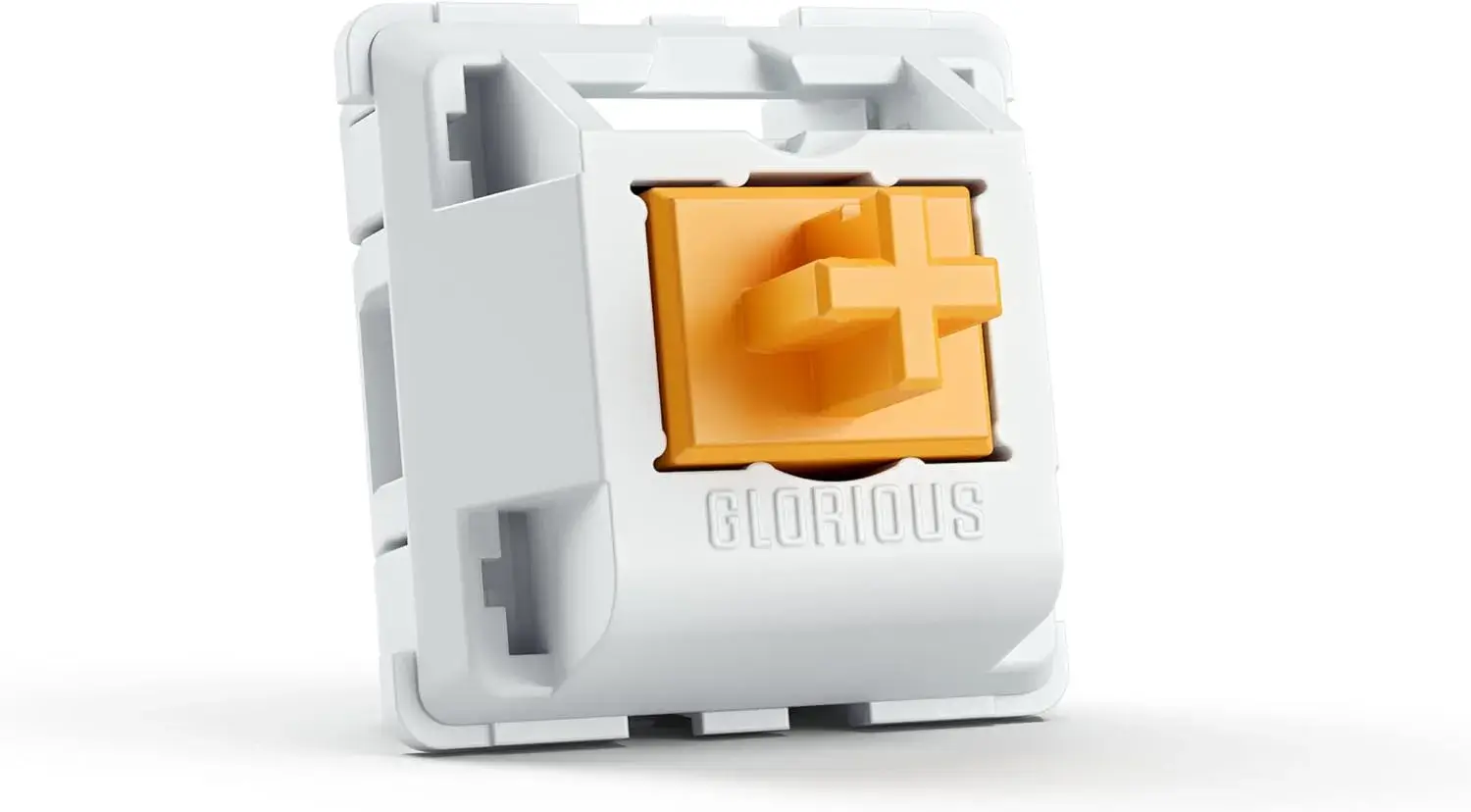
Glorious Panda tactile switches

The Glorious Panda delivers a sharp, pronounced tactile bump that feels close to the beloved (and pricier) Holy Panda, for a lot less money. If you want that satisfying, snappy tactility that makes typing fun, this is the one to try first. It has a distinctive, poppy sound to match.

Watch out for: stock Pandas can feel slightly scratchy, so they reward a light lube. If you want silence, look at the Boba U4 instead.

Durock T1, balanced and refined

Durock T1 tactile keyboard switches

The Durock T1 (67g) offers a substantial tactile bump that is a little quieter and less aggressive than the Panda. It is the pick if you want strong feedback with a touch more refinement, and it takes to lube and switch films beautifully for an even nicer feel and sound.

Watch out for: at 67g it is on the heavier side, and some batches have a little stem wobble. Not the lightest option for long sessions.

Boba U4, best quiet tactile

Thanks to silicone dampeners on the stem, the Boba U4 keeps noise to a whisper while still giving a solid tactile bump. It is the switch to pick for a shared room or office where a loud keyboard is not welcome.

Watch out for: the dampeners make the bottom-out feel a little soft or mushy, which not everyone enjoys. If you want a crisp, poppy sound, get the U4T below instead.

Boba U4T, best sound

The U4T drops the dampeners for a deep, satisfying thock and a more pronounced bump than the U4. It is a favourite for people who chase a great typing sound.

Watch out for: it is noticeably louder than the U4, so it is the wrong choice for quiet spaces.

Halo Clear, for heavy-handed typists

Halo Clears use a pre-loaded spring that places the tactile bump right at the top of the keystroke, so you can rest your fingers on the keys without triggering them. They feel heavy and deliberate and are rated for around 80 million keystrokes.

Watch out for: the heavy, rounded bump is polarising, and the weight tires lighter typists. Try before committing a whole board.

Cherry MX Brown, the familiar classic

The Cherry MX Brown is the switch most people meet first. It is reliable, rated for up to 100 million keystrokes, and ships in countless prebuilt keyboards, so it is easy to find and safe to buy.

Watch out for: the bump is very light, so light that many enthusiasts feel it barely qualifies as tactile. If you want strong feedback, the Panda or Durock T1 will satisfy you more.

Cherry MX Clear, a firmer Brown

Think of the Clear as a heavier, more tactile Brown. The stiffer spring and rounder bump give a sturdier, more deliberate press that some typists prefer.

Watch out for: it is less common, so you may need to buy the switches loose and install them yourself, and the weight is not for everyone.

Kailh Speed Copper, for tactile gaming

The Speed Copper pairs a light tactile bump with a short travel and high actuation point, so inputs register fast. It is the tactile pick for gamers who still want a little feedback. It is rated for about 70 million keystrokes.

Watch out for: the bump is subtle, so dedicated tactile fans may find it too light for typing.

Topre, the exotic option

Topre switches are electrostatic capacitive, a different technology that feels like a refined rubber dome with mechanical benefits: a smooth bump, a soft bottom-out, and a signature muted sound. They offer a genuinely unique typing experience.

Watch out for: Topre boards are expensive, use non-standard keycaps, and are not hot-swappable, so this is an enthusiast path, not a casual upgrade.

Outemu Brown, best budget

If money is tight, Outemu Browns give a surprisingly decent tactile feel for the lowest price around, and they are easy to find in budget keyboards.

Watch out for: build quality and smoothness trail the pricier options, and they can feel scratchier. Good value, not a premium feel.

How to Choose

  • Want the best overall bump? Glorious Panda, or Durock T1 for something a bit more refined.
  • Need it quiet? Boba U4.
  • Chasing sound? Boba U4T.
  • On a budget? Outemu Brown.
  • Want the safe, familiar classic? Cherry MX Brown.

New to tactile switches? They are a great first step up from a membrane keyboard. If you are still deciding between switch types, read tactile vs linear first.

Frequently Asked Questions

What is the best tactile switch overall?

The Glorious Panda is our top pick for its sharp, pronounced bump and fair price. It gives most of the feel of the premium Holy Panda for much less. If you want a quieter option, the Boba U4 is the best silent tactile.

Are tactile switches good for gaming?

They work well. The bump gives useful feedback, and lighter tactiles like the Kailh Speed Copper are fast enough for gaming. Many players prefer linears for the smoothest rapid presses, but tactile is a fine choice.

Which tactile switch is the quietest?

The Boba U4 is the quietest on this list thanks to silicone stem dampeners. It keeps a solid bump while muffling the noise, which makes it ideal for offices and shared spaces.

Do tactile switches need lubing?

Not always, but many benefit from it. Switches like the Glorious Panda and Durock T1 feel smoother and sound better with a light lube, though you should keep lube off the tactile legs to preserve the bump.


We update our switch guides as new models launch and prices change.

Cherry MX Brown is the switch that introduced most people to tactility, and it is still the default fitted to more prebuilt keyboards than any other tactile. It is also the switch enthusiasts most enjoy dismissing. Both positions have a point, and which one applies depends entirely on what you are comparing it against.

Quick answer: A light 45g tactile with a gentle bump. Reliable, widely available, and inoffensive. If it is fitted to a keyboard you like, keep it. If you are choosing switches deliberately in 2026, modern tactiles give you a far more satisfying bump for the same money.

The specs

TypeTactile
Actuation force45g
Actuation point2.0mm
Total travel4.0mm
Rated lifespan100 million keystrokes

What it actually feels like

The bump is small and rounded, and it sits early in the press. You notice it, but it does not interrupt you. Typing on Browns feels light and unremarkable in a way that is genuinely useful for long working days, because nothing about the switch demands attention.

The criticism enthusiasts make is fair though: coming from a sharper tactile, a Brown can feel like a linear with a slight roughness rather than a proper bump. If you have felt a Boba U4T or a Durock T1, the Brown will feel vague by comparison.

Stock Browns also have a reputation for scratchiness, which is real and is the main thing lubing fixes. A lubed Brown is a noticeably better switch than an unlubed one.

Who should buy it

Buy it if
You want a proven, light tactile that works everywhere, you value reliability over character, or it is already in a board you otherwise like.

Skip it if
You want a bump you can really feel, you are buying switches separately anyway, or you have tried a modern tactile and want that instead.

Cherry MX Brown vs the alternatives

SwitchForceHow it differs
Cherry MX Brown45gThe baseline. Gentle bump, light, everywhere.
Cherry MX Clear65gSame shape of bump, much heavier. Cherry’s answer to “Browns feel too light”.
Gateron Brown45gSmoother out of the box than stock Cherry, usually cheaper.
Durock T1 / Boba U4T67gWhat people mean by a proper tactile. Sharper and far more pronounced.

For the full picture across brands, see our best brown switches roundup, or the wider best tactile switches guide if you are open to leaving the brown family entirely.

Getting more out of them

If you already own Browns and find them scratchy, two cheap fixes make a real difference before you consider replacing anything.

  • Lube them. This is the single biggest improvement, and it removes almost all the scratch. Go light on the stem legs so you keep the bump. Our no-desolder lubing guide covers it.
  • Tune the stabilizers. On most boards the rattle from the spacebar and shift keys is louder than the switches. See our stabilizer guide.

Verdict

Cherry MX Brown is a good switch that has been overtaken rather than a bad switch that was ever overrated. It does nothing wrong, lasts effectively forever, and suits people who want a keyboard rather than a hobby.

But if you are actively choosing switches in 2026, that is exactly the situation where something else makes more sense. Buy Browns because they came with a board you like, not because you went looking for them.

Frequently asked questions

Are Cherry MX Browns good for gaming?

They work well and plenty of people use them. Linears are marginally better for fast repeated presses, but the gap matters far less than most forum arguments suggest. Our full answer is here.

Are Cherry MX Browns quiet enough for an office?

Usually yes. They are much quieter than Blues, and lubing plus O-rings quietens them further. For a genuinely shared space, a dampened switch is the better answer.

What is the difference between Cherry MX Brown and Clear?

Weight, mostly. Clears use the same style of gentle bump but at 65g rather than 45g, which makes them feel more deliberate and resistant. If Browns feel too easy to press by accident, Clears are the direct upgrade.

Cherry MX Brown or Gateron Brown?

Gateron, if you are buying loose switches. They are smoother out of the box and usually cost less. Cherry’s advantage is availability and a longer track record rather than feel.

A tactile switch gives you a bump partway down the keypress. That is the whole idea, and it is also where the explanation usually stops. The reason two switches both labelled “tactile” can feel nothing alike is that the bump has a size, a position, and a shape, and none of those are the number printed on the packaging.

Quick answer: Tactile switches suit typists who want feedback. You feel a bump where the keystroke registers, then the key continues down. They are quieter than clicky switches and more informative than linears. The number to care about is the bump peak force, not the advertised weight, and almost nobody prints it.

How the bump is actually made

Inside the switch, the stem has a bulge in its profile rather than a straight edge. A metal leaf presses against that stem as the key travels. When the leaf rides up over the bulge and drops off the far side, resistance spikes and then suddenly releases. That release is the bump you feel.

There is no separate mechanism, no click bar, and nothing that makes noise on purpose. That is why tactiles are much quieter than clicky switches while still feeling like something happened. It is also why the bump and the electrical contact are linked: the same leaf does both jobs, so the bump lands at or near the point the keypress registers.

The force curve, and why the advertised weight lies

This is the part that explains almost every disappointed switch purchase. A tactile switch has at least three distinct force figures, and manufacturers usually publish one of them without saying which.

Take the Gazzew Boba U4T sold as a 62g switch. Measured by RTINGS, it behaves like this:

MeasurementForceWhere in the travel
Bump peak~55g1.41mm
Actuation33.8g1.9mm
Bottom-out69.5g4.1mm

Three numbers, and the “62g” on the box is none of them. Notice the order too: the hardest part of the press comes before the key registers. You push through 55g of resistance, it gives way, and the switch actuates at 33.8g on the way down. That collapse is what a good tactile feels like.

💡 What to take from this: when someone says a switch is “too heavy”, ask which number they mean. A switch with a high bump peak but a light actuation feels crisp rather than tiring, because you are only fighting the peak for a fraction of a millimetre. A switch that is uniformly heavy is the one that wears your fingers out.

Bump position matters as much as bump size

The U4T peaks at 1.41mm into a 4.1mm stroke. That is early, roughly a third of the way down, and it is why the switch feels sharp and immediate.

Move that same bump further down and the character changes completely. A late bump feels mushy, because your finger is already committed to the press before anything happens. A very early bump can feel like a wall you have to break through before typing begins. The sweet spot for most people sits in the first half of the travel, close to actuation.

This is the single most useful thing to know when reading switch reviews. “Strong tactility” usually means a high peak. “Crisp” or “sharp” usually means an early one. “Rounded” means the force rises and falls gradually rather than spiking.

Tactile vs linear vs clicky

FeelNoiseBest for
TactileBump at actuationModerateTyping, mixed use
LinearSmooth throughoutQuietest of the threeGaming, fast repeats
ClickyBump plus an engineered clickLoudPeople who want the sound

If you are deciding between the first two, our tactile vs linear guide goes further on the gaming and typing trade-offs.

The spectrum, from gentle to sharp

Gentle and rounded
Cherry MX Brown is the reference point. The force rises and falls softly, and the peak sits close to the actuation force, so there is little to push through. Easy to type fast on, easy to ignore. Some people genuinely cannot feel it.

Sharp and pronounced
Boba U4T and Durock T1 sit here, both bottoming out near 67 to 70g with a high, early peak. Far more satisfying to type on, and genuinely tiring if you dislike the sensation. There is no ignoring these.

People who try a Brown, conclude tactiles are not for them, and go back to linears have usually only met one end of this range. The gap between a Brown and a U4T is far wider than the gap between a Brown and a linear.

If you want to feel the sharp end of the range for yourself, the Boba U4T is the switch this guide keeps returning to, and the one whose force curve is measured above. It is the clearest example of a high, early bump with a light actuation.

Are tactile switches good for gaming?

They are fine, and plenty of people play on them happily. But the mechanism works against you in one specific case: rapid repeated presses. Every tap means pushing through the peak again, and on a switch where the peak sits well above the actuation force, that is real extra work at speed.

For a board that is also your work keyboard, a tactile is the better all-rounder. For competitive play where you are double-tapping under pressure, linears have a genuine mechanical advantage. Our honest take on brown switches for gaming works through it in detail.

Lubing tactiles without killing the bump

Tactiles are the one switch type where lubing can make things worse. The bump exists because the leaf catches on the stem’s bulge. Put thick grease on that contact and you smooth away the very thing you paid for.

  • Use a thinner lube such as Tribosys 3203 rather than Krytox 205g0
  • Lube the rails and the housing, which is where scratchiness lives
  • Keep lube off the tactile leg of the stem entirely
  • Go light. On a tactile, under-lubing is a much smaller mistake than over-lubing

Our lubing guide covers the technique in full.

What to check before buying

  • Bump strength and position. This matters more than brand or price. Look for a force curve in reviews rather than trusting the advertised weight.
  • Which force the listing quotes. If it says 67g with no qualifier, assume bottom-out.
  • Where you work. Tactiles are quieter than clicky but still audible. For a shared room, a silent tactile solves it, and our best silent switches guide covers those.
  • Pin count. Check whether your PCB takes 3-pin or 5-pin, using our 3-pin vs 5-pin guide.

When you are ready to pick specific switches, our best tactile switches roundup ranks the current options, and the best brown switches guide covers the gentler end.

Frequently asked questions

What does the advertised weight on a tactile switch mean?

Usually bottom-out force, though it is rarely labelled. A “62g” Boba U4T actuates at roughly 34g and bottoms out near 70g, with the bump peaking around 55g. If a listing gives one number without saying which, assume bottom-out and look for a force curve elsewhere.

Are tactile switches loud?

Moderately. Much quieter than clicky switches, since there is no click mechanism, but louder than a linear because the bump encourages a firmer press and a harder bottom-out. Most of the noise is the bottom-out itself, which lubing and O-rings both reduce.

Do tactile switches make you type faster?

Not measurably for most people, but they can make typing feel more accurate. The bump lets you stop pressing once the key registers instead of bottoming out every time, which reduces fatigue across a long session.

Is Cherry MX Brown a good first tactile?

It is the easiest to try because it is everywhere, but it sits at the mildest end of the range. If you want to know whether you actually like tactility, a switch with a pronounced early bump gives you a far clearer answer.

What is a D-shaped bump?

A force curve where resistance rises quickly, holds roughly flat, then drops, rather than rising to a sharp point. The Boba U4T is the best known example. It reads as a longer, rounder bump rather than a sudden snap, and people tend to find it less fatiguing over long sessions.


Force curve figures for the Boba U4T measured by RTINGS.