Written by Elizabeth · Published September 21, 2024
Reviewed & Updated by Olivia · Updated on July 25, 2026
The short version: linear switches press straight down with no bump and feel smooth, which suits gaming. Tactile switches have a small bump you feel the moment the key registers, which suits typing. Neither is better overall. The right one depends on what you do most and how you like a keyboard to feel.
This guide explains what each switch does, how they feel and sound in real use, and gives you a clear answer for your setup. If you only read this page, you should be able to pick with confidence.
⚡ Quick take
Type more than you game? Go tactile. Game more than you type, especially fast shooters? Go linear. Do both and cannot decide? Tactile is the safe all-rounder, and a hot-swap keyboard lets you change your mind later without soldering.
What are linear switches?
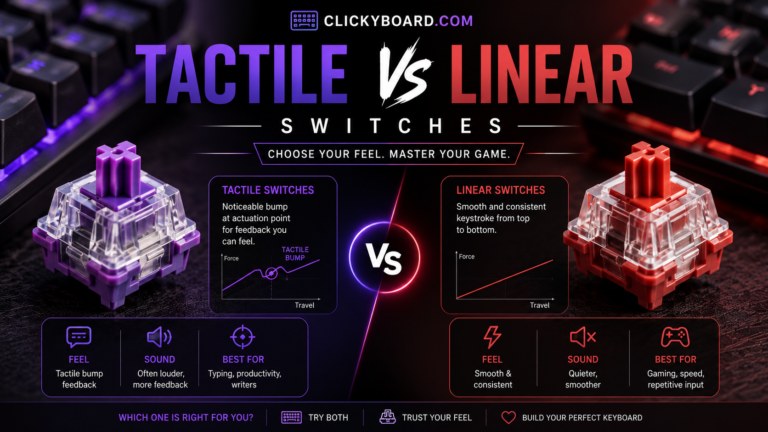
A linear switch moves straight down in one smooth motion. There is no bump and no click, just a clean press from top to bottom. The keypress registers partway down (the actuation point), but you do not feel a signal when it does, so many people bottom the key out on every press.
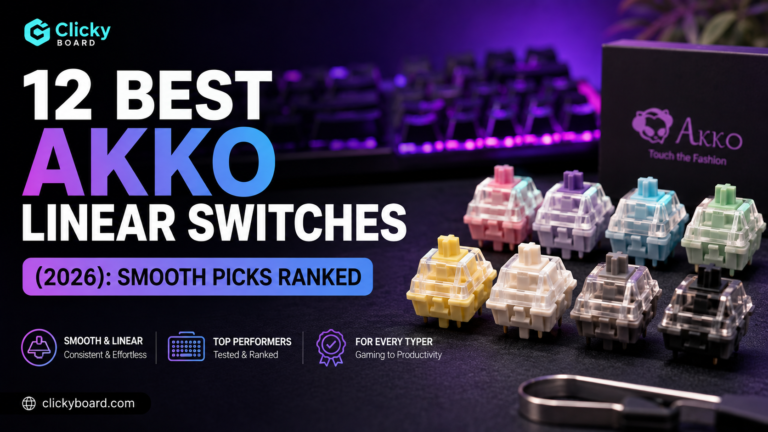
That smoothness is why linear switches are the default for gaming. Nothing interrupts the keystroke, so fast, repeated presses feel consistent. Common examples are the Cherry MX Red and Gateron Red, both around 45 grams of force to actuate, and smoother options like the Gateron Oil King. For specific picks, see our best linear switches roundup.
What are tactile switches?
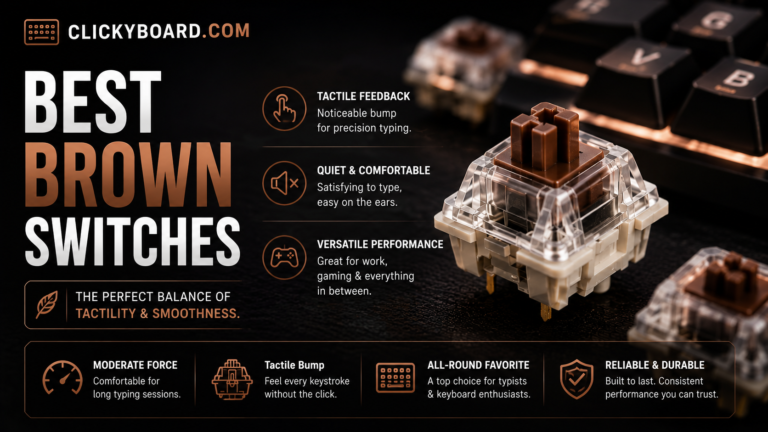
A tactile switch adds a small bump partway down, right around where the key registers. You feel that bump as a gentle resistance, which tells your finger the keystroke has landed without having to press the key all the way down.
That feedback is why tactile switches are popular for typing. You can type accurately with a lighter touch because you feel each key fire. The classic example is the Cherry MX Brown, which has a soft bump. If you want a stronger, sharper bump, switches like the Gazzew Boba U4T or Holy Panda are favorites. For picks at every price, see our best tactile switches guide.

Tactile vs linear at a glance
| Linear | Tactile | |
|---|---|---|
| Feel | Smooth, no bump | A bump you feel at actuation |
| Typing feedback | None until you bottom out | You feel each keystroke register |
| Sound | Cleaner and usually quieter | Slightly louder, more pronounced |
| Best for | Gaming, fast repeated presses | Typing, accuracy |
| Learning curve | Very easy | Very easy |
| Typical actuation force | Around 45 g | Around 55 to 65 g at the bump |
| Popular examples | Cherry MX Red, Gateron Oil King | Cherry MX Brown, Boba U4T |

How they feel to type on
Tactile switches give you something to feel. The bump acts like a checkpoint, so you can register a key with a lighter press and lift off before bottoming out. Over a long typing session that can feel less tiring and more precise, which is why a lot of writers and coders prefer them.
Linear switches feel smooth and quiet, but they give no feedback until the key hits the bottom. Some people love that clean glide. Others find they make more typos at first, because there is no signal that a key has fired. You adjust quickly, but the first week can feel less accurate.
How they perform for gaming
For fast games, especially shooters, linear switches have the edge. The smooth travel makes rapid taps and holds feel consistent, with nothing getting in the way of the press. That is why most gaming keyboards ship with linears.
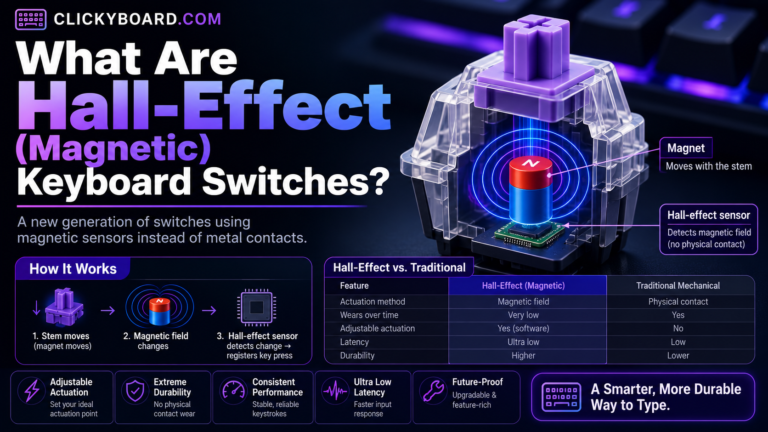
Tactile switches still work fine for gaming, and plenty of players use them without issue. The bump is not a real disadvantage in most games. If you want the fastest, most competitive setup, though, linear is the usual choice, and newer Hall-Effect magnetic switches take that further with adjustable actuation and rapid trigger.
Sound differences
Linear switches tend to sound cleaner and a little quieter, since there is no tactile mechanism adding noise. Tactile switches are usually a touch louder and have a more pronounced sound because of the bump.
Keep in mind that sound depends heavily on the keyboard, the keycaps, and whether the switches are lubed, not just the switch type. A well-built tactile board can sound deeper and nicer than a cheap linear one. If sound matters to you, that build work matters as much as the switch.
What about clicky switches?
There is a third family worth naming so you are not confused by it. Clicky switches are tactile switches with an added mechanism that makes a loud click, like the Cherry MX Blue. They feel similar to tactiles but are much louder. They are fun at a private desk and a problem in shared spaces or on voice chat. If you like the bump but not the noise, a tactile switch gives you the feel without the click.
A quick word on actuation and travel
Two terms explain most of the difference. Actuation is the point where a keypress registers, usually about halfway down. Bottom-out is pressing the key all the way. A tactile switch places its bump near the actuation point so you feel the key fire; a linear switch has no bump, so the only feedback is hitting the bottom. Once you know that, the marketing terms stop being confusing.
Which should you choose?
Choose linear if you:
- Game a lot, especially fast-paced or competitive titles
- Like a smooth, uninterrupted keystroke
- Want a quieter switch for a shared space
- Do not need feedback and tend to bottom out anyway
Choose tactile if you:
- Type for work or write a lot
- Want to feel each keystroke land for better accuracy
- Like a switch with some feedback and character
- Do a mix of typing and gaming and want one do-it-all switch
If you genuinely cannot decide, start with a tactile switch. It handles typing and gaming well and gives most people the more satisfying feel out of the box.
Can you change your mind later?
Yes, if your keyboard is hot-swappable. Hot-swap sockets let you pull switches out and press new ones in with no soldering, so you can try linear and tactile on the same board and keep whichever you prefer. On a first keyboard, hot-swap is worth having for exactly this reason. Lubing your switches also changes the feel a lot, and our switch lubing guide walks through it.
Frequently asked questions
Are tactile or linear switches better for gaming?
Linear switches are usually better for fast, competitive gaming because the smooth travel makes rapid presses consistent, with no bump in the way. Tactile switches still work well for most games, so the gap is smaller than it sounds. If competitive shooters are your main focus, go linear or look at magnetic switches.
Are tactile or linear switches better for typing?
Tactile switches are generally better for typing. The bump lets you feel each key register, so you can type accurately with a lighter touch and less bottoming out. Linear switches are fine for typing too, but they give no feedback until the key bottoms out, which some people find less precise.
Are linear switches good for beginners?
Yes. Linear switches are smooth and easy to use, and there is nothing to get used to. The only adjustment is the lack of feedback, which can cause a few extra typos at first. If you mainly type, a tactile switch may feel more natural, but both are beginner-friendly.
Do tactile switches sound louder than linear?
Usually a little, because the bump adds some noise. The bigger factors in how a keyboard sounds are the case, the keycaps, and whether the switches are lubed. A well-built tactile board can sound better than a cheap linear one, so do not choose on switch type alone if sound is your priority.
What is the difference between tactile and clicky switches?
Both have a bump you can feel. Clicky switches add a mechanism that makes a loud click on every press, while tactile switches stay much quieter. If you want the bump without the noise, choose tactile. If you love the sound and have a private space, clicky can be fun.
Can you actually feel the difference between tactile and linear?
Yes, clearly. A tactile switch has a noticeable bump partway down, and a linear switch is smooth the whole way. Most people can tell them apart in the first few presses, even without knowing the terms.
Verdict: how to choose
If you want one rule, match the switch to what you do most. Type more than you game, pick tactile. Game more than you type, pick linear. For a mix, tactile is the safer all-rounder, and a hot-swap board means the choice is never permanent.
Beyond that, remember that lube, keycaps, and the keyboard itself shape the feel and sound as much as the switch family does. Get the switch type right for your use, buy a board you can tune later, and you will be happy with either one.
We review and update our switch guides as new switches launch and community consensus shifts, so the recommendations stay current.