Silent Switches

Best silent tactile switches, in brief: Choose the Akko Penguin (Silent) if you want an accessible, pre-lubed starting point; the TTC Silent Bluish White if you prefer a lighter operating force and shorter travel; the Gazzew Boba U4 if a pronounced tactile bump matters most; or the Durock Silent T1 Shrimp if you want a T1-style bump. These are researched options, not switches Clickyboard has sound-tested side by side. None will make a keyboard soundless, and the same switch can sound different in another case.

This guide goes deeper into tactile feel than our broader best silent switches guide. It compares where the bump occurs, how much resistance the makers or sellers publish, what the cushioned landing may feel like, and what to check before installing a set. If you would rather have an uninterrupted press, start with the linear picks in that parent guide.

How we researched this: Published specifications and current product pages were checked on 3 November 2026. We have not measured force curves, loudness or long-term wear ourselves. Descriptions of bump shape and bottom-out are buying guidance, not controlled test results. Check the exact variant before purchase; spring weights, mounting pins and lube can differ between runs or sellers. No price or affiliate claim is made here.

Feel the bump. Soften the impact.Conceptual cutaway of a silent tactile switch. Purple highlights show tactile feedback during the press, while coral highlights show cushioning at the ends of stem movement. Two separate design choices determine feel and impact noise; this is not a scale drawing.INSIDE THE KEYPRESSFeel the bump. Soften the impact.Why a silent tactile switch can feel defined and sound restrained.PRESSCONCEPTUAL CUTAWAY · NOT TO SCALE1The feedback you feelThe tactile mechanism changes resistanceas the stem moves through the press.A BUMP DOES NOT REQUIRE A CLICK.2The impact you hearDamping cushions the ends of movement,reducing downstroke and return noise.A SOFTER LANDING CAN CHANGE THE FEEL.Designs vary by switch. Case, keycaps and stabilizers also affect the sound.CLICKYBOARD
Conceptual illustration: tactile feedback and impact damping serve different purposes. Component shapes and positions vary by switch.

Silent tactile switches compared

SwitchPublished resistanceTravelLikely feel and trade-offFit check
Akko Penguin (Silent)50 gf operating; 58 ± 5 gf tactile peak; up to 60 gf bottom-out3.3 mm totalDefined bump with a shorter, cushioned landing; a sensible first sampleAkko lists 5-pin MX-style mechanical mounting
TTC Silent Bluish White42 ± 10 gf operating; 58 ± 5 gf tactile peak3.5 ± 0.4 mm totalLighter press with a noticeable bump; short travel will not suit everyoneCheck the exact V2 listing and pin version
Gazzew Boba U4Commonly sold with 62 g or 68 g bottom-out springs; other variants existConfirm with the selected sellerSubstantial, rounded bump and a soft landing; may feel too resistant to light typistsConfirm spring, housing and mounting variant
Durock Silent T1 Shrimp52 g actuation; 67 g bottom-out (seller-published)4.0 mm listed by OZO; confirm the selected variantT1-style bump with stem damping; sample it if you dislike cushioned bottom-outConfirm the listing says Silent T1 Shrimp, not ordinary T1, and that your PCB supports 5-pin MX switches

Do not compare unlike force numbers as though they were the same. Operating force is the force near electrical actuation; tactile peak is the highest force while crossing the bump; bottom-out is measured at the end of travel. A higher tactile peak can make a switch feel firmer than its operating-force figure suggests. Published tolerances also mean two samples may not feel identical. The Akko Penguin page and TTC Silent Bluish White page publish the figures in the table.

Which bump should you choose?

Akko Penguin (Silent): a practical first sample
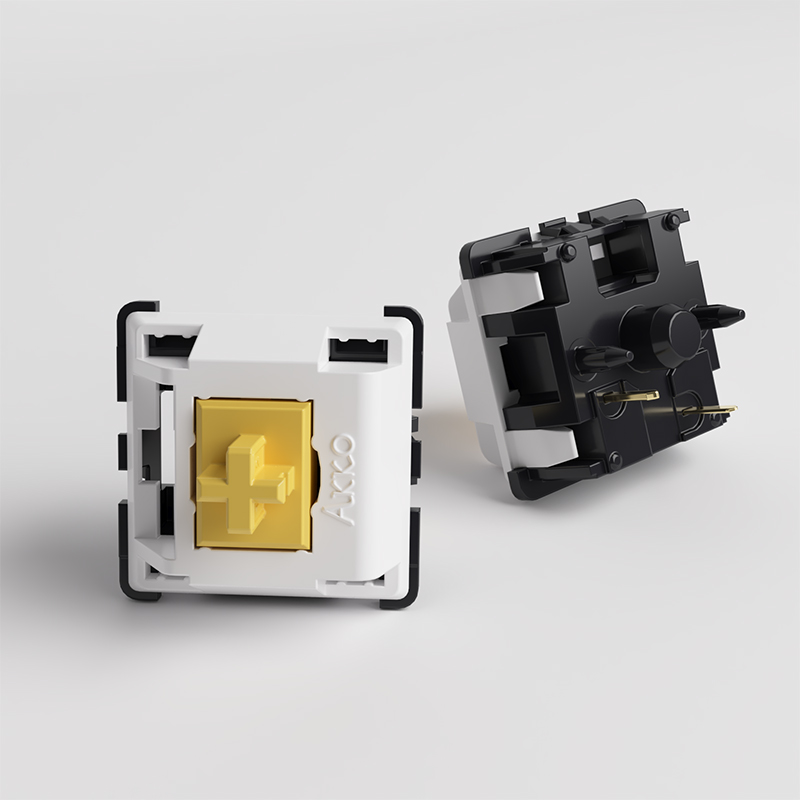
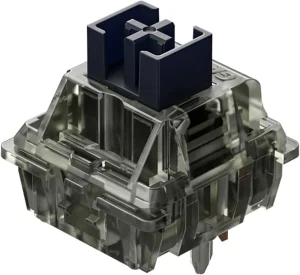
Akko Penguin silent tactile keyboard switch
Akko Penguin silent tactile keyboard switch.

Akko lists the Penguin as a factory-lubed, 5-pin silent tactile with 50 gf operating force, a 58 ± 5 gf tactile peak and 3.3 mm total travel. That combination gives you an identifiable bump without the long travel of a conventional 4 mm switch. Buy a small pack first if you are sensitive to a cushioned bottom-out: damping is the point of a silent switch, but it changes the landing as well as the sound. Check that the listing says Penguin (Silent); other Akko switches with “Cream” or similar names target a different feel and sound.

TTC Silent Bluish White: lighter operation, tactile peak
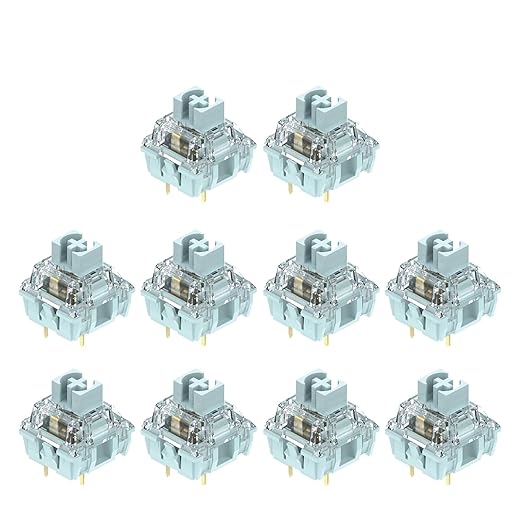
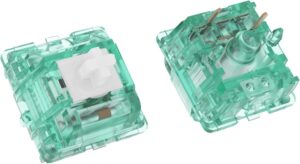
TTC Silent Bluish White V2 tactile keyboard switch
TTC Silent Bluish White V2 tactile keyboard switch.

TTC publishes 42 ± 10 gf operating force, a 58 ± 5 gf tactile peak, 3.5 ± 0.4 mm total travel and factory lubrication for its Silent Bluish White. The gap between operating force and tactile peak is why “42 g” alone does not tell the whole story: you still push through a noticeable bump. Its shorter travel may feel quick to some typists and abrupt to others. TTC calls its design “double silent”; that describes its damping approach, not a promise of zero sound. Verify the exact V2 and pin configuration of the pack you buy.

Gazzew Boba U4: for a more substantial bump

The U4 is the silent model to investigate if you want a larger, more rounded tactile event. It is distinct from the U4T, whose “T” denotes the louder, undampened option. Authorized Gazzew sellers list U4 spring options including 62 g and 68 g, and some carry other runs; those are bottom-out spring ratings, not actuation or tactile peak figures. Confirm the exact version and whether the seller has it in stock. The stronger-feeling bump and cushioned stop may be welcome for deliberate typing and tiring for someone coming from a light linear.

Durock Silent T1 Shrimp: for a T1-style bump
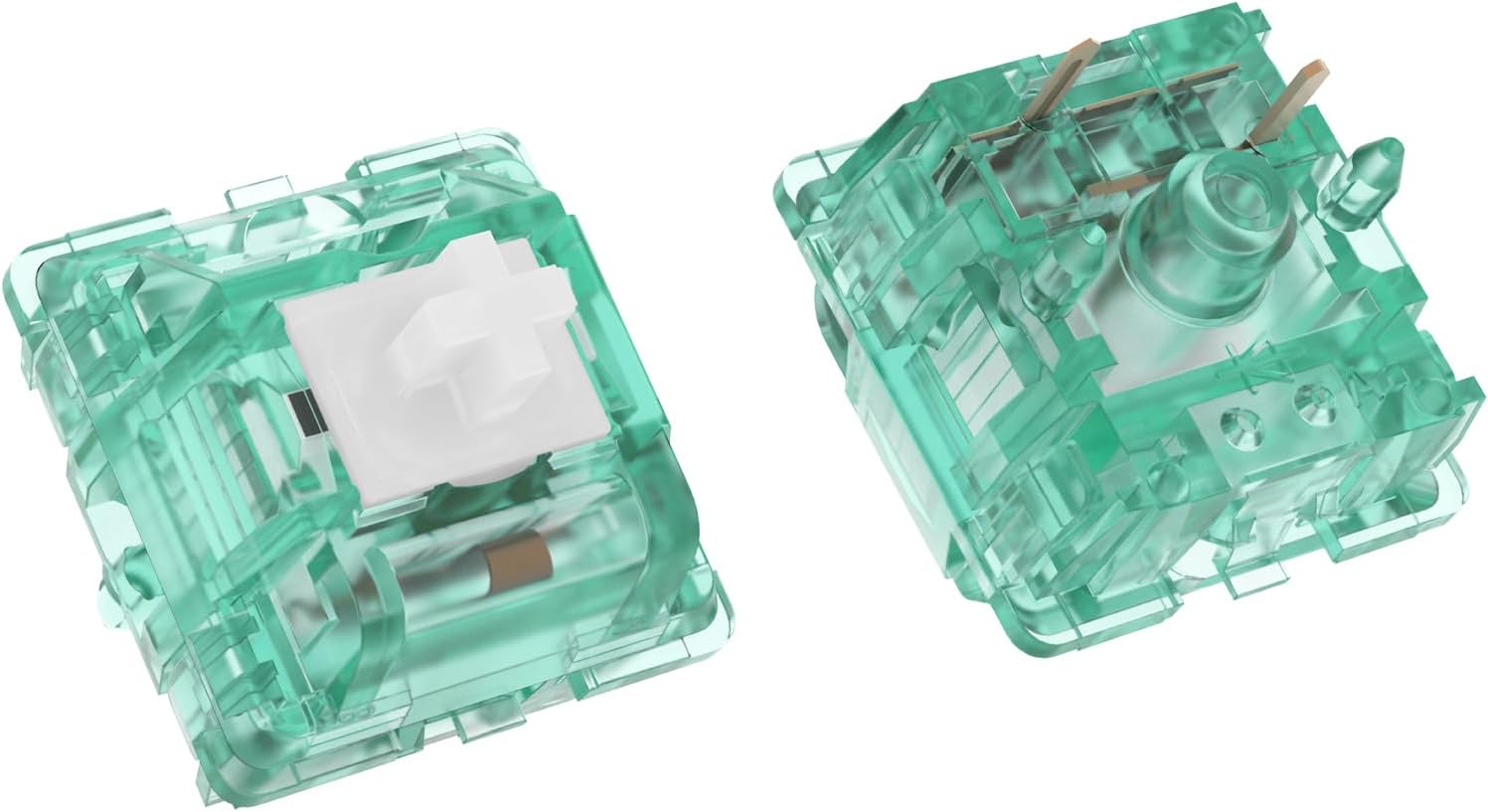
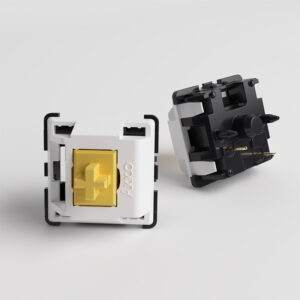
Durock Silent T1 Shrimp tactile keyboard switch
Durock Silent T1 Shrimp tactile keyboard switch.

The Silent T1 Shrimp is worth sampling if you like a more distinct T1-style bump than a light tactile offers. OZO Keyboards lists 52 g actuation and 67 g bottom-out, a 5-pin PCB mount, factory pre-lubrication, a turquoise housing and a white POM stem with damping material. OZO lists 4 mm total travel. Its listing and Kinetic Labs both describe factory lubrication, but specifications and stock should be checked on the exact pack you order. Do not substitute an ordinary T1: “Silent” is the part of the product name that matters for noise. Check the selected pack and your board’s MX socket before buying. We do not assign it a measured loudness or declare it quieter than the U4, TTC or Penguin without a controlled comparison in the same keyboard.

The trade-offs that matter more than a ranking

  • Bump shape: a broad bump can feel reassuring or tiring; a shorter bump can feel clearer or less substantial. Force numbers cannot fully describe its shape.
  • Bottom-out: stem damping cushions impact and can feel soft. A silent tactile does not guarantee a crisp landing.
  • Return noise: listen for the upstroke as well as the downstroke. A desk recording from one board is not a universal quietness ranking.
  • Board noise: stabilizers, keycaps, plate and case can dominate the sound after the switches are damped. Diagnose rattly long keys with our stabilizer guide.

Check compatibility before ordering a full set

First establish that your board takes standard-height MX-style mechanical switches. Optical, Hall-effect and some low-profile sockets need their own switch families even when a keycap cross looks familiar. Next check whether the PCB has holes for the extra plastic legs of a 5-pin switch and whether the board is hot-swappable. A soldered switch requires desoldering. The full 3-pin vs 5-pin guide explains how to inspect the socket and when trimming plastic locating pegs is appropriate. Buy a few samples and test them in the actual board before purchasing enough for every key.

Make the whole keyboard quieter

Swap a few letter keys first and compare the same typing passage before and after, using the same board, keycaps and recording position. If the spacebar still rattles, tune its stabilizer instead of changing another switch. If the case sounds hollow, look at the board’s internal damping and desk surface. O-rings can soften keycap bottom-out on some existing switches, but they do not address the return stroke and can shorten travel. The goal is a less distracting keyboard, not silence.

Frequently asked questions about silent tactile switches

Are silent tactile switches actually silent?

They reduce impact noise rather than eliminate every sound. A tactile bump does not require the deliberate click mechanism of a clicky switch, but the spring, return stroke, stabilizers and keyboard case can still be audible. Choose them to reduce distraction; do not expect a soundless keyboard or assume a switch recording predicts your complete build.

Are silent tactile switches good for gaming?

They can be, especially when you want feedback without disturbing someone nearby. The bump and spring resistance are preference decisions, not a universal performance advantage. Try repeated presses and held movement keys before buying a full set. If you prefer an uninterrupted press, compare the silent linear options in our silent-switch guide. Our tactile vs linear comparison explains the difference in feel.

Why do some silent switches feel mushy?

The damping material can compress when the stem reaches the end of its movement, softening the stop. Whether that feels comfortable or vague depends on the design and your typing pressure. A firmer spring does not necessarily remove the cushioned landing. Test several keys in your own board, including longer typing sessions, before committing.

Should you lubricate silent tactile switches?

Try the factory condition first. Extra lubricant can change tactile feedback, and it is not a reliable cure for a damping feel you dislike. Follow the switch maker’s guidance: Ringer Keys specifically advises keeping lubricant off U4 silencing bumpers because it can create a sticky feel. Do not apply lubricant blindly through an assembled switch.

Are Brown switches the same as silent tactile switches?

No. “Brown” is commonly used for a tactile option within a manufacturer’s range; it does not certify internal sound damping. For example, a conventional Cherry MX Brown is not the same product as a purpose-built silent tactile. Check the exact model’s silencing design rather than choosing by stem colour. See our Cherry MX Brown guide for the distinction.

Choose a sample before choosing a full set

Start with the Penguin if you want a straightforward factory-lubed option, compare the TTC if lower published operating force appeals, and sample the U4 or Shrimp if you are exploring a more pronounced bump. These are starting points rather than measured winners. Test the same keycaps on the same board and compare comfort as well as downstroke and return noise. Calculate the full delivered cost for your layout, including spare switches, before ordering.

Availability note: stock varies by spring weight, housing and pack size. During our 3 November 2026 check, Kinetic Labs showed its Shrimp packs out of stock and Ringer Keys displayed a sold-out state alongside variant-dependent ordering guidance. A product page is a specification reference, not a guarantee that your selected version is available.

Specification sources and limits

Product specifications: Akko Penguin (Silent) and TTC Silent Bluish White. U4 spring variants and stock: Ringer Keys, an authorized Gazzew seller. Durock Silent T1 Shrimp specifications: retailer listings from Kinetic Labs for the silent tactile design and factory lube, and OZO Keyboards for 52 g actuation, 67 g bottom-out, 4 mm travel and 5-pin mounting. Check the exact seller listing because variants can differ. All sound and feel descriptions should be treated as expectations to check with samples; Clickyboard has not published a controlled comparison of these four.
Quiet keyboard switches solve one specific problem: everyone else in the room. Whether you type next to a sleeping partner, share an office or sit on calls all day, a dampened switch cuts the clack without giving up the feel of a mechanical board. This shortlist covers six silent switches worth buying, from light linears to firm tactiles, with the published specs and prices for each and an honest note on what we can and can’t say about how quiet they are.

A quick note on wording: quiet switches and silent switches mean the same thing. Makers usually label them “Silent”, so you’ll see both terms in this guide.

⚡ Quick answer: For most people the Cherry MX Silent Red is the safe pick: light, widely available and fitted as a factory option in many prebuilt boards. If you want a bump you can feel, the Gazzew Boba U4 is the most widely recommended silent tactile. On a budget, the factory-lubed Akko V3 Pro Penguin costs about $0.38 a switch.

Disclosure: This guide contains affiliate links. If you buy through them we may earn a small commission at no extra cost to you. It never changes which switches we recommend.

Illustration of a silent mechanical keyboard switch

How silent switches actually work

A silent switch is a normal switch with small rubber or silicone dampeners built into the stem or housing. They cushion the two loudest moments of a keystroke: the bottom-out, when the stem hits the base, and the upstroke, when it snaps back to the top. The dampeners also take up a little room, so many silent switches have slightly shorter travel than their standard versions (the Cherry MX Silent Red travels 3.7 mm instead of 4.0 mm).

Two honest caveats before you buy. Silent switches are never truly silent, because keycaps, stabilizers and the case still make sound. And the dampening softens the feel of the bottom-out a little, which some people notice more on tactiles than linears.

How we compared them, and what we haven’t measured

These are MX-style mechanical switches. Availability, mounting variants and prices can change, so check the exact listing before buying. We compared them on the things that affect noise and feel, in this order:

  • Dampening: whether the switch damps the bottom-out, the upstroke, or both.
  • Spring weight: compare published operating and bottom-out forces, then try samples. Force alone does not predict a board’s sound.
  • Travel and type: linear or tactile, and total travel.
  • Price per switch and whether it arrives factory-lubed.

Our limits, stated plainly: force, travel and lube figures are the makers’ and main retailers’ published specs, and prices are typical US prices checked on 3 October 2026. Sound descriptions reflect how each switch is widely described by makers and reviewers. This version of the guide has no sound recordings or decibel measurements of our own, so we don’t name a single “quietest” switch. How loud a switch sounds also depends heavily on your board, plate, keycaps and how hard you type, so treat any ranking you read, including descriptions here, as a starting point.

Which silent switch is the quietest?

There isn’t one answer that holds for every board, and we haven’t measured these switches ourselves. What reliably makes a switch sound quieter is:

  • Dampening at both ends of the stroke. Every switch on this list damps the bottom-out; how well each damps the upstroke varies.
  • Spring weight and typing force. Light switches can suit a light touch, but a heavy bottom-out can still be loud. Compare the 42 g TTC, 45 cN Cherry and 60 ±15 gf Gateron operating forces, then test in your own board.
  • A quiet board. Foam in the case, lubed stabilizers and thicker keycaps often make a bigger difference than the choice between two silent switches. See how to build a quiet office keyboard below.

If you type lightly and want the best chance of a very quiet board, start with one of the lighter silent switches. If you bottom out hard, some typists find a heavier spring helps them press less forcefully; try a sample before committing.

Best quiet switches by use case

  • Light typists who want the quietest-feeling press: TTC Silent Bluish White V2 or Cherry MX Silent Red
  • Best silent tactile: Gazzew Boba U4, with the Durock T1 Shrimp as the sharper-bump alternative
  • Best silent linear: Cherry MX Silent Red, or the Gateron Ink V2 Silent Black if you want it heavier
  • Shared offices: Cherry MX Silent Red, a light linear with no bump to push through
  • Best budget silent switch: Akko V3 Pro Penguin

The picks compared

SwitchTypePublished forceTotal travelFactory-lubedPrice per switchAbout 90 switches
Cherry MX Silent Red / MX2ALinear45 cN3.7 mmOriginal: check listing; MX2A: yesfrom about $0.50from about $45
Gazzew Boba U4Tactile62 g or 68 g spring (bottom-out)Not listed by GazzewVendor lists light lube on leaf and spring base; check variant$0.65–0.75$59–68
Gateron Ink V2 Silent BlackLinear60 ±15 gf operating4.0 mmNo$0.75–1.00$68–90
Durock T1 ShrimpTactile52 ±5 gf operating, 67 g bottom-out4.0 mmYes$0.55–0.70$50–63
TTC Silent Bluish White V2Tactile42 ± 10 gf operating; 58 ± 5 gf tactile peak3.5 mmYes$0.55–0.65$50–59
Akko Penguin (Silent)Tactile50 gf operating; 58 ±5 gf tactile peak3.3 mmYesabout $0.38about $34 (two 45-packs)

“About 90 switches” covers a TKL (87 keys) with a few spares. Prices move often, so treat them as ranges. The TTC Silent Bluish White V2 is sold as a 3-pin switch. It may fit a standard 5-pin MX footprint, but confirm your board uses compatible mechanical sockets and has a plate to hold the switch securely.

The 6 best silent switches

1. Cherry MX Silent Red, the safe choice

The Silent Red is a light 45 cN linear with built-in damping and 3.7 mm total travel. Check the exact listing: Cherry’s current MX2A Silent Red has factory-applied lubricant, while older Silent Red stock may differ. Cherry offers multiple mounting and RGB variants, so match the part number to your board before ordering.

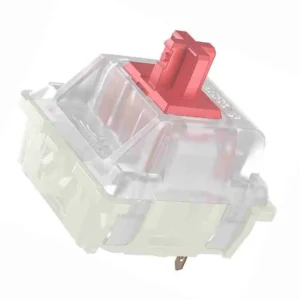
Cherry MX Silent Red switch

Buy it if you want a light, familiar linear and an MX2A version whose published specs are easy to check.
Skip it if you want a tactile bump, or if the listing does not identify the exact variant and mount you need.

2. Gazzew Boba U4, the best silent tactile

The Boba U4 is the switch most enthusiasts point to for “quiet but tactile”. Its bump is large and rounded and stays clearly noticeable despite the dampening, and the bottom-out is widely described as a soft thud. It comes in 62 g and 68 g springs. Make sure you buy the U4 (silent), not the U4T, which is the non-silent, “thocky” version.

Buy it if you love a strong bump and need a quiet board.
Skip it if you prefer light switches: the bump takes real force, and long sessions can tire light typists. Stock U4s also aren’t factory-lubed.

3. Gateron Ink V2 Silent Black, the heavier linear

Gateron’s Ink switches are known for a smooth stroke, and the Silent Black adds dampening. At a published 60 ±15 gf operating force it is a heavier option than a Silent Red, which gives it a controlled, deliberate feel. Note that it isn’t factory-lubed, and it’s the most expensive pick here.

Gateron Ink Black linear switch

Buy it if you bottom out hard and want a heavier silent linear.
Skip it if you game for hours or type lightly: the heavier spring is more tiring, and lighter silent switches cost less.

4. Durock T1 Shrimp, the sharper silent bump

The Shrimp is the silent version of Durock’s T1, one of the most recommended tactiles of recent years. Its bump is sharper than the U4’s and sits at the top of the press, it’s factory-lubed, and Durock lists 52 ±5 gf operating force with a 67 g bottom-out. Prices are similar to the U4.

Durock T1 Shrimp silent tactile switch

Buy it if you want a sharp, defined bump and factory lube.
Skip it if you want the roundest, biggest bump, where the U4 still wins.

5. TTC Silent Bluish White V2, light and crisp

Most silent tactiles are fairly heavy. The Bluish White V2 is the exception: TTC lists 42 ± 10 gf operating force and a 58 ± 5 gf tactile peak, with a medium bump, dampening in both the stem and the base, and factory lube. Travel is a slightly short 3.5 mm. It is sold as a 3-pin switch. Confirm your board takes MX-style mechanical switches; a plate helps support a 3-pin switch in a 5-pin PCB.

TTC Silent Bluish White V2 tactile switch

Buy it if you type fast and light and want quiet feedback rather than a workout.
Skip it if you want a bump you can really lean on.

6. Akko V3 Pro Penguin, the budget pick

The Penguin brings silent tactiles down to about $0.38 a switch in a 45-pack, and it arrives factory-lubed. Akko’s current product page lists 50 gf operating force, 58 ±5 gf tactile force and 3.3 mm total travel. Check the exact listing if a retailer gives different figures. The bump is gentler and the feel a little softer than the Shrimp or U4.

Akko V3 Pro Penguin silent tactile switch

Buy it if you want to try silent switches without spending much, or fill a second board.
Skip it if you want a strong bump, or you dislike short-travel switches.

How to build a quiet office keyboard

Silent switches only remove switch noise. Once they’re in, the next loudest things on the desk are usually the stabilizers under the long keys and the case itself. That’s why the same switch can sound quiet in one board and clacky in another.

  • Use a hot-swap board. Hot-swap sockets let you pull switches out and push new ones in without soldering, so you can try silent switches in a keyboard you already own. Our 75% keyboard and 65% keyboard guides list hot-swap options; check the listing before you buy.
  • Fix the stabilizers. A rattly spacebar can be louder than any silent switch. Our stabilizer guide shows how to diagnose and lube them.
  • Check the case. Boards with foam inside generally sound quieter than empty plastic shells.
  • Not ready to replace switches? O-rings soften the bottom-out on your current switches for a few dollars. They don’t damp the upstroke, so they help less than silent switches, but they’re a cheap first step.

The changes, in the order we’d try them

If you’re trying to make a keyboard quiet enough for an office, start with the cheap, reversible fixes and work up. Change one thing at a time, so you know which change actually helped.

ChangeWhat it quietensRough costEffortTrade-off
1. Type more lightlyBottom-out clack, the loudest part of most keystrokesFreeHabitTakes practice
2. Desk matSound carried into the deskLowNoneTakes desk space
3. Tune the stabilizersRattle and ticking on the spacebar, Enter, Shift and BackspaceLow (lube and a brush)About an hour; you open the boardNone once done
4. O-ringsBottom-out clack onlyA few dollarsAbout 20 minutesShorter, softer presses
5. Case or plate foamHollow echo from inside the caseLow; many boards already have itYou open the caseLittle
6. Silent switchesBottom-out and upstroke, inside the switchAbout $45–85 for a 75% board (84 switches at the per-switch prices above)About 30 minutes on a hot-swap boardSofter bottom-out; tactile bumps feel more muted

Costs are rough ranges, and the switch figure uses the per-switch prices in the table above (checked October 2026). If your board isn’t hot-swap, silent switches mean desoldering, or a new board.

The compromises

  • Feel changes. O-rings and silent switches both soften the bottom-out. Some people like it; others find it mushy, especially on tactile switches.
  • Cost adds up. A full set of silent switches can cost as much as a budget keyboard.
  • Opening the board takes time. Stabilizer tuning and foam mean taking keycaps and sometimes the case apart.
  • No board is silent. Even with every change, you’ll still hear keycaps and the occasional spacebar thud. The aim is “not distracting”, not silence.

We haven’t built and measured one yet. A real before/after build is planned: one board, the same keycaps, a microphone fixed 30 cm away, one change at a time, with the cost of each step. Until we’ve done it, nothing on this page is a measured result.

Test your own board. Prop your phone 30 cm in front of the keyboard with noise reduction off, and record yourself typing the same sentence for 20 seconds. Make one change, record again from the same spot, and compare the two clips. It isn’t a lab test, but it tells you whether a change was worth it.

Check fit before buying a full set

A cross-shaped MX keycap mount tells you which keycaps attach to a switch; it does not tell you whether that switch fits your PCB. First confirm the board uses MX-style mechanical switches rather than optical, magnetic or a low-profile system. Then check the hot-swap socket and plate, the switch’s contact pins and any plastic locating legs. A soldered board needs desoldering before a switch swap. See the 3-pin vs 5-pin compatibility guide for the fit checks and when clipping plastic legs is appropriate.

  • Cherry MX2A Silent Red: check the specific part number and mount variant. Cherry lists both 3-pin and 5-pin MX2A models.
  • Gateron Ink V2 Black Silent: Gateron’s current product page lists a 5-pin mechanical switch; confirm the PCB has holes for the two plastic locating legs.
  • Akko Penguin (Silent): Akko lists a 5-pin switch and standard MX keycap mount. Its current listed operating force is 50 gf.

Manufacturer specifications checked: Cherry MX2A Silent Red, Gateron Ink V2 Black Silent, and Akko Penguin (Silent). The force figures are published specifications, not Clickyboard measurements; they describe different points in the press and are not direct quietness scores.

How to choose

  1. Linear or tactile first. Silence doesn’t change this decision. Smooth and uninterrupted means the Silent Red or Ink Silent Black; a bump you can feel means the other four. Unsure? Our tactile vs linear guide settles it.
  2. Weight second. Light (TTC Bluish White V2, Silent Red) suits fast or light typists; the Penguin has a 50 gf operating force and a stronger tactile peak. Heavier (Ink Silent Black, Boba U4 68 g) suits deliberate typists who bottom out.
  3. Buy a sample first. Dampening changes the feel, and how quiet a switch sounds depends on your board. A 10-pack in a few keys tells you more than any review.

Frequently asked questions

What is the quietest mechanical keyboard switch?

There isn’t one answer for every board, and we haven’t measured these switches ourselves, so we don’t name one. In general, a silent switch with a light spring, like the TTC Silent Bluish White V2 or Cherry MX Silent Red, in a foam-filled board with lubed stabilizers will be among the quietest setups. A light touch matters as much as the switch.

Are silent switches good for gaming?

Yes, for most players. They register just like normal switches. A light silent linear like the Silent Red suits fast games; the slightly shorter travel and softer bottom-out are the main differences you’ll notice.

Do silent switches feel mushy?

Some do. The dampeners that absorb noise also cushion the landing, and poorly tuned dampening can feel like typing on rubber. The switches here are widely regarded as keeping that softness to a minimum, but buy a small sample first if you’re unsure.

Can I make my current switches quieter instead?

Partly. O-rings soften the bottom-out on your existing switches, and lubing plus stabilizer tuning removes a surprising amount of noise. See our keyboard O-rings guide for the cheap route before replacing every switch.

Are quiet switches and silent switches the same thing?

Yes. The terms are used interchangeably. Makers almost always brand them “Silent” (Cherry MX Silent Red, Gateron Ink V2 Silent Black), while people searching for them often say “quiet”. Both mean a switch with dampeners built in.

What are the best silent tactile switches?

The Gazzew Boba U4 is the most widely recommended, with a large, round bump. The Durock T1 Shrimp has a sharper bump and comes factory-lubed, the TTC Silent Bluish White V2 is the lightest, and the Akko V3 Pro Penguin is the cheapest.

Are silent switches actually silent?

No. They remove most of the sharp impact sound of a normal switch, but you’ll still hear keycaps, stabilizers and the case. How quiet the result is depends on your board and how hard you type.

How do I make my keyboard quiet enough for an office?

Start with the free and cheap fixes: type without bottoming out hard, use a desk mat and tune the stabilizers. If it is still too loud, add O-rings or foam, and swap to silent switches last if your board is hot-swap. Change one thing at a time so you know what helped.

Will silent switches fit my keyboard?

These are MX-style mechanical switches, but the keycap stem shape alone does not prove a switch will fit or work in your board. Check the socket type, pin pattern, mounting support and board documentation first; optical, Hall-effect and some low-profile sockets need their own switch families. Our 3-pin vs 5-pin guide explains how to tell. If your board is soldered, swapping switches means desoldering.


Product specifications rechecked against the linked manufacturer pages on 18 October 2026; price ranges are from the earlier 3 October 2026 check and should be confirmed before purchase. No controlled Clickyboard sound comparison is available for these picks.