Tactile Switches

Written by Elizabeth · Published August 20, 2024
Reviewed & Updated by Olivia · Updated on July 27, 2026

Disclosure: This guide contains affiliate links. If you buy through them we may earn a small commission at no extra cost to you. We only recommend switches we would put in our own boards.

Brown switches are the classic middle-ground: a tactile switch with a small bump you feel when the key registers, quieter than a clicky and more interesting than a linear. Cherry MX Brown made the color famous, but plenty of people find its bump too soft. So this guide covers the best true browns and the stronger tactile switches that scratch the same itch better. If you type a lot and want feedback without the noise, one of these is for you.

⚡ Quick take

The Cherry MX Brown is the safe classic, but if you want a bump you can actually feel, the Gazzew Boba U4T is the brown done right. Best value goes to the pre-lubed Akko V3 Cream Blue Pro. Wondering if browns suit gaming? See our take on brown switches for gaming.

How we picked

We looked at true brown switches and the tactile switches people buy when browns feel too weak. We judged them on how strong and clean the bump is, smoothness, sound, spring weight, and value, and every pick lists an honest downside. If you are not sure a tactile is right for you at all, our tactile vs linear guide is the place to start.

Brown and tactile switches compared

SwitchWeight (approx)Bump strengthBest for
Cherry MX Brown~55 gLightThe classic gateway
Gateron Brown Pro~55 gLightA smoother classic brown
Akko V3 Cream Blue Pro~55 gMediumBest value
Gazzew Boba U4T~62 gStrongBrown done right
Gateron Baby Kangaroo V2~67 gStrong, snappySnappy feedback
Holy Panda X~60 gStrong, sharpPremium tactile
Outemu Brown~55 gLightCheapest brown
Durock T1~67 gMedium-sharpSharp tactile value

The best brown and tactile switches

1. Cherry MX Brown, the original brown

CHERRY MX BROWN 368x368 1

Why it is here. The switch that made browns famous. A light tactile around 55 g with a soft, rounded bump, it is reliable, quiet enough for most rooms, and available everywhere. A safe first tactile. Best for: a classic, no-surprises tactile.

Watch out: the bump is famously subtle, and stock Cherry Browns can feel a little scratchy since they are not factory lubed. Many people upgrade for a stronger tactile feel.

2. Gateron Brown Pro, a smoother classic brown
gateron brown

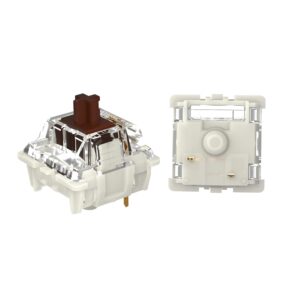
Why it is here. Gateron’s take on the brown is smoother than Cherry’s out of the box and usually cheaper, with the same light, approachable bump. If you like the idea of a Cherry Brown but want it smoother, start here. Best for: a smoother, better-value classic brown.

Watch out: it is still a light-bump switch, so if you want strong feedback you will prefer the picks below.

3. Akko V3 Cream Blue Pro, the best value
Akko V3 Creamy Blue Pro Switch

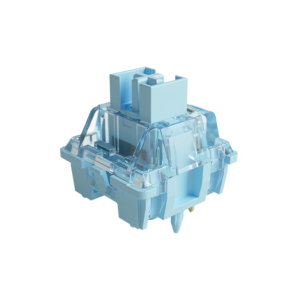
Why it is here. A pre-lubed tactile around 55 g with a cleaner, more noticeable bump than a true brown, at a budget price. It is one of the easiest ways to get a satisfying tactile feel without spending much. Best for: the best tactile feel per dollar.

Watch out: the bump is stronger than a classic brown, so it is not the pick if you specifically want a soft, subtle bump.

4. Gazzew Boba U4T, the brown done right
Gazzew Boba U4T

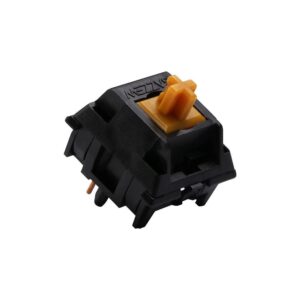
Why it is here. If Cherry Browns left you wanting more, the Boba U4T is the answer. It has a strong, rounded bump you genuinely feel, a deep sound, and excellent smoothness around 62 g. Many people call it the tactile browns should have been. Best for: anyone who found browns too weak.

Watch out: the strong bump and heavier spring are a real jump from a brown, and it is louder, so it is not a subtle switch.

5. Gateron Baby Kangaroo V2, snappy feedback
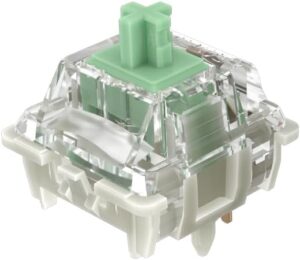
gateron baby kangaroo v2

Why it is here. A snappy tactile with a sharp, well-defined bump and a springy return, smooth around 67 g. It feels lively and precise, which typists who want obvious feedback love. Best for: a snappy, pronounced bump.

Watch out: the strong, snappy bump is the opposite of a soft brown, so it is not for people who want subtle feedback.

6. Holy Panda X, the premium tactile
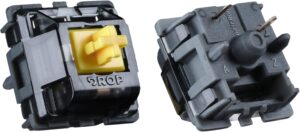
holy panda x

Why it is here. The Holy Panda name became famous for a sharp, satisfying tactile bump, and the X version delivers it around 60 g with better smoothness than the originals. A true enthusiast tactile. Best for: a premium, sharp tactile feel.

Watch out: it costs more than most picks here, and the strong bump is a long way from a gentle brown.

7. Outemu Brown, the cheapest brown
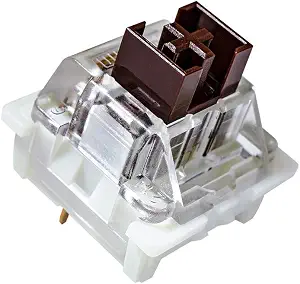
Outemu Brown

Why it is here. If you just need a cheap brown for a first build or a repair, Outemu Brown gets you a light tactile bump for very little money. Best for: the tightest budgets.

Watch out: it is scratchier and less consistent than the pricier picks. Treat it as a starting point, not an endgame.

8. Durock T1, sharp tactile value
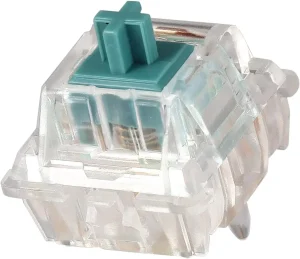
DUROCK T1 Tactile Keyboard Switches

Why it is here. The Durock T1 offers a sharp, medium tactile bump with good smoothness at a price below the premium picks. A great step up from a brown without paying flagship money. Best for: a sharp tactile on a mid-range budget.

Watch out: the sharper bump and heavier feel are quite different from a soft brown, and it is not factory lubed as well as some rivals.

What to look for in a brown or tactile switch

  • Bump strength: a true brown has a soft, subtle bump; switches like the Boba U4T and Holy Panda X have a strong, obvious bump. Decide how much feedback you want.
  • Spring weight: lighter switches (around 55 g) are easier for fast typing; heavier ones (65 g and up) feel more deliberate.
  • Factory lube: pre-lubed tactiles feel smoother out of the box. A stock Cherry Brown can be improved with our lubing guide.
  • Sound: stronger tactiles are usually a little louder. If you need quiet, look at silent tactiles instead.

Frequently asked questions

What is the best brown switch?

The Cherry MX Brown is the classic, but if you want a bump you can clearly feel, the Gazzew Boba U4T is widely seen as the brown done right. On a budget, the pre-lubed Akko V3 Cream Blue Pro gives you a satisfying tactile feel for very little.

Are brown switches good for typing?

Yes. The tactile bump lets you feel each key register, so you can type accurately with a lighter touch, which is why browns and other tactiles are popular with writers and coders. If you want stronger feedback than a classic brown, a switch like the Boba U4T or Baby Kangaroo delivers it.

Are brown switches good for gaming?

They are fine for most gaming, and the bump does not really slow you down. Competitive players often prefer a smooth linear for the fastest feel, but plenty of people game happily on browns. We cover this in detail in our brown switches for gaming guide.

Why do people say Cherry MX Browns are weak?

The Cherry MX Brown has a very light, rounded bump that some people can barely feel, so it can feel close to a linear. That is why many buyers move to a stronger tactile like the Boba U4T or Holy Panda X, which give a much more obvious bump.

Verdict: which brown switch should you buy?

If you want the classic, safe answer, buy the Cherry MX Brown or the smoother Gateron Brown Pro. If you found browns too soft and want a bump you actually feel, the Gazzew Boba U4T is the one to get, and the Akko V3 Cream Blue Pro is the best value tactile for the money.

Match the bump strength to what you like, and remember that a lube job and a well-built board improve any of these. For more options, see our tactile vs linear guide and our best linear switches roundup, and pair your switches with a board from the best Akko keyboards guide.


We update this roundup as new tactile switches launch and community favorites shift, so the picks stay current.
Written by Elizabeth · Published August 5, 2024
Reviewed & Updated by Olivia · Updated on July 27, 2026

⚡ Quick answer

Yes, brown switches are good for gaming for most people, and especially good if you also type a lot. The light tactile bump does not meaningfully slow you down. For pure competitive gaming, though, many players prefer a smooth linear switch because it feels slightly faster and more consistent. Browns are a versatile, safe choice, just not the last word in raw speed.

Brown switches get a lot of “are they good for gaming?” questions because they sit in the middle: not the smooth linear that competitive gamers usually reach for, and not the loud clicky most people avoid. The short version is that they work well for the vast majority of players. Here is the honest, detailed answer, including when you might want something else.

What a brown switch actually is

A brown switch is a light tactile switch: it has a small bump you feel partway down, right around where the keypress registers, and it is quieter than a clicky switch. That bump is the whole story here, because the question of “good for gaming” really comes down to whether feeling that bump helps or hurts you in a game.

Does the tactile bump hurt gaming?

For nearly everyone, no. The key still registers at the same point whether or not you feel a bump, so the bump does not add input lag or change when your press counts. What it does add is a bit of feedback, which some players like and some do not notice.

The one place it matters is at the very top of competitive play. In fast games that reward rapid, repeated presses, some players feel a smooth linear is marginally quicker because there is no bump to push through on each stroke. The difference is small and mostly relevant to serious competitors. For casual and mid-level gaming, it is not something you will feel.

Brown vs linear switches for gaming

This is the real comparison. Linear switches are the default for competitive gaming because they are smooth top to bottom, with nothing interrupting a fast press. If your only goal is the fastest, most consistent feel for shooters, a light linear is the usual pick.

Brown switches trade a little of that smoothness for feedback, and they have one big advantage: they are excellent all-rounders. If you split your time between gaming and typing, a brown lets one keyboard do both jobs well, where a pure gaming linear can feel vague for long typing sessions. So the choice is less “which is better” and more “what do you do most.”

Brown vs blue (clicky) switches for gaming

Browns are the better gaming choice here for most people. They have the same tactile feel as a blue but without the loud click, and blues can feel heavier and have a longer reset that some players dislike for rapid presses. If you were choosing between brown and blue for gaming, brown wins. We go deeper on the clicky side in our guide to whether blue switches are good for gaming.

Who should game on brown switches

Browns are a great fit if you are:

  • Someone who types and games on the same keyboard and wants one switch for both
  • A casual or mid-level gamer rather than a top-tier competitor
  • A player who likes feedback and finds fully smooth switches a bit vague
  • Into slower-paced games like strategy, RPGs, or MOBAs, where raw actuation speed matters less

When to pick something else

Consider a different switch if you are a competitive FPS player chasing the fastest possible feel, where a light linear is the safer bet, or you play games with rapid double-taps, where linears or magnetic (Hall-Effect) switches with adjustable actuation and rapid trigger give a real edge. None of this makes browns bad for those players. It just means a more specialized switch squeezes out a little more performance.

Common misconceptions

“Brown switches are bad for gaming.” This is a myth. They are perfectly capable, and plenty of people game on them daily without issue.

“The bump causes double presses.” It does not. A key actuates at a single point, and the tactile bump does not make it fire twice.

“You need the lightest switch to win.” Reaction time is overwhelmingly about the player, not a few grams of spring weight. A switch you enjoy and stay consistent with beats one you picked only for a spec.

Frequently asked questions

Are brown switches good for FPS games?

For casual and mid-level FPS play, yes, they work fine. Competitive players who want the smoothest, fastest feel usually prefer a light linear, but the bump on a brown does not add input lag or stop the key registering on time.

Are brown or red switches better for gaming?

Red (a light linear) has a slight edge for pure, fast gaming because it is smooth with no bump. Brown is the better all-rounder if you also type a lot. If gaming is your only priority, lean red; if you do both, brown is the more flexible choice.

Do brown switches slow you down in games?

Not meaningfully. The key registers at the same point regardless of the bump, so there is no added delay. Any advantage a linear has for rapid presses is small and mostly matters at a high competitive level.

Are brown switches good for both gaming and typing?

Yes, and that is their main strength. The tactile bump helps typing accuracy while staying light enough for gaming, which makes browns one of the best single-switch choices for people who do both.

The bottom line

Brown switches are a good, versatile gaming switch, and the best pick if you split your time between gaming and typing. If your only goal is the fastest competitive edge in fast-paced games, a light linear or a magnetic switch will edge them out. For everyone else, browns handle gaming just fine while staying great for everyday typing.

If you want specific recommendations rather than the general answer, see our roundup of the best brown switches.


We keep our switch guides updated as new switches launch and community consensus shifts.

Written by Elizabeth · Published June 16, 2023
Reviewed & Updated by Olivia · Updated on July 28, 2026

Disclosure: This guide contains affiliate links. If you buy through them we may earn a small commission at no extra cost to you.

⚡ Quick Answer

A tactile switch gives a bump you can feel on every keystroke, which is why typists love them. Our top all-round pick is the Glorious Panda for its sharp, satisfying bump at a fair price. Want silence? The Boba U4 is the best quiet tactile. On a budget? Outemu Brown. Want the safe, familiar classic that ships in most prebuilts? The Cherry MX Brown. Not sure tactile is for you at all? Compare them in our tactile vs linear guide.

What Makes a Good Tactile Switch

Tactile switches sit between smooth linears and loud clicky switches: you feel a bump as the key actuates, but there is no click. When comparing them, four things matter.

  • Bump size and sharpness. Some switches have a big, snappy bump (Glorious Panda); others are so light you barely notice it (Cherry MX Brown). This is the biggest difference in feel.
  • Weight. Heavier switches resist accidental presses but tire your fingers faster over long sessions.
  • Sound. Tactiles range from near-silent (Boba U4) to a deep, poppy thock (Boba U4T).
  • Smoothness. A good tactile is smooth on either side of the bump. Cheaper switches can feel scratchy until lubed.

The Picks at a Glance

SwitchCharacterBest for
Glorious PandaSharp, pronounced bumpBest overall
Durock T1Big bump, quieterBalanced typing
Boba U4Silent, dampenedQuiet offices
Boba U4TThocky, loud bumpSound lovers
Halo ClearHeavy, early bumpHeavy-handed typists
Cherry MX BrownLight, subtle bumpFamiliar classic
Cherry MX ClearHeavier BrownFirmer feel
Kailh Speed CopperLight, fast, short travelTactile gaming
TopreElectrostatic, uniqueEnthusiast curiosity
Outemu BrownCheap, decentTight budgets

Glorious Panda, best overall

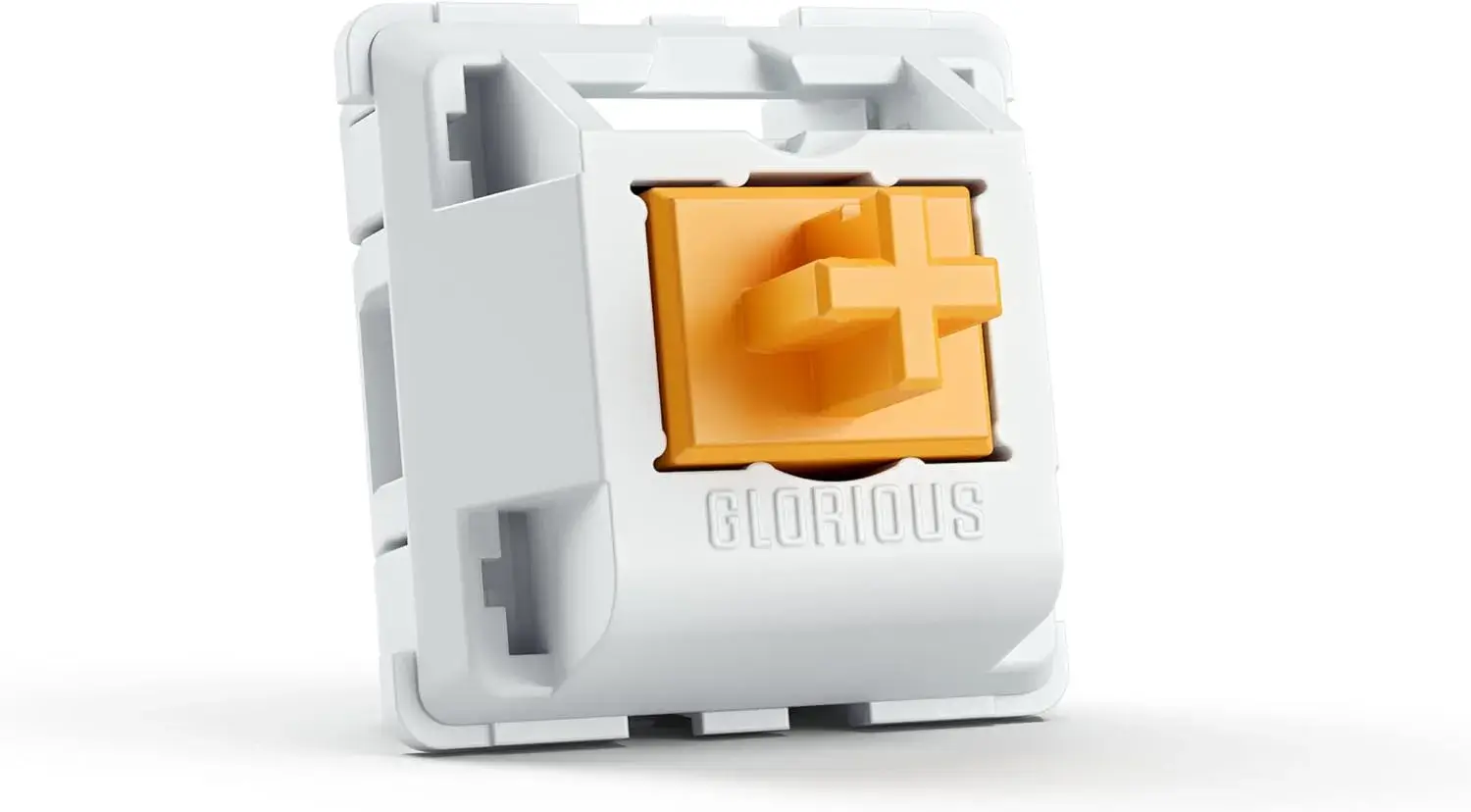
Glorious Panda tactile switches

The Glorious Panda delivers a sharp, pronounced tactile bump that feels close to the beloved (and pricier) Holy Panda, for a lot less money. If you want that satisfying, snappy tactility that makes typing fun, this is the one to try first. It has a distinctive, poppy sound to match.

Watch out for: stock Pandas can feel slightly scratchy, so they reward a light lube. If you want silence, look at the Boba U4 instead.

Durock T1, balanced and refined

Durock T1 tactile keyboard switches

The Durock T1 (67g) offers a substantial tactile bump that is a little quieter and less aggressive than the Panda. It is the pick if you want strong feedback with a touch more refinement, and it takes to lube and switch films beautifully for an even nicer feel and sound.

Watch out for: at 67g it is on the heavier side, and some batches have a little stem wobble. Not the lightest option for long sessions.

Boba U4, best quiet tactile

Thanks to silicone dampeners on the stem, the Boba U4 keeps noise to a whisper while still giving a solid tactile bump. It is the switch to pick for a shared room or office where a loud keyboard is not welcome.

Watch out for: the dampeners make the bottom-out feel a little soft or mushy, which not everyone enjoys. If you want a crisp, poppy sound, get the U4T below instead.

Boba U4T, best sound

The U4T drops the dampeners for a deep, satisfying thock and a more pronounced bump than the U4. It is a favourite for people who chase a great typing sound.

Watch out for: it is noticeably louder than the U4, so it is the wrong choice for quiet spaces.

Halo Clear, for heavy-handed typists

Halo Clears use a pre-loaded spring that places the tactile bump right at the top of the keystroke, so you can rest your fingers on the keys without triggering them. They feel heavy and deliberate and are rated for around 80 million keystrokes.

Watch out for: the heavy, rounded bump is polarising, and the weight tires lighter typists. Try before committing a whole board.

Cherry MX Brown, the familiar classic

The Cherry MX Brown is the switch most people meet first. It is reliable, rated for up to 100 million keystrokes, and ships in countless prebuilt keyboards, so it is easy to find and safe to buy.

Watch out for: the bump is very light, so light that many enthusiasts feel it barely qualifies as tactile. If you want strong feedback, the Panda or Durock T1 will satisfy you more.

Cherry MX Clear, a firmer Brown

Think of the Clear as a heavier, more tactile Brown. The stiffer spring and rounder bump give a sturdier, more deliberate press that some typists prefer.

Watch out for: it is less common, so you may need to buy the switches loose and install them yourself, and the weight is not for everyone.

Kailh Speed Copper, for tactile gaming

The Speed Copper pairs a light tactile bump with a short travel and high actuation point, so inputs register fast. It is the tactile pick for gamers who still want a little feedback. It is rated for about 70 million keystrokes.

Watch out for: the bump is subtle, so dedicated tactile fans may find it too light for typing.

Topre, the exotic option

Topre switches are electrostatic capacitive, a different technology that feels like a refined rubber dome with mechanical benefits: a smooth bump, a soft bottom-out, and a signature muted sound. They offer a genuinely unique typing experience.

Watch out for: Topre boards are expensive, use non-standard keycaps, and are not hot-swappable, so this is an enthusiast path, not a casual upgrade.

Outemu Brown, best budget

If money is tight, Outemu Browns give a surprisingly decent tactile feel for the lowest price around, and they are easy to find in budget keyboards.

Watch out for: build quality and smoothness trail the pricier options, and they can feel scratchier. Good value, not a premium feel.

How to Choose

  • Want the best overall bump? Glorious Panda, or Durock T1 for something a bit more refined.
  • Need it quiet? Boba U4.
  • Chasing sound? Boba U4T.
  • On a budget? Outemu Brown.
  • Want the safe, familiar classic? Cherry MX Brown.

New to tactile switches? They are a great first step up from a membrane keyboard. If you are still deciding between switch types, read tactile vs linear first.

Frequently Asked Questions

What is the best tactile switch overall?

The Glorious Panda is our top pick for its sharp, pronounced bump and fair price. It gives most of the feel of the premium Holy Panda for much less. If you want a quieter option, the Boba U4 is the best silent tactile.

Are tactile switches good for gaming?

They work well. The bump gives useful feedback, and lighter tactiles like the Kailh Speed Copper are fast enough for gaming. Many players prefer linears for the smoothest rapid presses, but tactile is a fine choice.

Which tactile switch is the quietest?

The Boba U4 is the quietest on this list thanks to silicone stem dampeners. It keeps a solid bump while muffling the noise, which makes it ideal for offices and shared spaces.

Do tactile switches need lubing?

Not always, but many benefit from it. Switches like the Glorious Panda and Durock T1 feel smoother and sound better with a light lube, though you should keep lube off the tactile legs to preserve the bump.


We update our switch guides as new models launch and prices change.

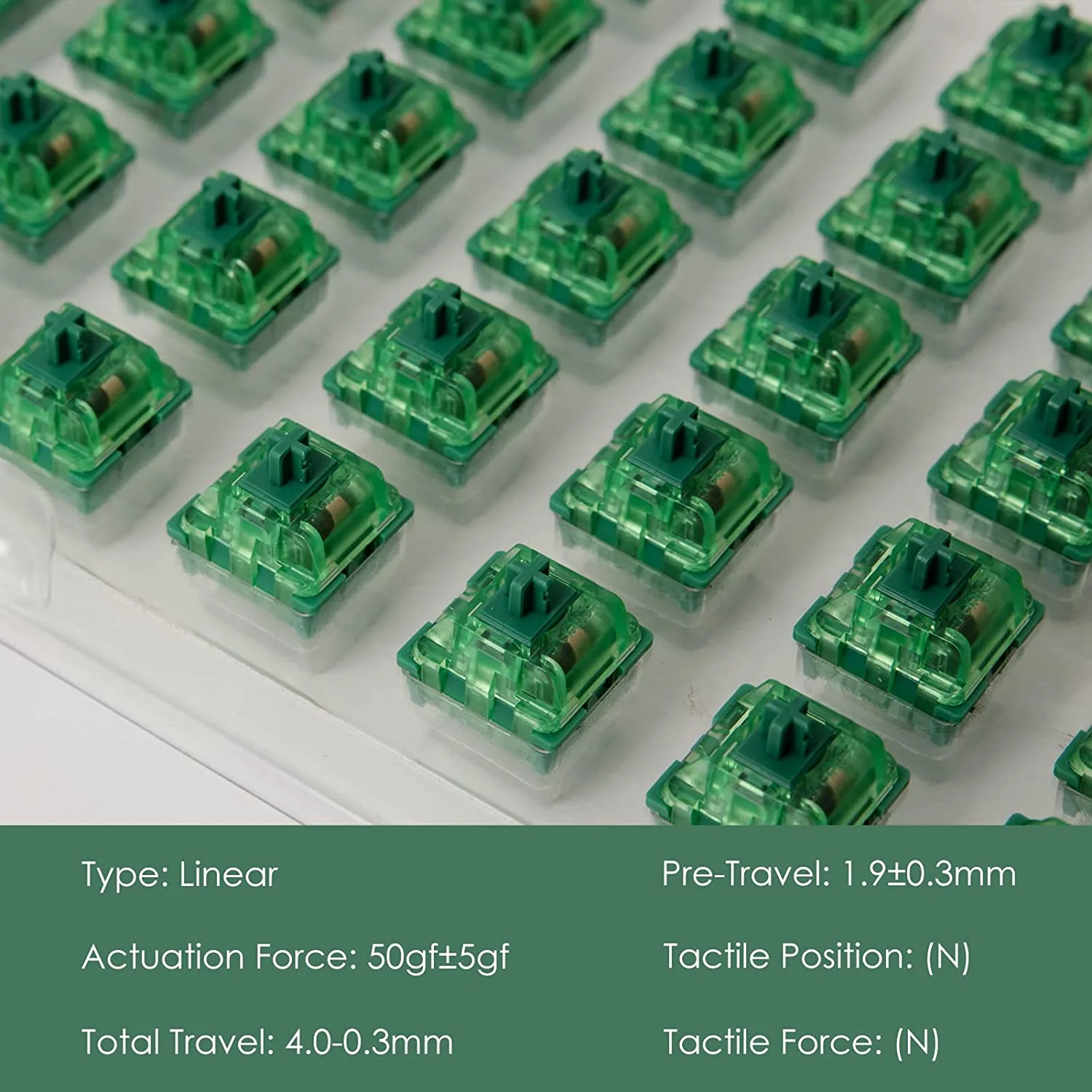
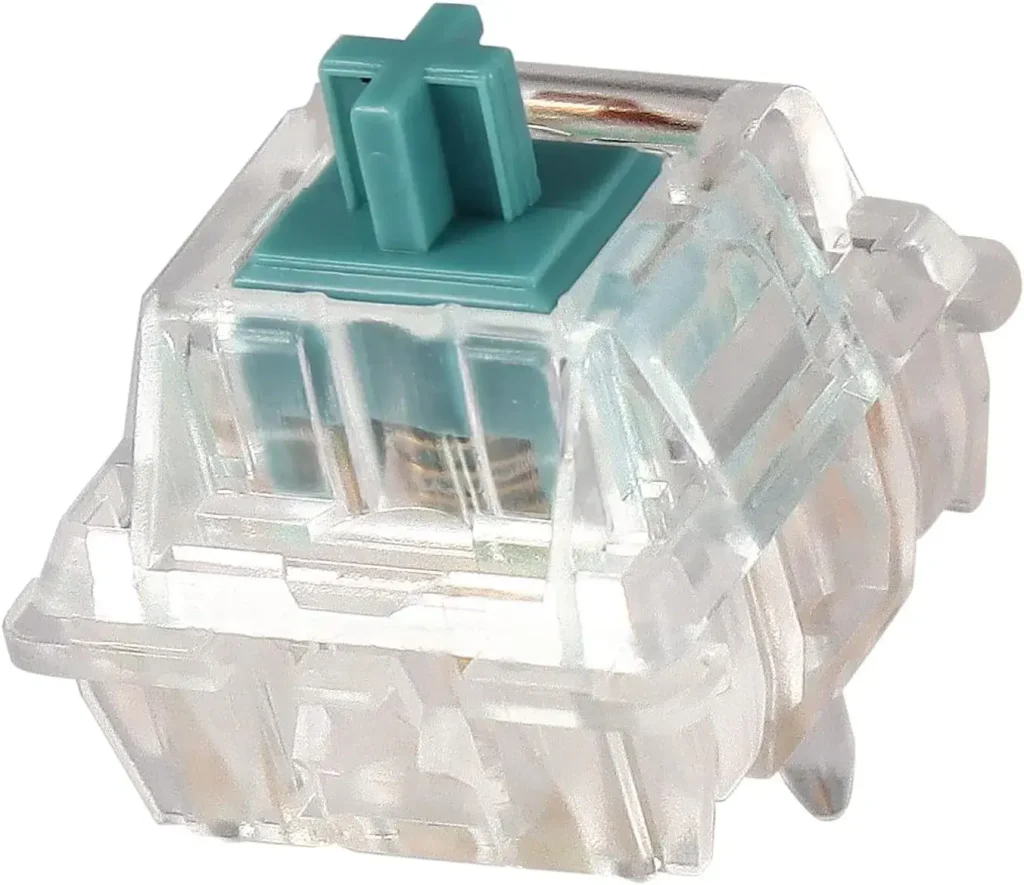
Quick answer: the Akko CS Matcha Green is a budget tactile switch with a medium-strength bump, an audible but not harsh sound, and a 50-million-keystroke rating. At its typical price of well under $0.40 per switch, it is one of the cheapest ways to try a tactile typing feel — best suited to typists who want feedback without full clicky-switch noise.

If you’re a fan of mechanical keyboards, you may have heard of the Akko Matcha Green Switches. These switches have gained a following among keyboard enthusiasts for their unique tactile feedback and striking green color. In this article, we’ll take a closer look at what makes the Akko Matcha Green Switches special and whether they’re right for you.

What is the Akko Matcha Green Switch?

The Akko Matcha Green Switch is a mechanical keyboard switch that provides a satisfying tactile bump and click sound when pressed. It’s manufactured by Akko, a Chinese-based company, and is rated for 50 million keystrokes, making it a durable option for daily use.

Akko Matcha Green Swtiches complete technical details.

Akko CS Matcha Green Specifications

Type Tactile
Operating force ≈50 gf
Pre-travel ≈2.0 mm
Total travel 4.0 mm
Mount 3-pin, MX-style (plate mount)
Rated lifespan 50 million keystrokes
Series Akko CS (Custom Series)

Features of the Akko Matcha Green Switch:

  • Tactile feedback: a medium-strength bump near the top of the press gives clear confirmation for typing without slowing down gaming.
  • Sound: the Matcha Green is audible with a slightly higher-pitched bottom-out, but it is a tactile switch, not a click-bar clicky — noticeably quieter than a Cherry MX Blue or Kailh Box Jade.
  • Budget friendly: CS-series switches are among the cheapest name-brand switches available, which makes them popular for first hot-swap builds.

Benefits of the Akko Matcha Green Switch:

  • Enhanced typing experience: The switch’s tactile feedback and clicky sound improve the overall typing experience and make it more satisfying.
  • Durability: The switch is rated for 50 million keystrokes, making it a durable option for daily use.
  • Customizability: The switch is compatible with most mechanical keyboards, allowing you to easily swap out your old switches for the Matcha Green Switch.

How to Install the Akko Matcha Green Switch in Your Mechanical Keyboard:

Installing the Matcha Green Switch is easy and can be done in a few simple steps:

  1. Confirm your keyboard is hot-swappable. If the switches are soldered, they cannot be swapped without desoldering.
  2. Remove the keycap from the switch you want to replace with a keycap puller.
  3. Use a switch puller to squeeze the top and bottom clips and lift the switch straight out.
  4. Check the Matcha Green’s pins are straight, line them up with the socket, and press the switch in firmly until it clicks flush with the plate.
  5. Test the key before replacing the keycap — a keystroke tester or a text editor works fine.
  6. Repeat for the remaining switches and refit the keycaps.

Bent pins are the most common installation problem: if a key does not register after a swap, pull the switch back out and straighten the pins gently with tweezers before re-seating it.

Akko Matcha Green Switch vs. Other Popular Switches:

The Matcha Green Switch is often compared to other popular switches, such as Cherry MX and Gateron switches. While it’s a matter of personal preference, many users find the Akko Matcha Green Switch to be a great option due to its unique sound and tactile feedback.

  1. Cherry MX Green Switches – These switches are known for their tactile bump and audible click, which is similar to the Akko Matcha Green Switches. They require a bit more force to actuate than the Akko Matcha Green switches, but provide a similar typing experience.
  2. Kailh Box Jade Switches – These switches are also known for their tactile bump and audible click, which is similar to the Akko Matcha Green Switches. They require a bit less force to actuate than the Akko Matcha Green switches, but still provide a satisfying typing experience.
  3. Gateron Green Switches – These switches are also tactile and provide a satisfying typing experience, which is similar to the Akko Matcha Switches. They require a bit less force to actuate than the Akko Green switches, but still provide a noticeable tactile bump.

Frequently Asked Questions:

Is the Akko Matcha Green Switch compatible with my mechanical keyboard?

The Matcha Green Switch is compatible with most mechanical keyboards, as long as they use the MX-style socket. It’s always a good idea to double-check the compatibility before purchasing the switches to make sure they will work with your keyboard.

How long does the Akko Matcha Green Switch last?

The Akko Matcha Green Switch is rated for 50 million keystrokes, making it a durable option for daily use. With regular maintenance, it should last for years before needing to be replaced.

Does the Akko Matcha Green Switch come in other colors?

At this time, the Matcha Green Switch is only available in the green color. However, some keyboard enthusiasts have experimented with dyeing the switches to create custom colors.

How do I know if I want a tactile or linear switch?

Tactile switches provide a tactile bump or feedback when a key is pressed, while linear switches have a smooth and consistent feel. If you prefer a more pronounced and satisfying typing experience, a tactile switch like the Matcha Green Switch may be the better option. If you prefer a smoother and more consistent feel, a linear switch may be a better choice.

Can I mix and match different switches on my keyboard?

Yes, you can mix and match different switches on your keyboard. This allows you to customize your typing experience even further and create a unique feel for each key. However, it’s important to note that mixing different switches may affect the overall feel and consistency of your typing experience.

Conclusion:

The Akko Matcha Green Switch is a great option for those who want to enhance their typing experience. It provides a satisfying tactile bump and click sound, is durable, and easy to install. If you’re looking for a new switch to improve your mechanical keyboard, the Matcha Green Switch is definitely worth considering.

Whether you’re a gamer, a typist, or somewhere in between, choosing the right mechanical keyboard switch can significantly enhance your experience. The Cherry MX Brown switches strike a balance between tactile feedback and noise level, making them a popular choice for many users. In this review, I will explore their design, performance, and how they cater to both gaming and typing needs.

From the moment I first used Cherry MX Browns, I noticed their unique feel. The subtle tactile bump at the actuation point provides satisfactory feedback without being overly loud. This switch allows for long typing sessions without fatigue, which has made a real difference in my daily use.

Whether you’re aiming for precision in gaming or a comfortable typing experience for work, understanding the specifications and user feedback around Cherry MX Brown switches can guide your decision. I invite you to read on as I share detailed insights about these versatile switches.

Key Takeaways

  • Cherry MX Brown switches blend tactile feedback with quieter operation.
  • They are suitable for both gaming and typing, providing versatility.
  • User experiences highlight their comfort and longevity.

Overview of Cherry MX Brown Switches

Cherry MX Brown switches are a popular choice for both gamers and typists. They offer tactile feedback without the loud click associated with other switch types. This makes them versatile for various uses.

Key Features:

  • Tactile Feedback: The noticeable bump provides feedback when the key is actuated.
  • Actuation Force: Typically requires about 45 grams of force to press down.
  • Lifespan: Rated for up to 50 million keystrokes.

Advantages:

  • Quiet Operation: Suitable for office environments and shared spaces.
  • Comfortable Typing Experience: Ideal for long typing sessions.
  • Compatibility: Works well with a wide range of keyboards, allowing for customization.

Disadvantages:

  • Lack of Click: Some users prefer the audible click for additional feedback.
  • Not Ideal for Fast Typing: The tactile feedback may slow down rapid key presses compared to linear switches.

In my experience, Cherry MX Brown switches provide a balanced performance, making them a solid choice for diverse tasks. Whether gaming or typing, they cater to those who appreciate a tactile response without excessive noise.

Design and Build Quality

The Cherry MX Brown switches exhibit thoughtful design and robust build quality, contributing to their popularity among gamers and typists alike. Let me break down the physical characteristics and materials used, as well as their impact on durability.

Physical Characteristics

Cherry MX Brown switches showcase a compact and standardized design, typically featuring a height of 11.9 mm. These switches provide a tactile bump during keypress without producing an audible click, making them suitable for both quiet environments and intensive typing sessions.

The actuation force is around 55 grams, striking a balance that many find comfortable. Each switch provides a travel distance of 4 mm, which allows for a satisfying feedback experience. The clear plastic housing provides visibility to the LED light, enhancing the aesthetic for backlit keyboards.

Materials and Durability

The construction of Cherry MX Brown switches predominantly involves high-quality plastic and metal components. The housing is made from durable polycarbonate, which contributes to resistance against wear and tear.

The gold-plated contacts inside ensure a reliable electrical connection, minimizing the risk of bounce and enhancing lifespan. Cherry claims these switches can endure around 50 million keystrokes, making them suitable for heavy use. Additionally, the design facilitates easy replacement and customization, which is another factor contributing to their long-term value in mechanical keyboards.

Performance Parameters

Cherry MX Brown switches are well-regarded for their balanced performance, making them suitable for a variety of uses. Below, I will discuss several performance parameters, such as actuation force, response time, and travel distance, to help you understand how these switches perform in real-world scenarios.

Actuation Force

Cherry MX Brown switches require an actuation force of approximately 45 grams. I find this is often described as the sweet spot between light and heavy switches. The moderate actuation force ensures that you don’t need to exert too much effort while typing, reducing strain during extended typing sessions. Compared to linear switches, this slight bump allows for better control, which is beneficial for both typing accuracy and precision during gaming.

Response Time

The response time of Cherry MX Brown switches is optimal for both casual gaming and everyday typing. They are not the fastest switches on the market—linear switches like Cherry MX Red have a quicker response due to the absence of a tactile bump—but the feedback from MX Browns strikes a comfortable balance. The tactile feedback lets me know exactly when a key has been actuated, which can improve typing precision and help prevent missed or unintended keystrokes.

Travel Distance

With a total travel distance of 4 mm and an actuation point at 2 mm, Cherry MX Brown switches offer a comfortable depth for keypresses. The travel distance provides a solid, satisfying feel while typing, without being overly tiring. The key’s tactile bump, combined with the moderate travel distance, makes these switches less fatiguing over long typing sessions compared to switches with deeper actuation points.

Typing Experience

Typing on Cherry MX Brown switches is often described as both comfortable and engaging. I’ll dive into aspects such as tactility, feedback, sound profile, and overall comfort to provide a comprehensive understanding of the typing experience these switches deliver.

Tactility and Feedback

The tactile bump in Cherry MX Brown switches provides just enough feedback to let me know when a key has been successfully pressed. This is especially useful when typing, as it helps reduce errors by giving a subtle confirmation at each keystroke. The bump is neither too pronounced nor too subtle, which contributes to the switch’s versatility—it’s satisfying for typing without the need for the loud click of more audible switches like Cherry MX Blue.

Sound Profile

Cherry MX Brown switches are relatively quiet compared to their clicky counterparts. The absence of an audible click means they are well-suited for shared work environments where noise levels matter. While they are not completely silent—you can still hear the bottom-out sound when the key hits the base—their overall sound profile is much less intrusive. This makes them ideal for users like me who prefer some auditory feedback without annoying those around them.

Fatigue and Comfort

In terms of comfort, Cherry MX Brown switches offer a typing experience that reduces fatigue over extended sessions. The moderate actuation force and tactile bump require just enough effort to prevent accidental presses but not so much that your fingers tire quickly. This is beneficial for professionals who type for hours on end, as well as gamers who need both responsiveness and comfort during long gaming sessions.

Compatibility

One of the standout features of Cherry MX Brown switches is their broad compatibility with a wide range of keycaps and keyboards. Let me share more about keycap and keyboard model compatibility to see how these switches perform in different setups.

Keycap Compatibility

Cherry MX Brown switches are compatible with a variety of keycap profiles, including OEM, Cherry, and SA. This flexibility allows me to customize my keyboard to my preference, whether I want a sculpted keycap profile for typing comfort or a flat one for a minimalist look. The cross-stem design of the switch ensures that most aftermarket keycaps will fit snugly, giving you plenty of options for personalization.

Keyboard Models Compatibility

Cherry MX Brown switches are widely supported by many mechanical keyboard manufacturers. Brands such as Corsair, Ducky, and Filco offer models equipped with MX Browns, making it easy to find a keyboard that suits your needs. Whether you’re looking for a full-sized keyboard with dedicated media controls or a compact tenkeyless model for more desk space, chances are you can find a keyboard equipped with these versatile switches.

Gaming Versus Typing

Cherry MX Brown switches strike a delicate balance between gaming and typing, offering versatility that many other switch types cannot. Below, I’ll discuss how these switches perform in both gaming and typing scenarios.

Gaming Performance

When it comes to gaming, Cherry MX Brown switches provide a good mix of responsiveness and tactile feedback. The moderate actuation force allows for quick keypresses, which is advantageous in fast-paced games. The tactile bump helps me maintain accuracy, particularly in games that require precise key combinations or frequent double-tapping. While they may not be as fast as linear switches like MX Reds, the Browns’ versatility makes them a reliable option for both action-packed games and strategic RPGs.

Typing Efficiency

For typing, Cherry MX Brown switches excel in delivering an efficient and comfortable experience. The tactile feedback helps me feel confident that my keystrokes are being registered, reducing the number of errors. Many users find that typing on MX Browns leads to increased speed and accuracy over time, as the tactile bump provides a rhythm that can improve typing flow. The balance they offer makes them a preferred choice for writers, coders, and anyone who spends a significant amount of time typing.

Market Comparison

Cherry MX Brown switches occupy an important space in the mechanical keyboard market, balancing the characteristics of both tactile and quiet switches. I’ll compare them with alternative mechanical switches and consider their price point to provide a clearer perspective.

Alternative Mechanical Switches

Cherry MX Brown switches are often compared to other tactile switches, such as Gateron Brown and Zealios V2. Gateron Brown switches are similar in terms of actuation force and tactility, but many users note that they feel slightly smoother due to less scratchiness. Zealios V2 switches, on the other hand, offer a more pronounced tactile bump, which might appeal to those seeking more feedback than what MX Browns provide.

Linear switches like Cherry MX Red are also an alternative, particularly for gamers who prioritize fast response times. However, MX Browns provide better feedback for typing, making them a more versatile option for those needing a balance between gaming and productivity.

Price Point Analysis

In terms of pricing, Cherry MX Brown switches tend to fall in the mid-to-premium range. While they may be slightly more expensive than some other options like Gateron Browns, they are still considered affordable given their quality and durability. The longevity and performance of Cherry MX switches often justify the price, particularly for those like me who seek a balance of typing comfort and gaming capability.

Longevity and Reliability

One of the most significant advantages of Cherry MX Brown switches is their longevity. They are rated for up to 50 million keystrokes, ensuring they can withstand years of heavy use. The gold-plated crosspoint contacts are a key feature that enhances reliability, preventing corrosion and ensuring consistent performance over time. This makes Cherry MX Browns an excellent choice for users looking for a dependable switch that can endure both gaming marathons and intensive work sessions.

User Reviews and Community Feedback

Community feedback about Cherry MX Brown switches is generally positive. Many users praise their versatility, noting that they work well for both gaming and typing. Gamers appreciate the tactile feedback without the noise, while typists value the comfort during extended writing sessions. Some users mention that the tactility is not as pronounced as they would like, especially when compared to more specialized tactile switches like Zealios, but overall, the balanced nature of MX Browns tends to satisfy a broad audience.

Conclusions and Recommendations

Cherry MX Brown switches offer an excellent balance between tactile feedback, noise level, and versatility. Whether you’re a gamer looking for precise key response or a professional typist who values comfort, these switches cater well to both needs. Their moderate actuation force and subtle tactile bump make them ideal for extended use without causing fatigue. While they may not be the perfect fit for those seeking either ultra-fast linear switches or highly pronounced tactile feedback, they provide an excellent middle ground.

If you’re searching for a switch that delivers solid performance for both typing and gaming, Cherry MX Browns are a reliable and time-tested choice. Their durability, compatibility, and well-rounded characteristics make them a staple in the mechanical keyboard world.

Cherry MX Brown Switch

Ranked Cherry MX Brown Switch

Brown switches are tactile mechanical keyboard switches that are
quiet and smooth, making them a good choice for both typing
and gaming.

  • Actuation force: 45-55 grams
    Tactile bump: 
    Yes
    Click:
     No
    Sound level: Medium
    Application: Typing, gaming
Buy from Amazon

Introduction to Tactile Switches

Tactile switches are increasingly popular in mechanical keyboards and gaming setups, gaining traction among gamers, typists, and hobbyists. They are a type of mechanical switch that provides tactile feedback—a noticeable bump when pressed—offering a satisfying user experience. This feedback confirms the actuation of a keystroke without the need to bottom out, which is particularly useful in gaming, typing, and high-speed input scenarios.

Why the Tactile Feel Matters

Unlike linear switches, which offer smooth presses without feedback, tactile switches provide a physical bump that helps users type more accurately and confidently. This can enhance typing efficiency and reduce fatigue, especially during long typing sessions or fast-paced gaming. Their blend of auditory and tactile feedback makes them ideal for users seeking a switch that offers both feel and function.

How Tactile Switches Work

The magic behind tactile switches lies in their internal structure and mechanism. They consist of several components that work together to provide feedback at a specific actuation point.

Components of a Tactile Switch:

  • Stem: The moving part that triggers the switch when pressed.
  • Spring: Controls the switch’s resistance and force.
  • Housing: Encapsulates the switch components.
  • Tactile Bump: A raised section on the stem that gives the switch its distinct feel.

Actuation Process

When the key is pressed, the stem moves downward, compressing the spring until it reaches the tactile bump. At this point, the switch actuates, sending a signal to the device. The tactile feedback occurs just before the switch bottoms out, letting users know the input has registered without needing to press the key further.

Pro Tip: A switch’s pre-travel and actuation force significantly affect its performance. Gamers might prefer switches with lower actuation force, while typists may look for those with more pronounced tactile bumps.

3. Types of Tactile Switches

There are different types of tactile switches, each designed for specific use cases and preferences.

Mechanical Keyboard Tactile Switches

  1. Cherry MX Brown: One of the most popular tactile switches, known for its moderate actuation force and bump.
  2. Gateron Brown: Offers smoother travel compared to Cherry switches with a similar tactile feel.
  3. Zealios: Known for their higher tactile bump and premium feel, favored by enthusiasts.

Non-Keyboard Tactile Switches

  • Pushbutton switches: Used in industrial controls and audio devices.
  • Microswitches: Found in automotive panels and home appliances, offering quick tactile feedback.

Key Characteristics of Tactile Switches

When choosing tactile switches, understanding key characteristics can help you find the perfect match for your needs.

  1. Actuation Force:
    This is the amount of pressure needed to press the switch. Tactile switches usually require 45-65 grams of force.
  2. Travel Distance:
    This refers to how far the switch moves when pressed. The actuation point is where the key registers the input, typically between 1.9mm to 2.2mm.
  3. Tactile Bump:
    The noticeable feedback users feel. A larger bump provides more feedback, while a smaller bump allows for faster typing.
  4. Sound Profile:
    Tactile switches aren’t as noisy as clicky switches but still offer subtle auditory feedback, which some users prefer for quiet work environments.

Popular Brands and Models of Tactile Switches

Several brands dominate the tactile switch market. Here’s a breakdown of some of the most popular models:

  • Cherry MX Brown: A staple switch that balances feel and sound.
  • Gateron Brown: Smooth actuation with a more affordable price tag.
  • Kailh Box Brown: Known for its dustproof design and durability.
  • Durock T1: A premium tactile switch with a pronounced bump, ideal for enthusiasts.
  • Topre Switches: Unique tactile switches with a rubber dome feel, popular in specialized keyboards.

Comparison Between Tactile, Linear, and Clicky Switches

Choosing between tactile, linear, and clicky switches depends on personal preference and intended use.

Verdict: If you enjoy feedback without too much noise, tactile switches strike the right balance for most users.

Key Factors When Buying Tactile Switches

Here are some things to consider before purchasing tactile switches:

  1. Actuation Force: Lower force is ideal for gaming; higher force offers more control for typing.
  2. Sound Preference: Look for quieter models if you’re in a shared workspace.
  3. Durability: Brands like Cherry and Kailh offer long-lasting switches with high keystroke lifespans.
  4. Price Range: Gateron switches are more affordable, while Zealios offer premium quality.

Maintenance and Lubing of Tactile Switches

Maintaining tactile switches ensures smooth performance.

  • Lubricating Switches: Use Krytox lubricant to reduce friction and enhance smoothness.
  • Cleaning: Remove dust and debris using compressed air or a switch puller.

Replacing Springs: Springs can wear out over time; replace them to maintain actuation force.

Common Issues and Troubleshooting Tactile Switches

Here are some common issues users encounter and solutions:

  • Key Chatter: Happens when a switch registers multiple keystrokes. Solution: Adjust debounce settings in software.
  • Stem Wobble: Caused by loose housing. Solution: Use switch films for a tighter fit.

Squeaking Switches: Due to friction. Solution: Lube the switch properly.

Future Trends in Tactile Switch Design

The tactile switch industry is evolving with innovations such as:

  • Silent Tactile Switches: Designed for quiet environments.
  • Hot-Swappable Keyboards: Allow users to swap switches without soldering.
  • Haptic Feedback Integration: Future switches may include vibration feedback for enhanced input feel.

Conclusion and Recommendations

Tactile switches offer the perfect blend of feedback and performance, making them an excellent choice for both gamers and typists. For beginners, we recommend starting with Cherry MX Brown or Gateron Brown. If you’re looking for a premium experience, consider Zealios or Durock T1.

Final Tip: Always test a few switches before committing to a full keyboard build!

FAQ Section: Tactile Switches

  1. What are tactile switches used for?
    Tactile switches are commonly used in mechanical keyboards and industrial controls, offering tactile feedback for precision input.
  2. Are tactile switches good for gaming?
    Yes, tactile switches like Gateron Brown are popular among casual gamers due to their balance of feedback and speed.
  3. Do tactile switches make noise?
    They produce a soft bump sound, quieter than clicky switches but more noticeable than linear switches.

What is the difference between tactile and clicky switches?
Tactile switches offer a bump without a loud click, while clicky switches include both a tactile bump and an audible click sound