


We regularly review and update our guides to ensure keyboard recommendations, specs, and software information stay current with the latest releases and updates.
Affiliate disclosure: this article contains Amazon affiliate links. Purchases made through these links support Clickyboard at no extra cost to you.
Quiet keyboard switches solve one specific problem: everyone else in the room. Whether you type next to a sleeping partner, share an office or sit on calls all day, a dampened switch cuts the clack without giving up the feel of a mechanical board. This shortlist covers six silent switches worth buying, from light linears to firm tactiles, with the published specs and prices for each and an honest note on what we can and can’t say about how quiet they are.
A quick note on wording: quiet switches and silent switches mean the same thing. Makers usually label them “Silent”, so you’ll see both terms in this guide.
⚡ Quick answer: For most people the Cherry MX Silent Red is the safe pick: light, widely available and fitted as a factory option in many prebuilt boards. If you want a bump you can feel, the Gazzew Boba U4 is the most widely recommended silent tactile. On a budget, the factory-lubed Akko V3 Pro Penguin costs about $0.38 a switch.
Disclosure: This guide contains affiliate links. If you buy through them we may earn a small commission at no extra cost to you. It never changes which switches we recommend.
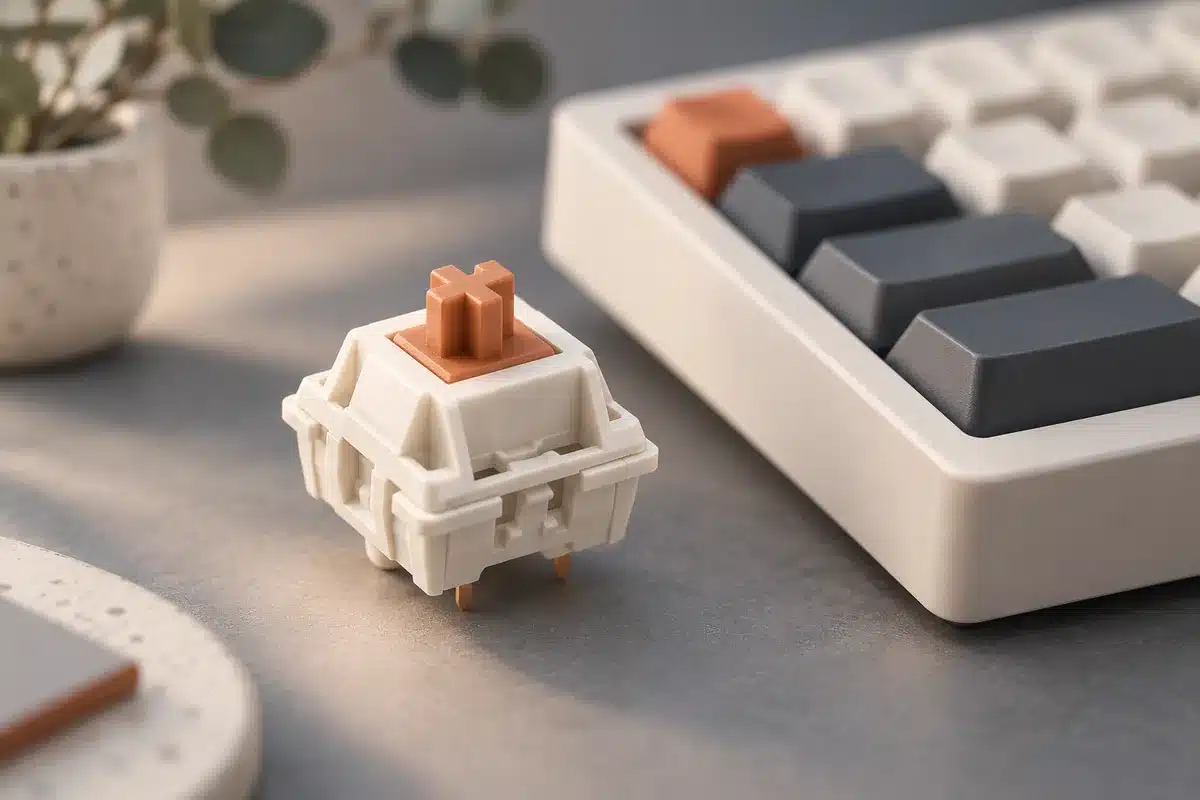
How silent switches actually work
A silent switch is a normal switch with small rubber or silicone dampeners built into the stem or housing. They cushion the two loudest moments of a keystroke: the bottom-out, when the stem hits the base, and the upstroke, when it snaps back to the top. The dampeners also take up a little room, so many silent switches have slightly shorter travel than their standard versions (the Cherry MX Silent Red travels 3.7 mm instead of 4.0 mm).
Two honest caveats before you buy. Silent switches are never truly silent, because keycaps, stabilizers and the case still make sound. And the dampening softens the feel of the bottom-out a little, which some people notice more on tactiles than linears.
How we compared them, and what we haven’t measured
Every pick here uses an MX-style stem and is easy to buy in 2026. We compared them on the things that affect noise and feel, in this order:
- Dampening: whether the switch damps the bottom-out, the upstroke, or both.
- Spring weight: lighter springs usually mean lighter presses, and lighter presses make less impact noise.
- Travel and type: linear or tactile, and total travel.
- Price per switch and whether it arrives factory-lubed.
Our limits, stated plainly: force, travel and lube figures are the makers’ and main retailers’ published specs, and prices are typical US prices checked on 3 October 2026. Sound descriptions reflect how each switch is widely described by makers and reviewers. This version of the guide has no sound recordings or decibel measurements of our own, so we don’t name a single “quietest” switch. How loud a switch sounds also depends heavily on your board, plate, keycaps and how hard you type, so treat any ranking you read, including descriptions here, as a starting point.
Which silent switch is the quietest?
There isn’t one answer that holds for every board, and we haven’t measured these switches ourselves. What reliably makes a switch sound quieter is:
- Dampening at both ends of the stroke. Every switch on this list damps the bottom-out; how well each damps the upstroke varies.
- A lighter spring. Light switches like the TTC Silent Bluish White V2 (42 g actuation) or Akko V3 Pro Penguin (43 gf) invite a lighter press than the 60 gf Gateron Ink V2 Silent Black.
- A quiet board. Foam in the case, lubed stabilizers and thicker keycaps often make a bigger difference than the choice between two silent switches. See how to build a quiet office keyboard below.
If you type lightly and want the best chance of a very quiet board, start with one of the lighter silent switches. If you bottom out hard, some typists find a heavier spring helps them press less forcefully; try a sample before committing.
Best quiet switches by use case
- Light typists who want the quietest-feeling press: TTC Silent Bluish White V2 or Cherry MX Silent Red
- Best silent tactile: Gazzew Boba U4, with the Durock T1 Shrimp as the sharper-bump alternative
- Best silent linear: Cherry MX Silent Red, or the Gateron Ink V2 Silent Black if you want it heavier
- Shared offices: Cherry MX Silent Red, a light linear with no bump to push through
- Best budget silent switch: Akko V3 Pro Penguin
The picks compared
| Switch | Type | Published force | Total travel | Factory-lubed | Price per switch | About 90 switches |
|---|---|---|---|---|---|---|
| Cherry MX Silent Red | Linear | 45 cN | 3.7 mm | No (original version) | from about $0.50 | from about $45 |
| Gazzew Boba U4 | Tactile | 62 g or 68 g spring (bottom-out) | Not listed by Gazzew | No (stock) | $0.65–0.75 | $59–68 |
| Gateron Ink V2 Silent Black | Linear | 60 gf operating, 70 gf bottom-out | 4.0 mm | No | $0.75–1.00 | $68–90 |
| Durock T1 Shrimp | Tactile | 52 ±5 gf operating, 67 g bottom-out | 4.0 mm | Yes | $0.55–0.70 | $50–63 |
| TTC Silent Bluish White V2 | Tactile | 42 g actuation, 50 g bottom-out | 3.5 mm | Yes | $0.55–0.65 | $50–59 |
| Akko V3 Pro Penguin | Tactile | 43 gf operating, 58 gf tactile | 3.3 mm | Yes | about $0.38 | about $34 (two 45-packs) |
“About 90 switches” covers a TKL (87 keys) with a few spares. Prices move often, so treat them as ranges. The TTC Silent Bluish White V2 is a 3-pin switch: it fits both 3-pin and 5-pin boards, but may wobble slightly in a plate-less 5-pin build.
The 6 best silent switches
1. Cherry MX Silent Red, the safe choice
The Silent Red keeps the light 45 cN linear feel of a normal Red and adds dampeners that soften both the bottom-out and the return. Travel is 3.7 mm rather than 4.0 mm, which most people don’t notice. It’s also the silent switch you’re most likely to find as a factory option on prebuilt boards. Cherry now also sells an MX2A Silent Red; check which version a listing is for.
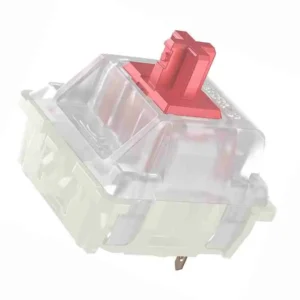
Buy it if you want a quiet, light linear with no research risk.
Skip it if you want the smoothest possible linear out of the box: the original Silent Red isn’t factory-lubed.
2. Gazzew Boba U4, the best silent tactile
The Boba U4 is the switch most enthusiasts point to for “quiet but tactile”. Its bump is large and rounded and stays clearly noticeable despite the dampening, and the bottom-out is widely described as a soft thud. It comes in 62 g and 68 g springs. Make sure you buy the U4 (silent), not the U4T, which is the non-silent, “thocky” version.
Buy it if you love a strong bump and need a quiet board.
Skip it if you prefer light switches: the bump takes real force, and long sessions can tire light typists. Stock U4s also aren’t factory-lubed.
3. Gateron Ink V2 Silent Black, the heavier linear
Gateron’s Ink switches are known for a smooth stroke, and the Silent Black adds dampening. At 60 gf operating force and 70 gf bottom-out it’s noticeably heavier than a Silent Red, which gives it a controlled, deliberate feel. Note that it isn’t factory-lubed, and it’s the most expensive pick here.
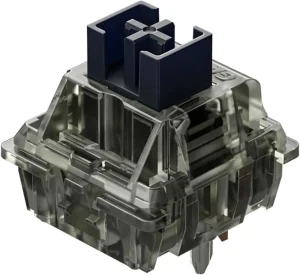
Buy it if you bottom out hard and want a heavier silent linear.
Skip it if you game for hours or type lightly: the heavier spring is more tiring, and lighter silent switches cost less.
4. Durock T1 Shrimp, the sharper silent bump
The Shrimp is the silent version of Durock’s T1, one of the most recommended tactiles of recent years. Its bump is sharper than the U4’s and sits at the top of the press, it’s factory-lubed, and Durock lists 52 ±5 gf operating force with a 67 g bottom-out. Prices are similar to the U4.
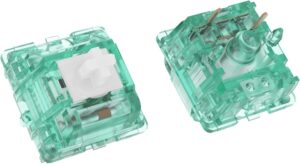
Buy it if you want a sharp, defined bump and factory lube.
Skip it if you want the roundest, biggest bump, where the U4 still wins.
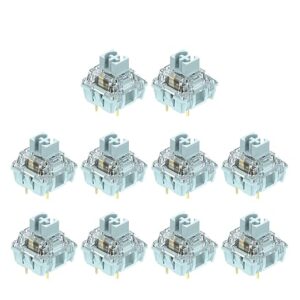
5. TTC Silent Bluish White V2, light and crisp
Most silent tactiles are fairly heavy. The Bluish White V2 is the exception: TTC lists 42 g actuation and 50 g bottom-out, with a medium bump, dampening in both the stem and the base, and factory lube. Travel is a slightly short 3.5 mm. It’s a 3-pin switch, so it fits any MX-style board but isn’t held as firmly in plate-less 5-pin builds.
Buy it if you type fast and light and want quiet feedback rather than a workout.
Skip it if you want a bump you can really lean on.
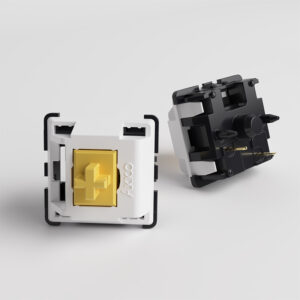
6. Akko V3 Pro Penguin, the budget pick
The Penguin brings silent tactiles down to about $0.38 a switch in a 45-pack, and it arrives factory-lubed. Akko lists a light 43 gf operating force with a 58 gf tactile peak and a short 3.3 mm travel. The bump is gentler and the feel a little softer than the Shrimp or U4.
Buy it if you want to try silent switches without spending much, or fill a second board.
Skip it if you want a strong bump, or you dislike short-travel switches.
How to build a quiet office keyboard
Silent switches only remove switch noise. Once they’re in, the next loudest things on the desk are usually the stabilizers under the long keys and the case itself. That’s why the same switch can sound quiet in one board and clacky in another.
- Use a hot-swap board. Hot-swap sockets let you pull switches out and push new ones in without soldering, so you can try silent switches in a keyboard you already own. Our 75% keyboard and 65% keyboard guides list hot-swap options; check the listing before you buy.
- Fix the stabilizers. A rattly spacebar can be louder than any silent switch. Our stabilizer guide shows how to diagnose and lube them.
- Check the case. Boards with foam inside generally sound quieter than empty plastic shells.
- Not ready to replace switches? O-rings soften the bottom-out on your current switches for a few dollars. They don’t damp the upstroke, so they help less than silent switches, but they’re a cheap first step.
The changes, in the order we’d try them
If you’re trying to make a keyboard quiet enough for an office, start with the cheap, reversible fixes and work up. Change one thing at a time, so you know which change actually helped.
| Change | What it quietens | Rough cost | Effort | Trade-off |
|---|---|---|---|---|
| 1. Type more lightly | Bottom-out clack, the loudest part of most keystrokes | Free | Habit | Takes practice |
| 2. Desk mat | Sound carried into the desk | Low | None | Takes desk space |
| 3. Tune the stabilizers | Rattle and ticking on the spacebar, Enter, Shift and Backspace | Low (lube and a brush) | About an hour; you open the board | None once done |
| 4. O-rings | Bottom-out clack only | A few dollars | About 20 minutes | Shorter, softer presses |
| 5. Case or plate foam | Hollow echo from inside the case | Low; many boards already have it | You open the case | Little |
| 6. Silent switches | Bottom-out and upstroke, inside the switch | About $45–85 for a 75% board (84 switches at the per-switch prices above) | About 30 minutes on a hot-swap board | Softer bottom-out; tactile bumps feel more muted |
Costs are rough ranges, and the switch figure uses the per-switch prices in the table above (checked October 2026). If your board isn’t hot-swap, silent switches mean desoldering, or a new board.
The compromises
- Feel changes. O-rings and silent switches both soften the bottom-out. Some people like it; others find it mushy, especially on tactile switches.
- Cost adds up. A full set of silent switches can cost as much as a budget keyboard.
- Opening the board takes time. Stabilizer tuning and foam mean taking keycaps and sometimes the case apart.
- No board is silent. Even with every change, you’ll still hear keycaps and the occasional spacebar thud. The aim is “not distracting”, not silence.
We haven’t built and measured one yet. A real before/after build is planned: one board, the same keycaps, a microphone fixed 30 cm away, one change at a time, with the cost of each step. Until we’ve done it, nothing on this page is a measured result.
Test your own board. Prop your phone 30 cm in front of the keyboard with noise reduction off, and record yourself typing the same sentence for 20 seconds. Make one change, record again from the same spot, and compare the two clips. It isn’t a lab test, but it tells you whether a change was worth it.
How to choose
- Linear or tactile first. Silence doesn’t change this decision. Smooth and uninterrupted means the Silent Red or Ink Silent Black; a bump you can feel means the other four. Unsure? Our tactile vs linear guide settles it.
- Weight second. Light (TTC Bluish White V2, Penguin, Silent Red) suits fast or light typists. Heavier (Ink Silent Black, Boba U4 68 g) suits deliberate typists who bottom out.
- Buy a sample first. Dampening changes the feel, and how quiet a switch sounds depends on your board. A 10-pack in a few keys tells you more than any review.
Frequently asked questions
What is the quietest mechanical keyboard switch?
There isn’t one answer for every board, and we haven’t measured these switches ourselves, so we don’t name one. In general, a silent switch with a light spring, like the TTC Silent Bluish White V2 or Cherry MX Silent Red, in a foam-filled board with lubed stabilizers will be among the quietest setups. A light touch matters as much as the switch.
Are silent switches good for gaming?
Yes, for most players. They register just like normal switches. A light silent linear like the Silent Red suits fast games; the slightly shorter travel and softer bottom-out are the main differences you’ll notice.
Do silent switches feel mushy?
Some do. The dampeners that absorb noise also cushion the landing, and poorly tuned dampening can feel like typing on rubber. The switches here are widely regarded as keeping that softness to a minimum, but buy a small sample first if you’re unsure.
Can I make my current switches quieter instead?
Partly. O-rings soften the bottom-out on your existing switches, and lubing plus stabilizer tuning removes a surprising amount of noise. See our keyboard O-rings guide for the cheap route before replacing every switch.
Are quiet switches and silent switches the same thing?
Yes. The terms are used interchangeably. Makers almost always brand them “Silent” (Cherry MX Silent Red, Gateron Ink V2 Silent Black), while people searching for them often say “quiet”. Both mean a switch with dampeners built in.
What are the best silent tactile switches?
The Gazzew Boba U4 is the most widely recommended, with a large, round bump. The Durock T1 Shrimp has a sharper bump and comes factory-lubed, the TTC Silent Bluish White V2 is the lightest, and the Akko V3 Pro Penguin is the cheapest.
Are silent switches actually silent?
No. They remove most of the sharp impact sound of a normal switch, but you’ll still hear keycaps, stabilizers and the case. How quiet the result is depends on your board and how hard you type.
How do I make my keyboard quiet enough for an office?
Start with the free and cheap fixes: type without bottoming out hard, use a desk mat and tune the stabilizers. If it is still too loud, add O-rings or foam, and swap to silent switches last if your board is hot-swap. Change one thing at a time so you know what helped.
Will silent switches fit my keyboard?
Every switch here uses a standard MX-style stem, so it fits most hot-swap mechanical keyboards. Check whether your board takes 3-pin or 5-pin switches first; our 3-pin vs 5-pin guide explains how to tell. If your board is soldered, swapping switches means desoldering.
Specs and prices checked on 3 October 2026. We’ll add our own sound recordings, with the exact board and microphone setup, when they’re ready.