
TKL and 75% keyboards both drop the number pad to save desk space, but they get there in opposite ways. A TKL keeps the classic full-size layout and simply deletes the numpad, so everything stays spaced out. A 75% packs almost the same keys into a much smaller body by removing the gaps. Same goal, different feel, and the right pick comes down to whether you value familiar spacing or the smallest possible footprint.
⚡ Quick answer
Choose a TKL if you want the familiar, spaced-out feel of a full-size board with isolated arrow keys and a full navigation cluster, minus the numpad. Choose a 75% if you want the smallest board that still keeps the function row and arrow keys, and you do not mind the keys sitting close together. Both skip the numpad, so if you crunch numbers all day, neither is ideal on its own.
What is a TKL keyboard?
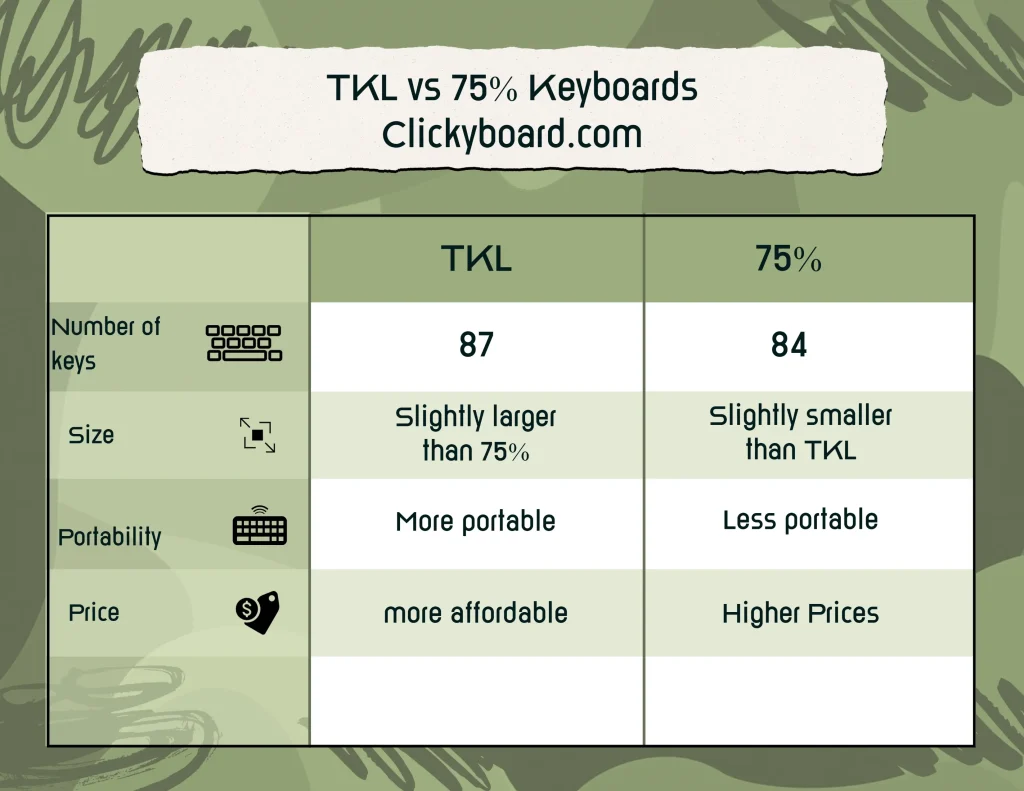
A TKL (tenkeyless) keyboard removes the numeric keypad from a full-size layout, leaving roughly 87 keys at about 80% of the width. Everything else stays exactly where a full-size board puts it: a spaced function row, isolated arrow keys, and the full six-key navigation cluster of Insert, Home, Page Up, Delete, End, and Page Down. If you learned to type on a standard keyboard, a TKL feels instantly familiar, just with more desk room for your mouse.
That familiarity is the whole appeal. There is no relearning, no function-layer gymnastics to reach Home or Page Down, and no adjusting to keys in new places. You give up the numpad and gain mouse space, and nothing else about typing changes.
What is a 75% keyboard?
A 75% keyboard fits almost the same keys, about 84 of them, into a noticeably smaller body by removing the gaps between key groups. You still get a function row and dedicated arrow keys, but the navigation cluster is trimmed to a vertical column and the keys are packed tightly together, often in a single dense block. It is the most compact layout that still keeps the function row, which is a big part of why it has become one of the most popular sizes in the hobby. For a deeper look, see our guide to 75% keyboards.
The trade for that compactness is a short adjustment period. The arrow keys sit right against the right-hand modifiers and the nav keys run down the edge, so the first week involves a few mis-hits before muscle memory catches up. Most people adapt within a few days.
TKL vs 75% at a glance
| TKL (80%) | 75% | |
|---|---|---|
| Keys | ~87 | ~84 |
| Number pad | No | No |
| Function row | Yes, spaced | Yes, condensed |
| Arrow keys | Isolated | Tucked in |
| Nav cluster | Full (6 keys) | Partial column |
| Footprint | Larger | Smaller |
| Learning curve | None | A few days |
| Keycap sets | Almost all fit | Check compatibility |
The difference that actually matters
On paper the two layouts have nearly the same keys. In use, the difference is spacing, and spacing is really about finding keys by feel. On a TKL the gaps around the arrow and navigation keys act as landmarks, so your fingers locate them without looking. That matters most for editing text, spreadsheets, and any work where you jump around a document with Home, End, and the arrows.
A 75% removes those landmarks to save width. Once your muscle memory adjusts it is a non-issue, but if you lean on the navigation cluster constantly, the TKL stays quicker to use even after the adjustment period. If you rarely touch those keys, the 75% gives you the same core typing experience in a smaller, tidier package.
Why choose a TKL
- Zero learning curve. Everything sits where you expect coming from a full-size board.
- Isolated arrow and nav keys. The gaps make keys easy to find by feel, which helps editing and productivity work.
- More desk space than full-size. Dropping the numpad frees room for your mouse without changing how the main keys feel.
- Wider keycap support. The standard bottom row means almost any keycap set fits.
Why choose a 75%
- Smaller footprint. Noticeably more compact than a TKL while keeping the function row and arrows.
- Keeps the essentials. You lose almost nothing important, just the spacing and part of the nav cluster.
- Clean, dense look. The tightly packed layout has a tidy, modern aesthetic many people love.
- Huge selection. The 75% size is extremely popular, so there are plenty of boards, and it is where most new enthusiast releases land.
Which is better for gaming, work, and travel?
Gaming: both are excellent, and for the same reason. Removing the numpad brings your mouse closer to centre and eases shoulder strain during long sessions. A 75% frees the most desk for wide, low-sensitivity mouse sweeps; a TKL gives a touch more spacing if you also use the nav keys mid-game.
Work and productivity: the TKL has the edge. Isolated Home, End, Page Up, and Page Down keys make document and spreadsheet navigation faster and more reliable, which adds up over a full day.
Travel: the 75% wins. It is smaller and lighter, fits more easily in a bag, and many 75% boards ship with wireless and compact cases built for the move.
The 75% keycap catch worth knowing
Here is the one practical gotcha. TKL boards use a standard bottom row, so nearly every keycap set fits without thinking. Many 75% boards use non-standard bottom-row or right-shift sizes, which means a set that looks compatible can leave you short of a correctly sized modifier. Before buying keycaps for a 75%, check the set explicitly lists 75% support, and confirm your board is not one of the tighter, non-standard layouts. On a TKL you can skip this worry entirely.
Which should you pick?
It comes down to how much you value spacing versus size. Choose a TKL if you want the reassuring, spread-out feel of a normal keyboard, reach for the navigation cluster often, or want the widest keycap choice. Choose a 75% if desk space is tight, you travel with your board, or you simply prefer a smaller, denser layout and can adjust to keys sitting closer together. Neither is objectively better; the best one is the layout you find most comfortable.
A popular 75% starting point is the Keychron K2, a well-priced hot-swappable board with wired and wireless modes. If you are still weighing sizes more broadly, our guide to keyboard sizes covers every layout from 40% to full-size.
Frequently asked questions
Is a 75% keyboard smaller than a TKL?
Yes. A 75% fits a similar number of keys into a smaller body by removing the gaps between key groups, so it takes up less desk space than a TKL, which keeps the spaced full-size arrangement minus the numpad.
Do both TKL and 75% keyboards have arrow keys?
Yes, both keep dedicated arrow keys. On a TKL they are isolated with space around them; on a 75% they are tucked in tight against the surrounding keys, which takes a few days to get used to.
Which is better for gaming?
Both are great for gaming, since dropping the numpad brings your mouse closer and reduces shoulder strain. A 75% frees the most desk space for wide mouse movements, while a TKL gives a little more key spacing. Pick by feel.
Will my keycap set fit a 75% or TKL board?
Most standard keycap sets cover TKL layouts easily. Some 75% boards use non-standard bottom-row or modifier sizes, so check that your chosen set lists 75% support before buying.
Is a 75% or TKL harder to get used to?
The TKL needs no adjustment at all if you come from a full-size board. The 75% takes a few days, mainly for the tucked-in arrow keys and the condensed navigation column. Both feel natural quickly.
What if I still need a number pad sometimes?
Pair either board with a separate standalone numpad. You keep the compact main board most of the time and add the numpad only when you need it, which is more flexible than committing to a full-size keyboard.