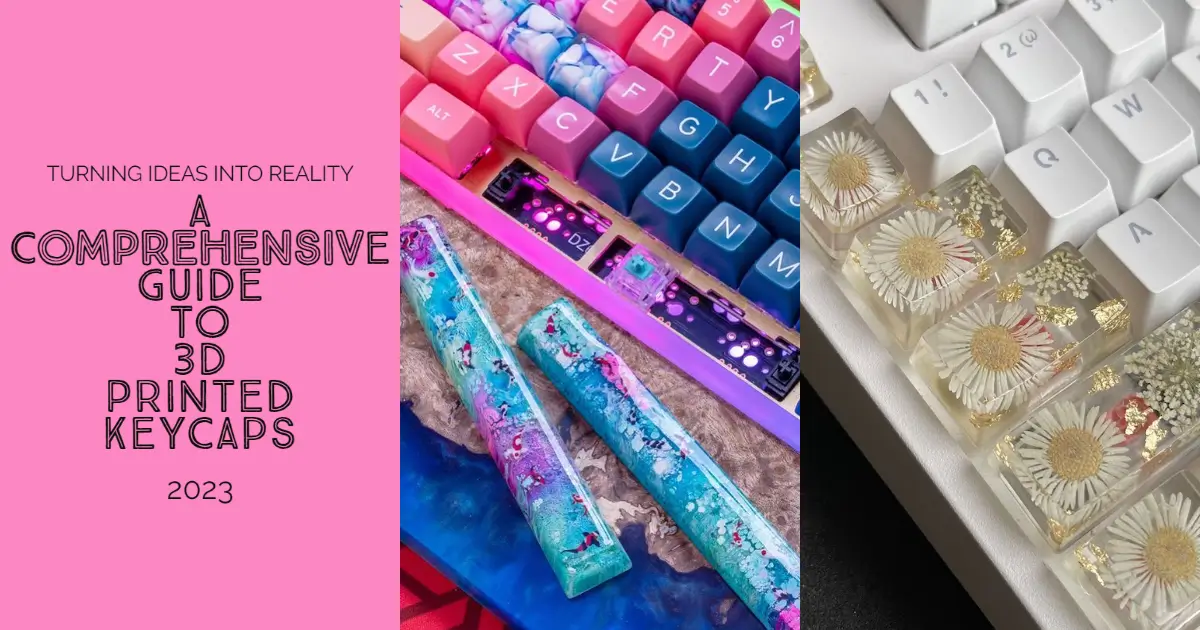
The world of mechanical keyboards has evolved beyond traditional manufacturing, opening doors to unlimited customization through 3D printed keycaps. This technology empowers enthusiasts to create unique, personalized keycaps that reflect their individual style while maintaining the functionality and durability expected from premium keyboard components.
3D printing keycaps represents a revolutionary approach to keyboard customization, offering unprecedented design freedom and the ability to prototype ideas rapidly. Whether you’re seeking ergonomic improvements, artistic expression, or functional enhancements, 3D printed keycaps provide solutions that traditional manufacturing cannot match.
Understanding 3D Printed Keycaps: Technology and Possibilities
What Makes 3D Printed Keycaps Special?
3D printed keycaps utilize additive manufacturing to create keycaps layer by layer from digital designs. This process eliminates the constraints of traditional injection molding, enabling complex geometries, integrated features, and personalized designs that would be impossible or prohibitively expensive using conventional methods.
The technology allows for rapid prototyping and iteration, making it ideal for testing ergonomic improvements or aesthetic concepts before committing to larger production runs. Designers can incorporate functional elements like integrated legends, textured surfaces, or specialized ergonomic features directly into the keycap structure.
Key Advantages of 3D Printed Keycaps:
- Unlimited design freedom with complex geometries
- Rapid prototyping for testing concepts
- Personalization options impossible with injection molding
- Cost-effective small batches and one-off designs
- Integrated features like legends and textures
- Ergonomic customization for individual hand shapes
Current Limitations to Consider:
- Surface finish may require post-processing
- Material properties differ from injection-molded plastics
- Production speed slower for large quantities
- Layer lines may affect tactile experience
- Color options limited to available filaments
3D Printing Technologies for Keycap Production
Fused Deposition Modeling (FDM)
FDM represents the most accessible 3D printing technology for keycap production, using thermoplastic filaments heated and extruded through a nozzle. This method offers excellent material variety and cost-effectiveness for experimental designs and functional prototypes.
FDM Advantages for Keycaps:
- Wide material selection including PLA, PETG, and ABS
- Affordable equipment and operation costs
- Excellent for functional testing and prototypes
- Strong layer adhesion with proper settings
- Compatible with standard desktop printers
FDM Considerations:
- Layer lines may require post-processing
- Support material needed for overhangs
- Nozzle size affects detail resolution
- Print orientation impacts surface quality
Stereolithography (SLA)
SLA technology uses UV light to cure liquid resin layer by layer, producing keycaps with exceptional surface finish and fine detail resolution. This method excels at creating smooth surfaces and intricate features that approach injection-molded quality.
SLA Advantages for Keycaps:
- Superior surface finish with minimal post-processing
- High detail resolution for legends and textures
- Smooth tactile experience comparable to traditional keycaps
- Excellent dimensional accuracy
- Capable of transparent and translucent materials
SLA Considerations:
- Limited material selection compared to FDM
- Requires post-curing and cleaning processes
- Higher equipment and material costs
- Toxic resin handling requires safety precautions
Selective Laser Sintering (SLS)
SLS technology fuses powdered materials using laser energy, creating keycaps without support structures and enabling complex internal geometries. This industrial-grade process produces functional parts with excellent mechanical properties.
SLS Advantages for Keycaps:
- No support structures required
- Complex internal geometries possible
- Excellent mechanical properties
- Professional-grade surface finish
- Multiple materials in single print
SLS Considerations:
- High equipment costs limit accessibility
- Powder handling requires specialized facilities
- Limited color options without post-processing
- Professional service bureau typically required
Materials for 3D Printed Keycaps
PLA (Polylactic Acid) – Beginner Friendly
PLA offers the easiest introduction to 3D printed keycaps, providing good print quality with minimal warping or adhesion issues. While not as durable as other options, PLA works well for prototyping and temporary use applications.
PLA Characteristics:
- Easy printing with minimal warping
- Good surface finish out of the box
- Available in numerous colors and specialty variants
- Biodegradable and environmentally friendly
- Lower heat resistance than alternatives
Best Use Cases:
- Prototype development and testing
- Artistic or display keycaps
- Temporary replacements
- Learning 3D printing techniques
PETG (Polyethylene Terephthalate Glycol) – Balanced Performance
PETG strikes an excellent balance between printability and durability, offering superior toughness compared to PLA while maintaining reasonable printing requirements. This material works well for functional keycaps intended for regular use.
PETG Characteristics:
- Excellent impact resistance and flexibility
- Chemical resistance superior to PLA
- Clear variants available for backlit applications
- Good layer adhesion and print quality
- Higher temperature resistance than PLA
Best Use Cases:
- Daily-use functional keycaps
- Backlit applications requiring transparency
- Keycaps requiring flexibility or impact resistance
- Chemical-resistant applications
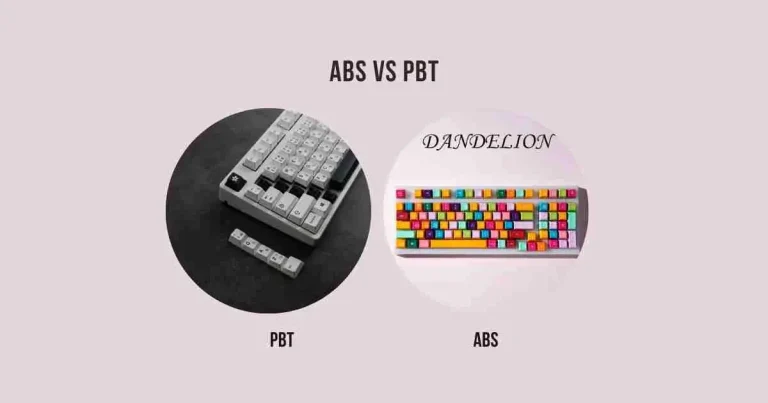
ABS (Acrylonitrile Butadiene Styrene) – Traditional Alternative
ABS provides properties similar to injection-molded keycaps, offering excellent durability and post-processing capabilities. The material requires more advanced printing techniques but delivers professional-grade results when properly executed.
ABS Characteristics:
- Similar properties to commercial keycaps
- Excellent post-processing capabilities
- High-temperature resistance
- Good chemical resistance
- Requires heated bed and enclosure
Best Use Cases:
- Professional-grade custom keycaps
- High-temperature applications
- Keycaps requiring extensive post-processing
- Long-term durability requirements
Specialty Materials for Advanced Applications
Flexible Filaments (TPU)
Create keycaps with unique tactile properties and shock absorption characteristics. Flexible materials enable designs impossible with rigid plastics.
Wood-Filled Filaments
Combine plastic properties with natural wood aesthetics, offering unique textures and the ability to stain or finish like real wood.
Metal-Filled Filaments
Achieve metallic appearance and increased weight while maintaining printability. Bronze, copper, and steel-filled variants available.
Design Principles for 3D Printed Keycaps
Ergonomic Considerations
Successful 3D printed keycaps must balance aesthetic appeal with functional requirements. Understanding finger mechanics and typing patterns informs design decisions that enhance rather than hinder the typing experience.
Key Ergonomic Factors:
- Fingertip contact area optimization
- Natural finger curvature accommodation
- Row-appropriate height and angle
- Tactile feedback through surface texture
- Weight distribution for balanced feel
Structural Design Requirements
3D printed keycaps must withstand repeated mechanical stress while maintaining dimensional stability. Design features should account for material properties and printing limitations.
Critical Design Elements:
- Wall thickness minimum of 1.2mm for durability
- Stem attachment point reinforcement
- Internal geometry optimization for strength
- Support structure consideration during design
- Post-processing access for cleanup
Switch Compatibility Standards
Ensuring proper fit with mechanical switches requires precise dimensional control and understanding of manufacturing tolerances.
Compatibility Requirements:
- Cherry MX stem dimensions (5.5mm x 4.0mm cross)
- Stem socket tolerance (+/-0.1mm for proper fit)
- Keycap mounting depth considerations
- Stabilizer compatibility for larger keys
- Switch travel clearance requirements
Design Software and Workflow
CAD Software Options
Fusion 360 – Professional Features
Autodesk Fusion 360 provides comprehensive CAD capabilities with excellent parametric modeling tools ideal for keycap design. The software includes simulation features for stress analysis and manufacturing preparation tools.
Tinkercad – Beginner Friendly
Browser-based design tool offering intuitive interface for basic keycap modifications and simple custom designs. Excellent starting point for beginners learning 3D design concepts.
Blender – Artistic Focus
Open-source software excelling at organic shapes and artistic designs. Particularly useful for sculptural keycaps and complex surface textures.
Design Workflow Best Practices
- Concept Development
- Sketch initial ideas and ergonomic requirements
- Research existing keycap profiles for baseline measurements
- Consider manufacturing constraints early in design
- 3D Modeling Process
- Start with basic keycap profile as foundation
- Add custom features incrementally
- Maintain proper stem socket dimensions throughout
- Prototype Testing
- Print initial design in inexpensive material
- Test fit and ergonomic feel
- Iterate design based on physical testing
- Final Optimization
- Optimize print orientation and support requirements
- Refine surface details for chosen printing method
- Prepare final files with appropriate tolerances
Printing Process and Optimization
Pre-Print Preparation
Success with 3D printed keycaps begins with proper file preparation and printer setup. Attention to detail during this phase prevents print failures and ensures consistent quality.
Essential Preparation Steps:
- Verify model dimensions and tolerances
- Optimize print orientation for surface quality
- Generate appropriate support structures
- Calibrate printer for chosen material
- Prepare print bed for optimal adhesion
Print Settings Optimization
Layer Height Selection
- 0.1-0.15mm: Highest quality for detailed features
- 0.2mm: Standard setting balancing quality and speed
- 0.3mm: Faster printing for prototypes and testing
Infill Considerations
- 10-20%: Adequate for most keycap applications
- 30-50%: Enhanced durability for heavy-use keys
- 100%: Maximum strength for specialized applications
Support Structure Strategy
- Minimize supports to reduce post-processing
- Use water-soluble supports for complex geometries
- Orient prints to eliminate support requirements when possible
Quality Control During Printing
Monitor prints for common issues that affect keycap quality:
- Layer adhesion problems causing weak points
- Stringing or oozing affecting surface finish
- Dimensional accuracy for proper switch fit
- Support removal accessibility
Post-Processing Techniques
Surface Finishing Methods
Sanding and Polishing
Progressive sanding from coarse to fine grits eliminates layer lines and achieves smooth surfaces comparable to injection-molded keycaps.
Sanding Process:
- Start with 220-grit to remove major layer lines
- Progress through 400, 800, and 1200-grit papers
- Finish with polishing compound for glossy surfaces
- Use rotary tools for detail areas and curves
Chemical Smoothing
Vapor smoothing with appropriate solvents can eliminate layer lines on compatible materials like ABS, creating glass-smooth surfaces.
Safety Requirements:
- Adequate ventilation or fume extraction
- Personal protective equipment
- Proper chemical storage and disposal
- Fire safety precautions
Legend Creation Methods
Multi-Color Printing
Design keycaps with pause points allowing filament changes for integrated color legends that won’t wear away.
Post-Print Legend Addition
- Paint filling for recessed legends
- Vinyl decal application
- Laser engraving for permanent marking
- UV printing for complex graphics
Durability Enhancement
Surface Coatings
Apply protective coatings to enhance wear resistance and maintain appearance:
- Clear acrylic coatings for UV protection
- Textured coatings for improved grip
- Anti-static treatments for dust resistance
Heat Treatment
Controlled annealing can improve material properties and reduce internal stresses in printed parts.
Troubleshooting Common Issues
Print Quality Problems
Layer Lines and Poor Surface Finish
Causes: Incorrect layer height, poor calibration, suboptimal print settings Solutions: Reduce layer height, calibrate extruder, optimize temperature settings
Warping and Dimensional Accuracy
Causes: Inadequate bed adhesion, thermal expansion, improper cooling Solutions: Improve bed preparation, use enclosure, adjust cooling fan settings
Support Removal Difficulties
Causes: Excessive support density, poor support interface settings Solutions: Optimize support parameters, use breakaway support materials
Functional Issues
Poor Switch Fit
Causes: Dimensional inaccuracy, material shrinkage, design tolerances Solutions: Adjust tolerances, post-process stem socket, verify printer calibration
Keycap Cracking or Breaking
Causes: Insufficient wall thickness, material limitations, stress concentration Solutions: Increase wall thickness, modify design geometry, choose stronger materials
Design Optimization Challenges
Complex Geometries Not Printing Well
Causes: Overhangs exceeding printer capabilities, insufficient supports Solutions: Redesign geometry, add supports, split complex parts
Advanced Techniques and Applications
Multi-Material Printing
Combine different materials in single keycaps for enhanced functionality:
- Hard base with soft-touch surface overlay
- Transparent legends with opaque keycap body
- Flexible gaskets integrated with rigid structures
Embedded Components
Integrate electronic components directly into keycap designs:
- LED strips for custom backlighting
- Pressure sensors for advanced input detection
- Wireless modules for smart keycap functionality
Parametric Design Systems
Develop scalable design systems allowing rapid customization:
- Variable profile heights and angles
- Adjustable surface textures and patterns
- Scalable legend sizes and positions
Cost Analysis and Economics
Equipment Investment
Entry-Level Setup ($200-500)
- Basic FDM printer (Ender 3, Prusa MINI)
- Essential tools and materials
- Basic design software (Tinkercad, Fusion 360 personal)
Professional Setup ($1000-5000)
- High-quality FDM or entry SLA printer
- Professional CAD software licenses
- Complete post-processing equipment
- Material inventory and storage
Per-Keycap Costs
Material Costs
- PLA keycaps: $0.10-0.30 each
- PETG keycaps: $0.15-0.40 each
- Specialty materials: $0.25-1.00 each
Time Investment
- Design time: 2-8 hours per unique design
- Print time: 30-90 minutes per keycap
- Post-processing: 10-30 minutes per keycap
Economic Viability
3D printed keycaps become cost-effective for:
- Custom one-off designs
- Small batch productions (5-50 units)
- Prototype development
- Specialized ergonomic requirements
Traditional manufacturing remains more economical for large quantities due to economies of scale.
Community and Resources
Online Communities
Reddit Communities
- r/MechanicalKeyboards for general discussion
- r/3Dprinting for technical printing advice
- r/functionalprint for practical design ideas
Discord Servers
- Mechanical keyboard enthusiast servers
- 3D printing community channels
- Design collaboration platforms
Design Resources
File Repositories
- Thingiverse keycap collections
- MyMiniFactory premium designs
- Prusaprinters community uploads
Educational Content
- YouTube channels focused on keycap design
- Online courses for CAD software
- Blog tutorials for specific techniques
Professional Services
For users lacking equipment or expertise, professional services offer:
- Custom design development
- High-quality printing services
- Post-processing and finishing
- Small batch production runs
Future Trends and Innovations
Material Developments
Advancing material science continues expanding possibilities:
- Bio-based plastics with improved properties
- Conductive filaments for integrated electronics
- Shape-memory alloys for adaptive keycaps
- Recycled plastics supporting sustainability
Technology Improvements
Printing technology evolution enhances capabilities:
- Multi-material printing becoming mainstream
- Improved surface finish reducing post-processing
- Faster printing speeds enabling production scaling
- Lower-cost professional-grade equipment
Design Evolution
Software and design methodologies advance rapidly:
- AI-assisted design optimization
- Generative design for performance enhancement
- Real-time collaboration tools
- Automated tolerance optimization
Conclusion
3D printed keycaps represent a paradigm shift in keyboard customization, offering unprecedented design freedom and personalization opportunities. While the technology requires learning and investment, the ability to create truly unique keycaps tailored to individual preferences makes it an invaluable tool for keyboard enthusiasts.
Success with 3D printed keycaps depends on understanding the interplay between design, materials, printing processes, and post-processing techniques. Each element contributes to the final product quality and user experience, requiring careful consideration and optimization.
As 3D printing technology continues advancing, the gap between home-printed and professionally manufactured keycaps narrows. Early adopters who master these techniques today will be best positioned to leverage future improvements and push the boundaries of what’s possible in keyboard customization.
Whether creating artistic statement pieces, ergonomic improvements, or functional enhancements, 3D printed keycaps offer a direct path from imagination to reality. The combination of accessible technology, supportive communities, and unlimited design possibilities makes this an exciting time to explore custom keycap creation.
The journey from digital design to physical keycap may require patience and practice, but the satisfaction of typing on personally designed and manufactured keycaps makes every step worthwhile. Embrace the learning process, experiment with different approaches, and discover the unique possibilities that 3D printed keycaps bring to mechanical keyboard customization.